
Automations and actions
Activity triggers are small automations configured by the user for a wide variety of actions, depending on what is needed for day-to-day operations.
Triggers can be of two types:
Conditional trigger
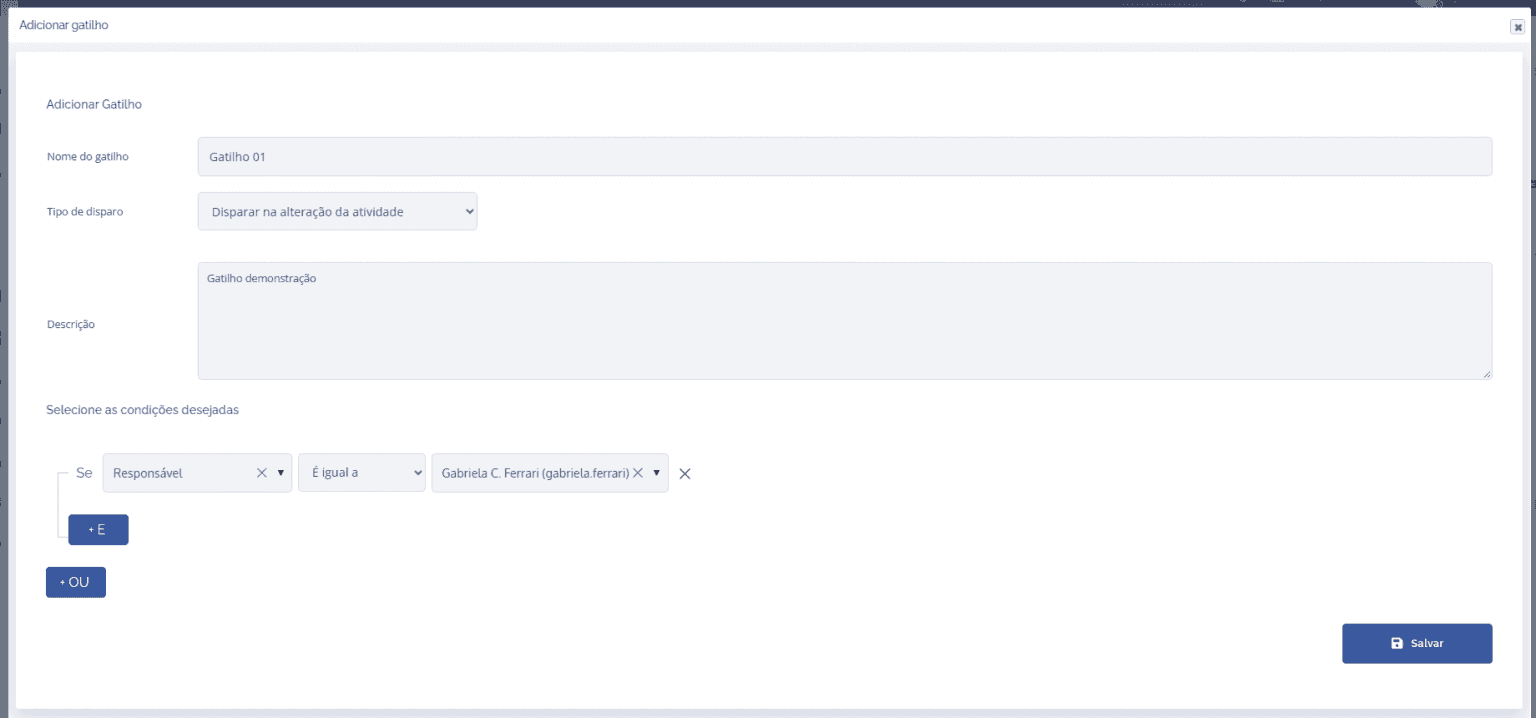
A conditional trigger is basically a condition that the user sets up in the activity type. This condition can be whether a specific field has a specific value, or is different from some value; it can be a certain date or a specific person responsible for an activity. When this condition is true, it can trigger some actions in the activity. These actions vary, such as sending an alert email, changing an activity's stage, or associating a legal document with the activity. In addition, it is also possible to create conditionals with combinations using AND or OR.
Stage transition trigger
This trigger, as the name suggests, refers to transitions between stages in the activity. It can be from the creation of an activity to a specific stage, from stage x to stage y, or for all stages.
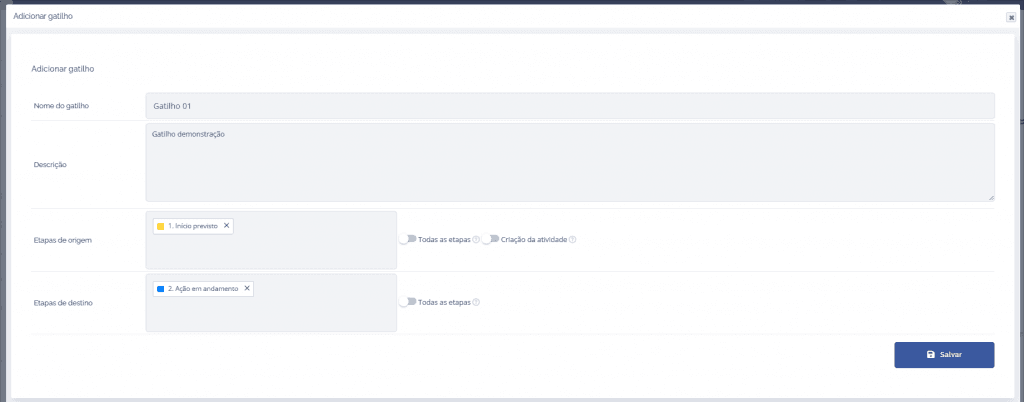
This trigger also fires actions like the conditional trigger, and these are varied and will be listed below: