
Conditional trigger
In the listing, click on the edit (pencil) icon next to the Conditionals type automation:
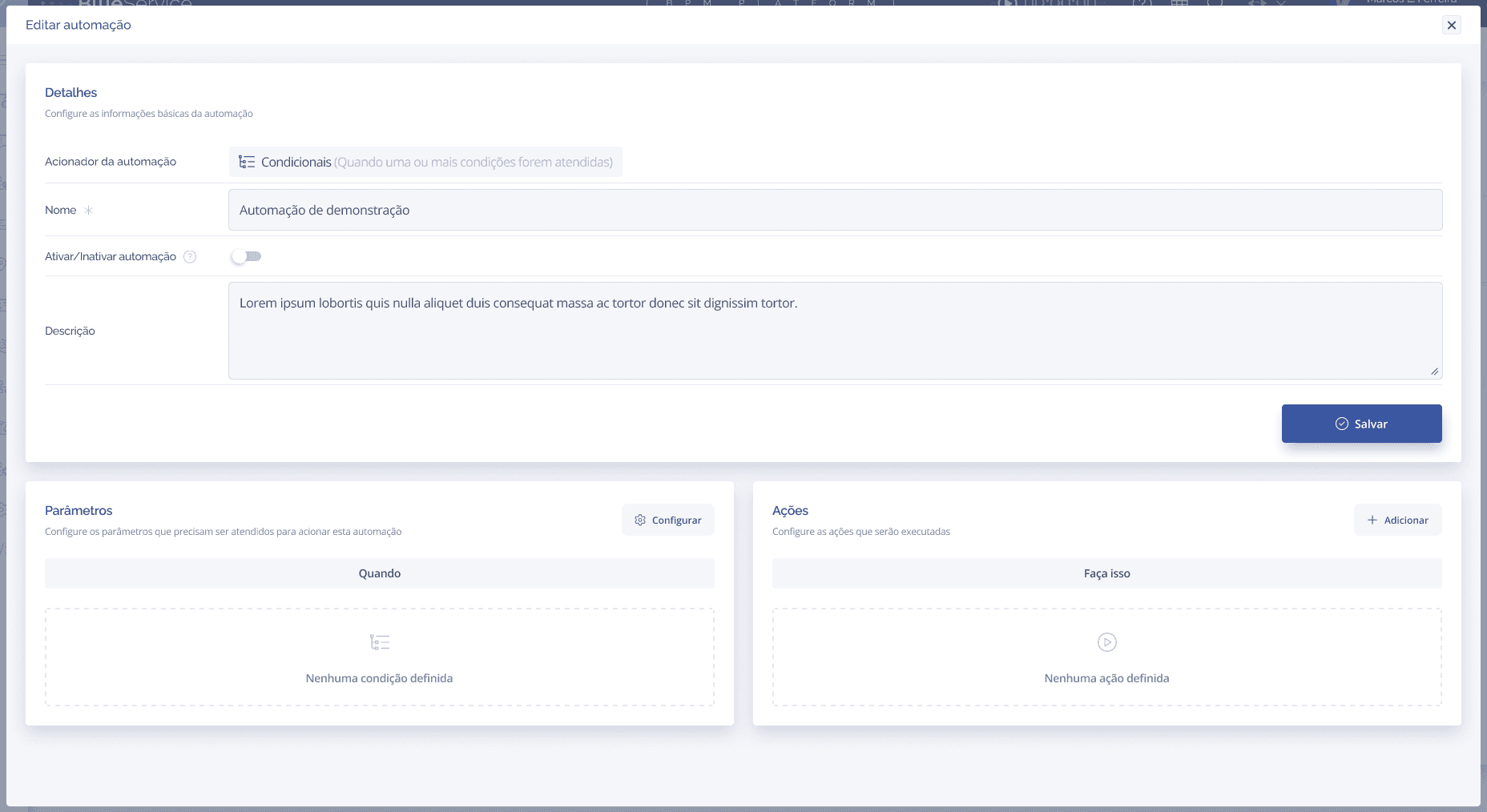
The form contains:
Automation trigger: displays "Conditionals" — informative only.
Name*: required.
Activate/Deactivate automation: switch to activate or deactivate. Inactive by default.
Description: free text.
Parameters Block (Conditions): defines the conditions that will trigger the automation.
Actions Block: what will be executed when the conditions are met.
Configuring Conditions
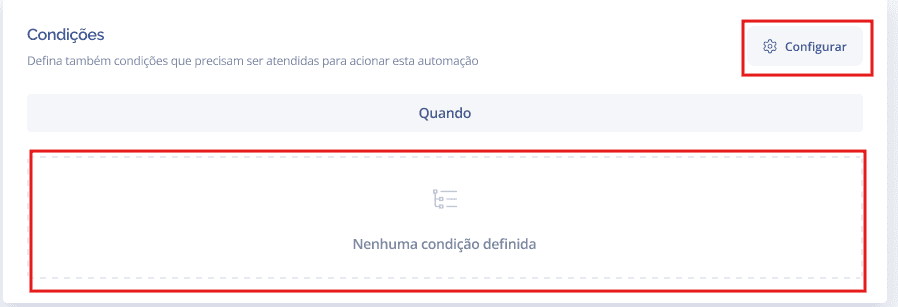
In the Parameters block, click Configure:
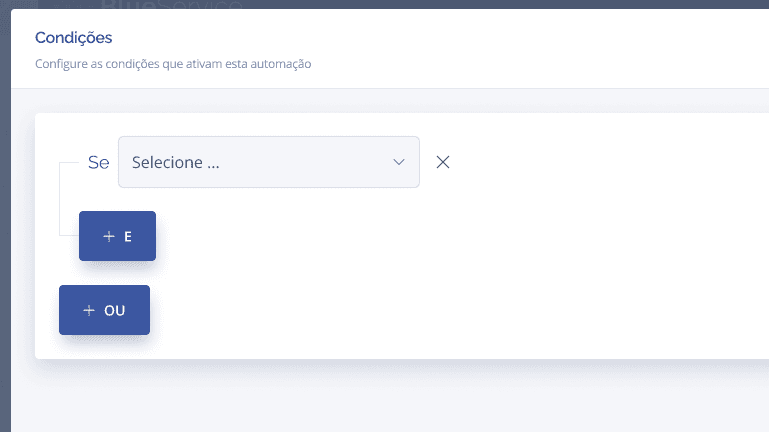
The conditions modal will be displayed. Select the attribute in the "If" field and configure the desired value:
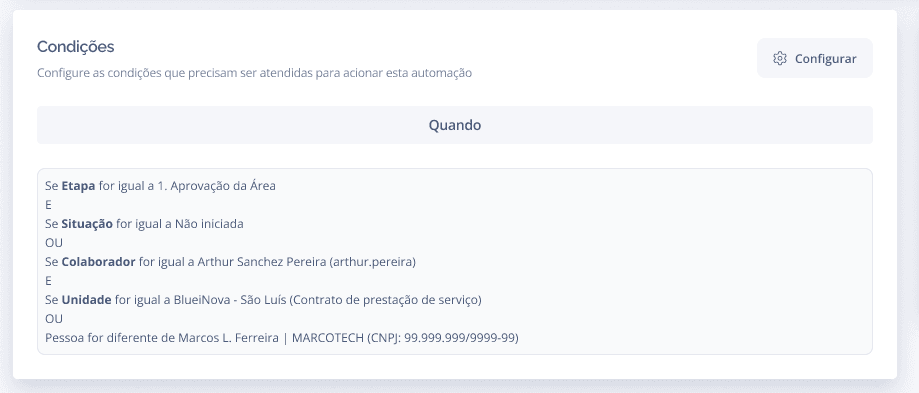
After saving, the conditions will appear in the block:
Viewing the Conditionals automation
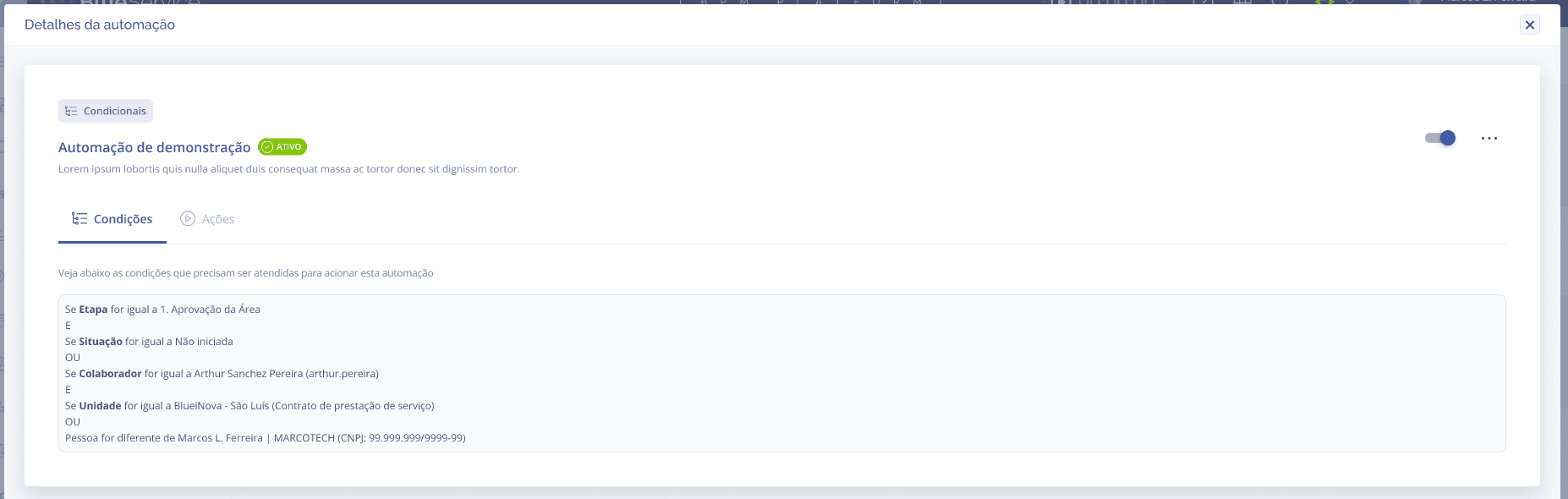
Click the view (👁) icon in the listing. The panel displays 2 tabs: Conditions and Actions:
To activate the Conditionals automation, it is necessary to have at least one condition and one action configured.