
Create/Add activities
This topic begins the functional and operational part of the activities module, starting with the creation of activities.
Important: before proceeding, make sure you are familiar with the concepts covered in the Introduction of this module.
On the Blue Service platform, activities can be created through different screens, such as:
In some contexts, it is very common for users with an operational profile not to need to create activities, because they have already been created previously by other users, or else created automatically by the platform. However, the following content covers manual activity creation, that is, through the activity creation form.
Activity creation form
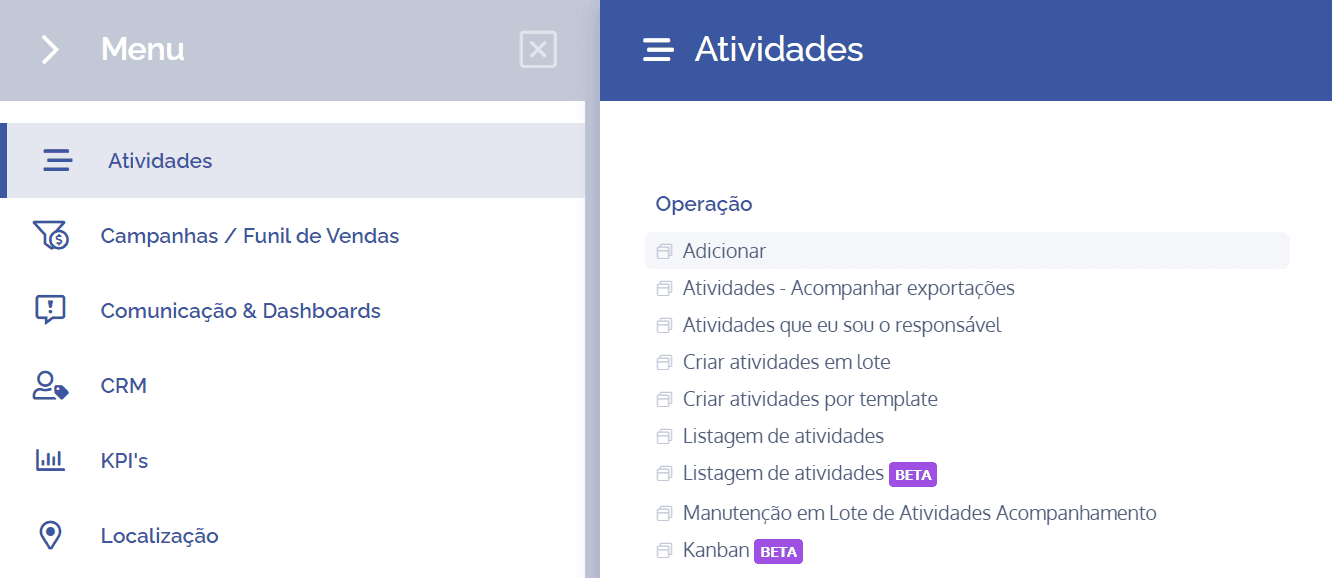
The activity creation form is the simplest way to create an activity on the platform. To access it, open the main menu, select the Activities, Operation, module, and click the Add option.
Selecting the activity type
On the next screen, you need to choose the desired activity type. To do this, click Select…

A window will open with the available activity types, organized into categories. You can locate a specific type using the search box, or by exploring categories and subcategories:
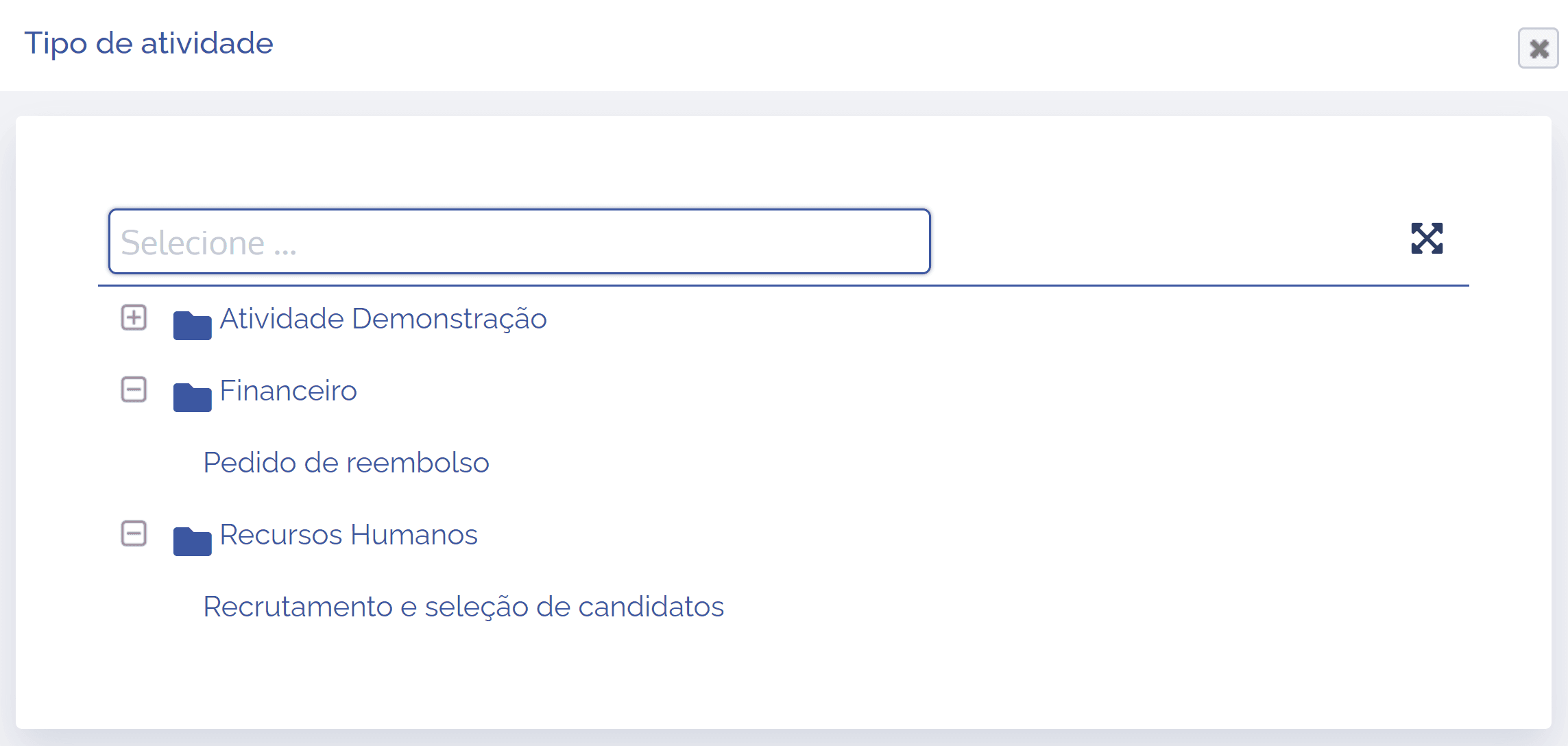
Attention: only activity types compatible with the user's access profile will be displayed.
After clicking the desired type, the activity creation form will be displayed:
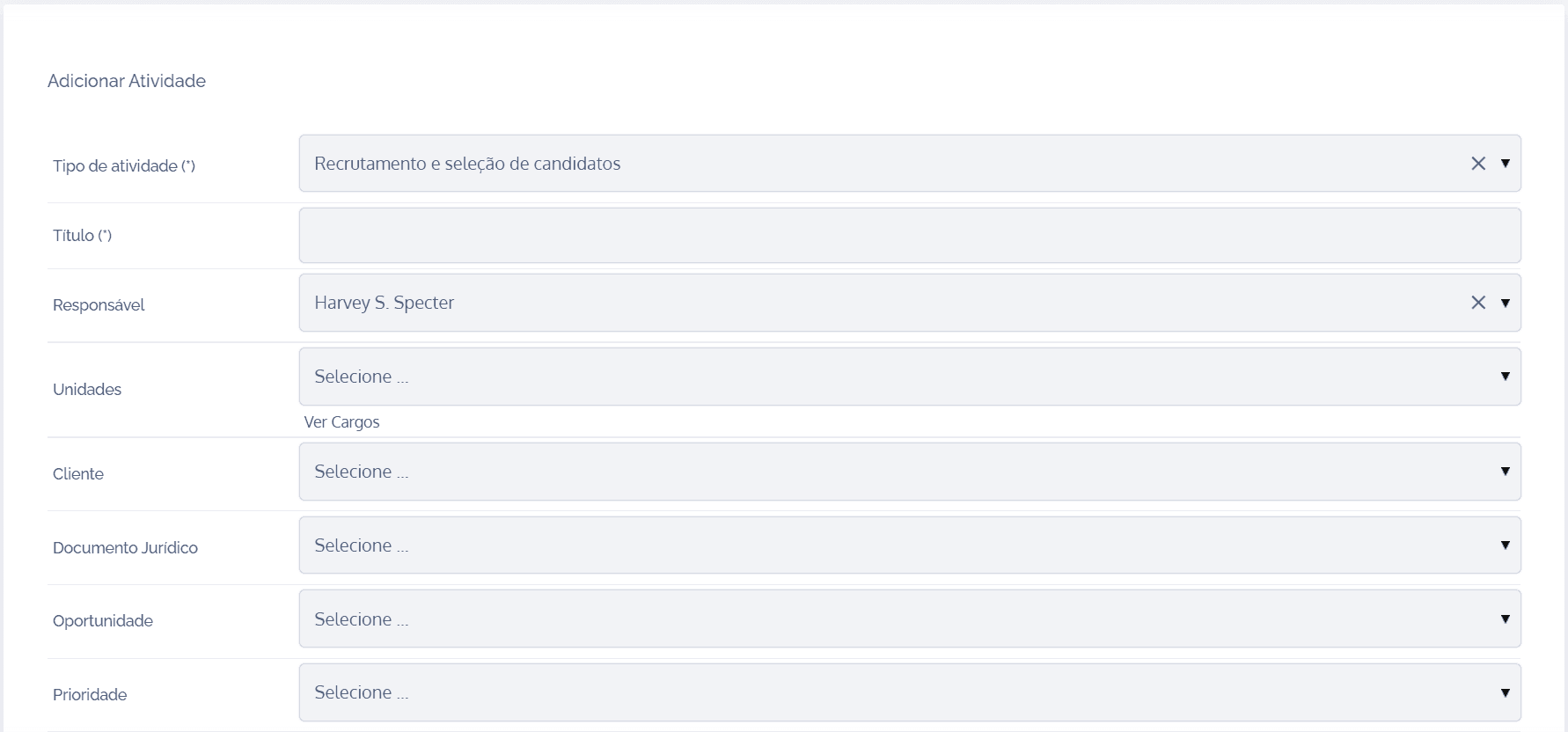
The form contains fixed and dynamic fields, configured according to the activity type. The fixed fields are filled in first, and the dynamic ones are presented right afterward, and may be divided into categories. In the next topics, see how to fill in each of the activity’s fixed and dynamic fields.