Orders and fines
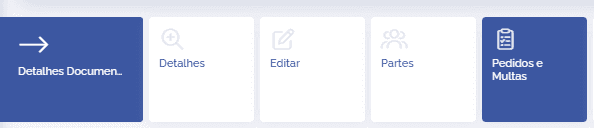
In the details of a legal document, click the card Orders and Fines:
This block displays all registered orders and fines, and you can filter by List or Chart:
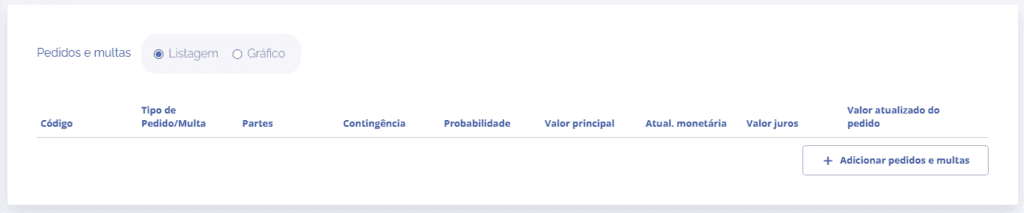
When you click the Add orders and fines button, a block will open below:
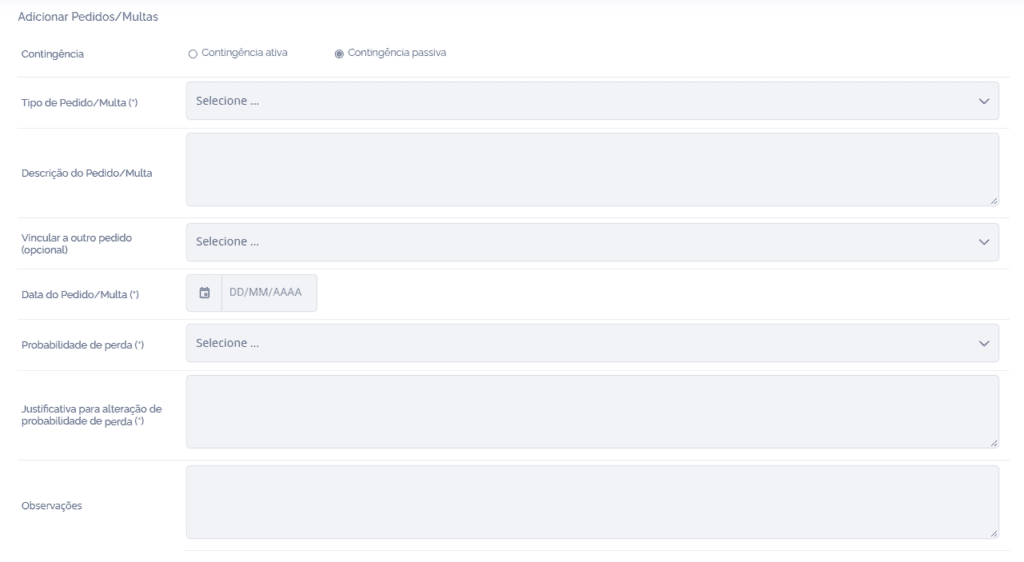
In the first section of the block, it is possible to define:
Contingency: Define whether it is an active or passive contingency.
Order/Fine Type: Select an order/fine type associated with the document type.
Order/Fine Description: Define an order/fine description if necessary.
Link to another order (optional): Link this order/fine to another registered one.
Order/Fine Date: Define the order/fine date.
Loss probability: Define as likely, possible, or remote.
Justification for loss probability change: Justify the reason for the loss probability.
Notes: Add a note for the order/fine if necessary.
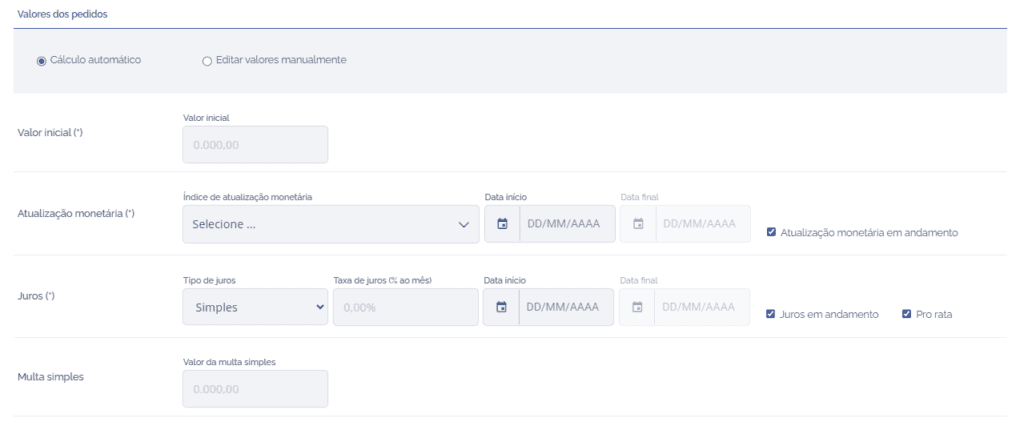
In the second section of the block, it is possible to define:
Calculation type: Define whether the calculation for editing the order values will be automatic or manual.
When defining that the calculation will be performed manually, the following fields will be disabled.
When defining that the calculation will be automatic, it is necessary to fill in the fields below:
Initial value: Define the initial value of the order/fine.
Monetary update: Define the monetary correction index and the dates (start/end/in progress)
Interest: Define the interest type, to check the interest rate, the dates (start/end/in progress) and whether the interest should follow the Pro rata calculation.
Fine: Define the fine amount.
In the last section, it is possible to verify the calculation of the values filled in the second section, define the classification type of each field (Operational/Financial) defined when creating the order/fine type and add the Parties, registered in the Parties card, if necessary.
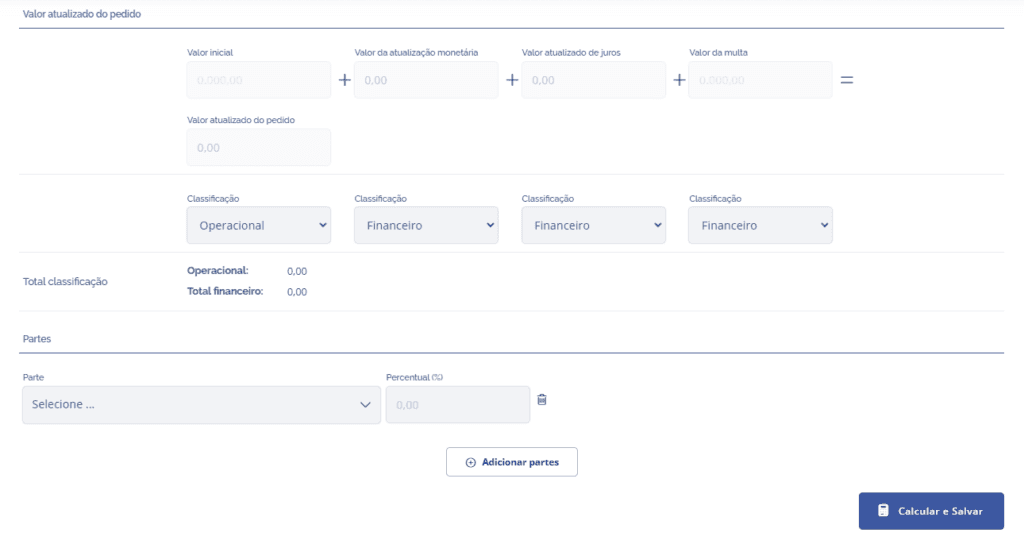
When clicking the Calculate and Save button, the order/fine will be added to the document.