Types of legal documents
Document types
This is the nature of the action that was filed, that is, the person against whom an appeal or legal action is brought. With this, it is possible to create document types that represent the nature of the action, whether through a power of attorney, petition, active debt enforcement, among others. Based on the type of document to be filed, the process is initiated with the appropriate associated fields, statuses, progress steps, parties, requests, and fines.
It is worth noting that this stage is the main one, since the nature of the document will be created and associations with this type will be made. From this, it becomes possible to create a legal document, following all its procedures.
Add document types
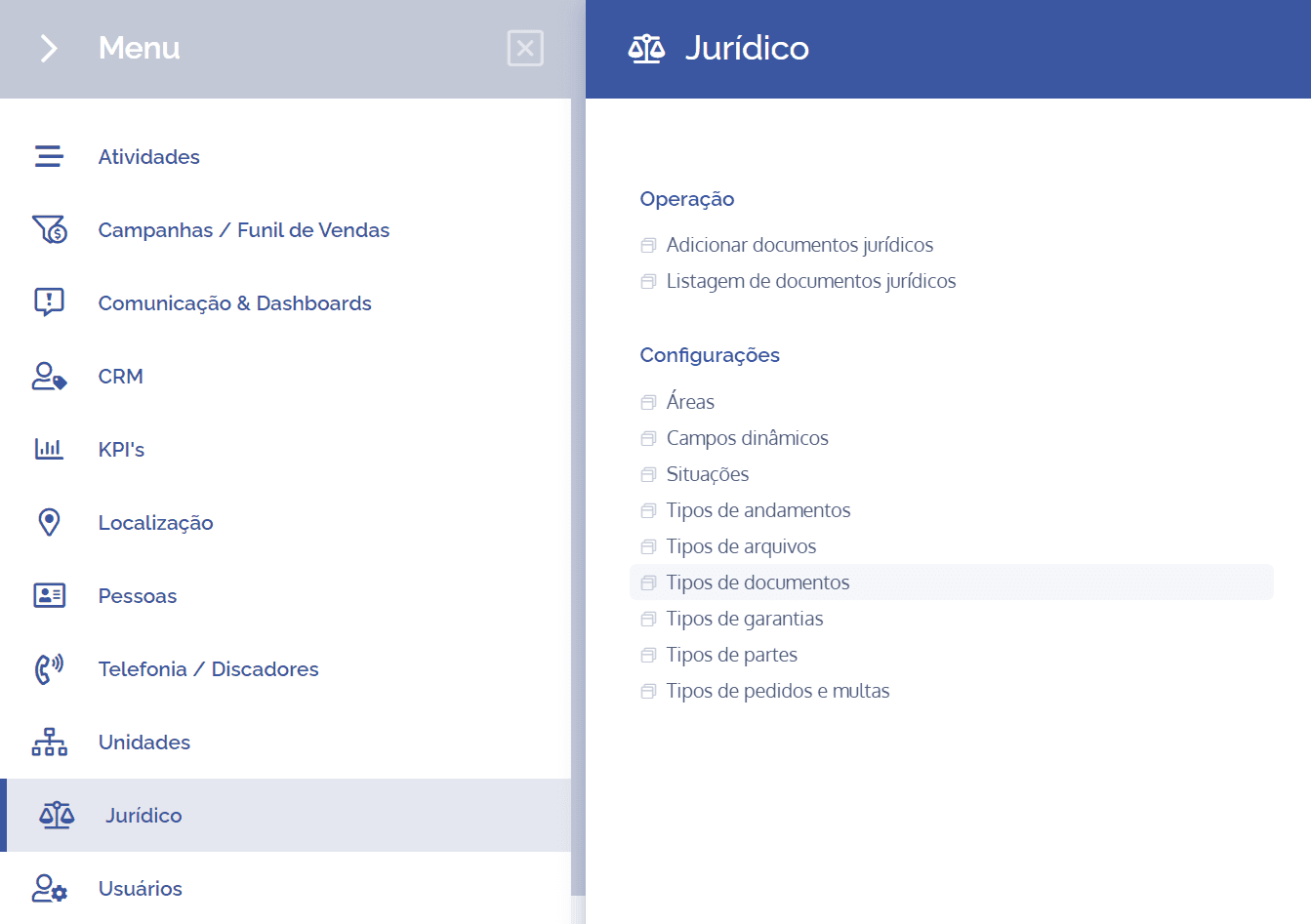
To create/add party types, open the main menu, select the Legal module, Settings and click the Document types option.
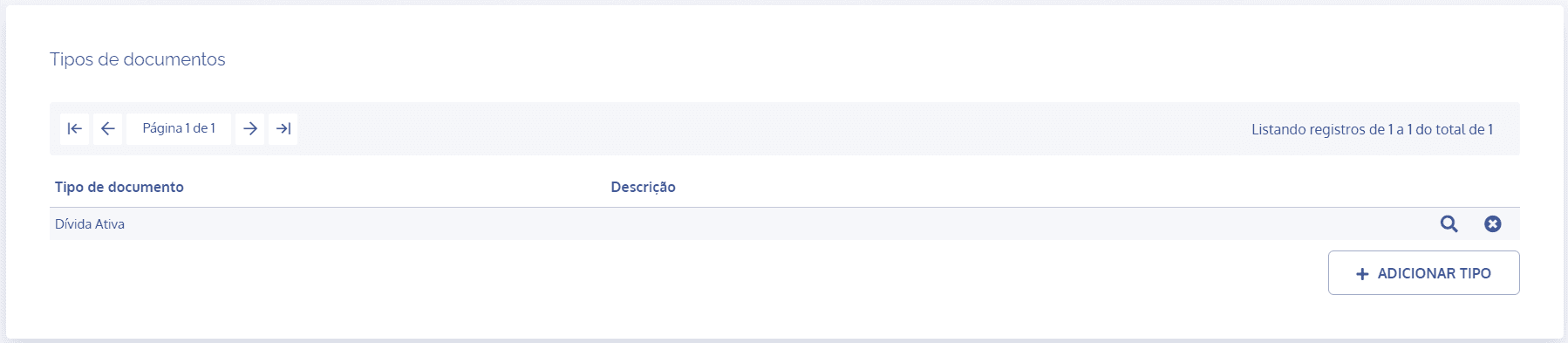
On the next screen, click the Add type button:
A new Add type block will be displayed:
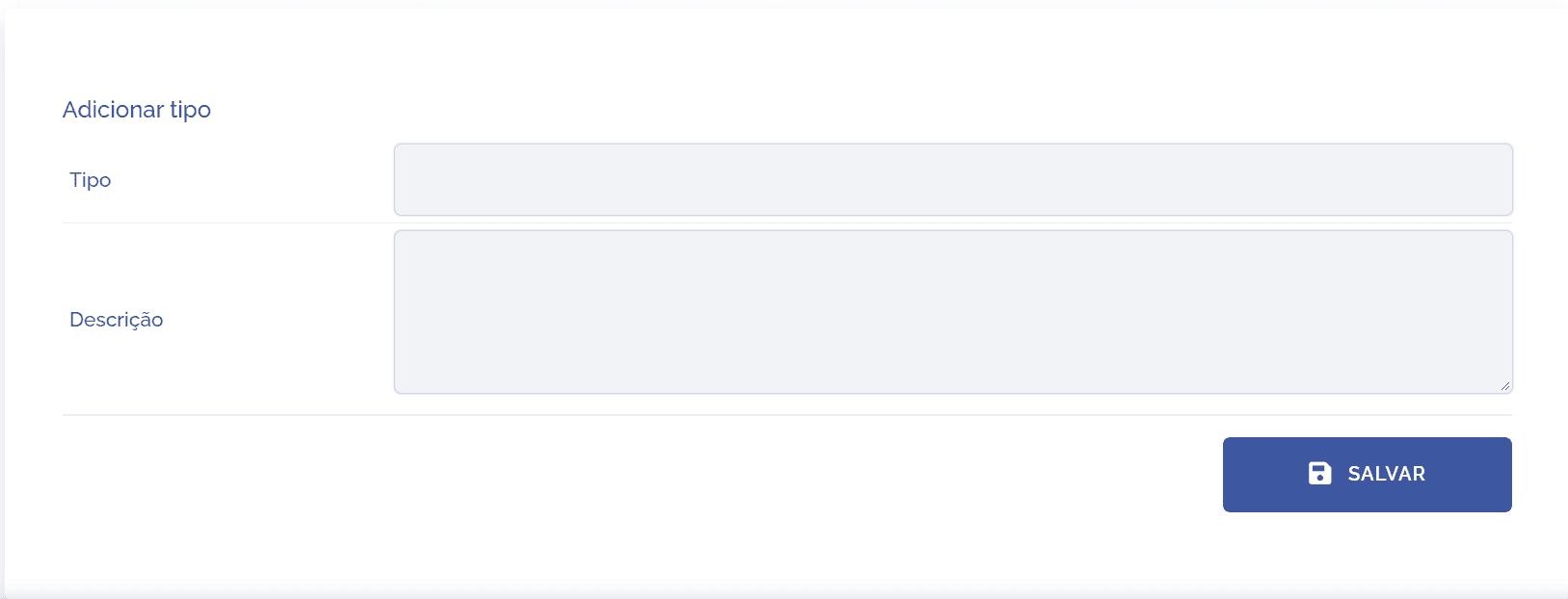
To proceed with creating a document type, the following items must be filled in:
Type: By selecting this option, you can define a title for the document, which will be linked during process execution.
Description: By selecting this option, you can provide a brief description regarding the purpose of the document type.
After filling in the fields, click the Save button to register it in the system.
Type details
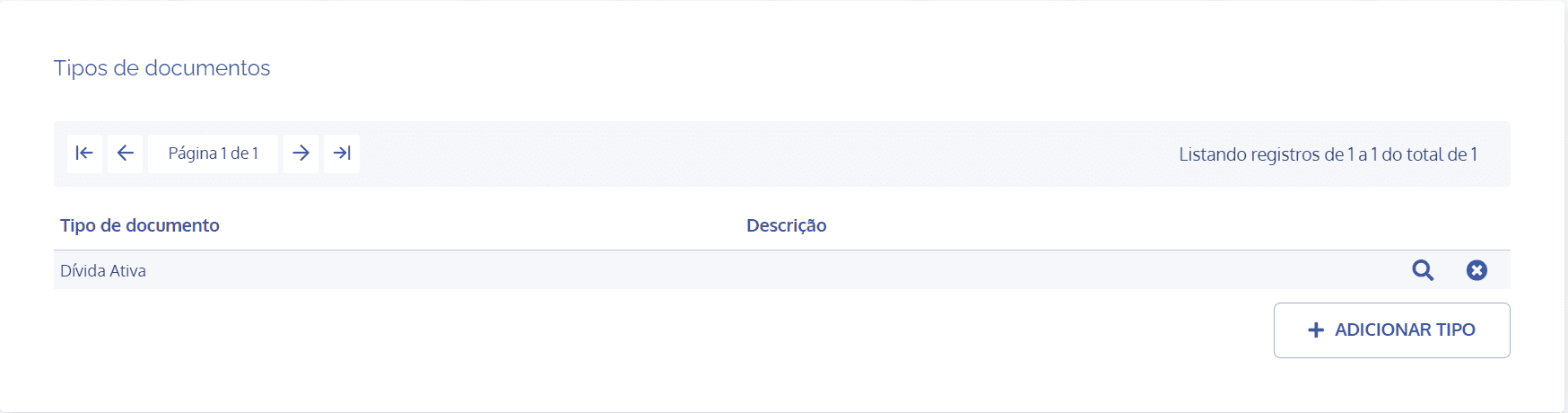
After creating the document type, you can configure it with the relevant associations. To do this, click the Magnifying Glass icon. However, see the Document type settings topic for more details.
Remove type
When you click the remove icon, a confirmation box for removing the type will be displayed: