
Audit logs
When the request for audit data recording is completed, the recording summary will be displayed within the requests/fines of the document types affected by the cutoff.
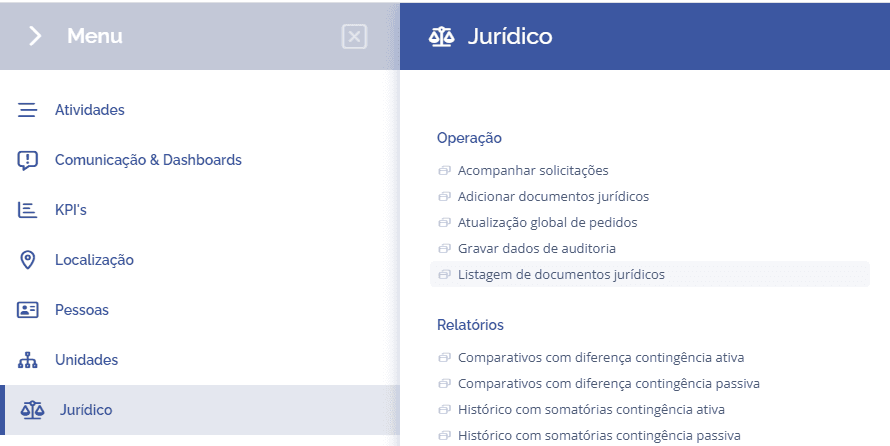
To access the recording, open the main menu, select the Legal module, Operations and click the Legal document listing option.
Access a document that has a request/fine with automatic update registered, and that is of the document type affected by the audit cutoff.
When you select the card Audit recordings, the recording requests will be listed.
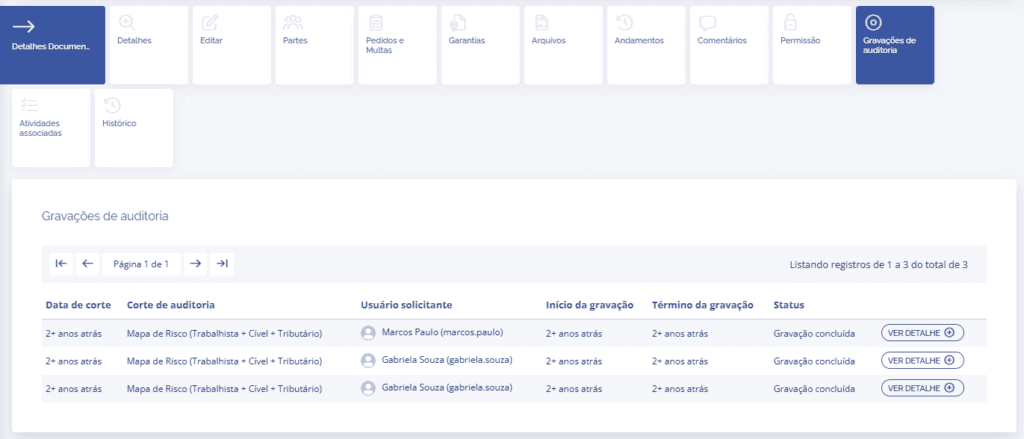
By clicking the View Details button, you can check the summary of the audit recording for the cutoff.
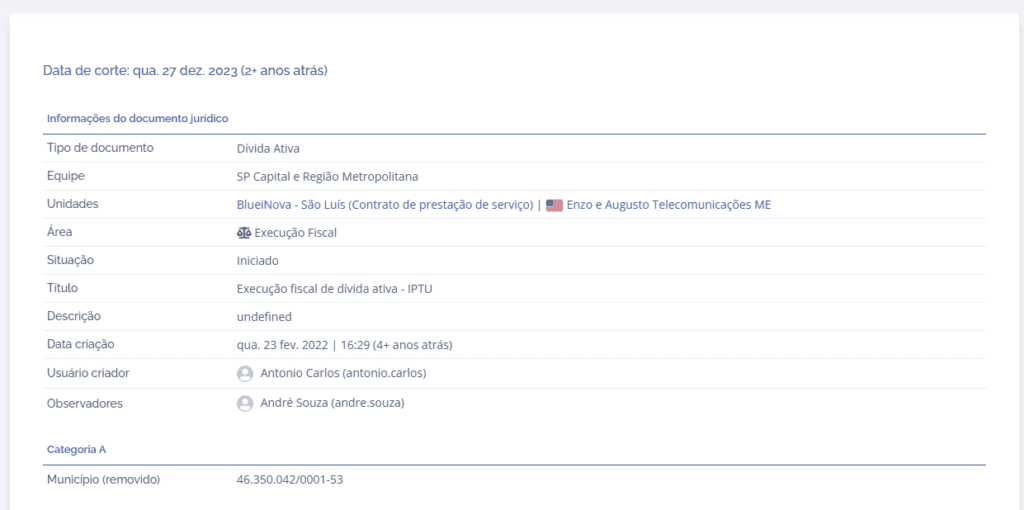
In this summary, the information for the legal document, parties, guarantees, and requests and fines updated with the latest economic index will be listed.