
Global order update
Global order update is a feature that allows you to update, all at once, the values of orders and fines linked to legal documents. This update automatically takes into account calculations such as monetary correction, interest, and total amounts.
The feature performs the update only on the orders recorded in documents configured for automatic calculation. Orders set for manual editing are not changed, keeping the values entered by the user. The process is carried out asynchronously and may take some time to complete, due to the volume of data processed.
Global updating ensures that order and fine values are always up to date and consistent, reducing the need for manual adjustments and increasing the reliability of legal information.
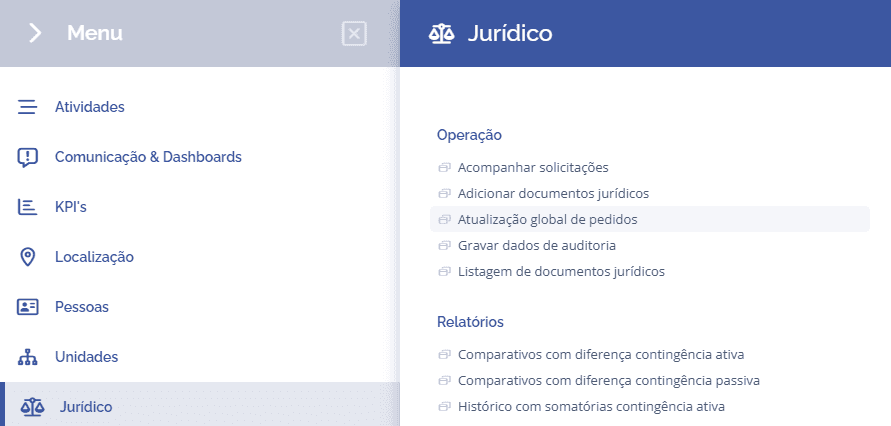
To perform the global update, open the main menu, select the Legal module, Operation and click the Global Order Update option.
Next, the block (List of global order and fine updates) will be displayed, listing all document update requests that have registered orders/fines:
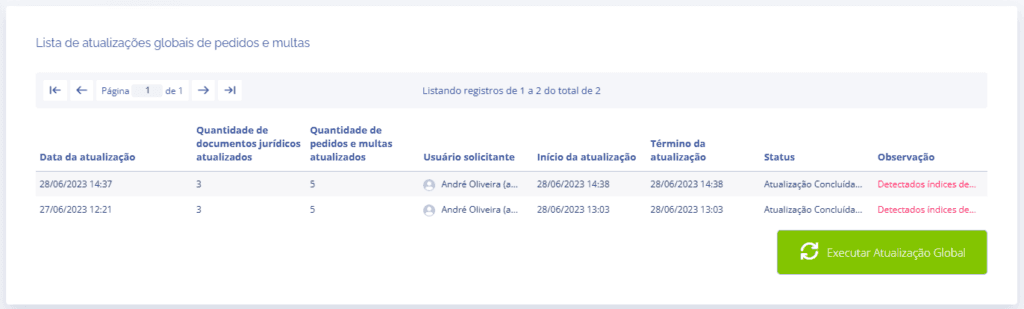
In the Note column, you can check whether any economic index needs to be updated with the most recent value before performing the global update.
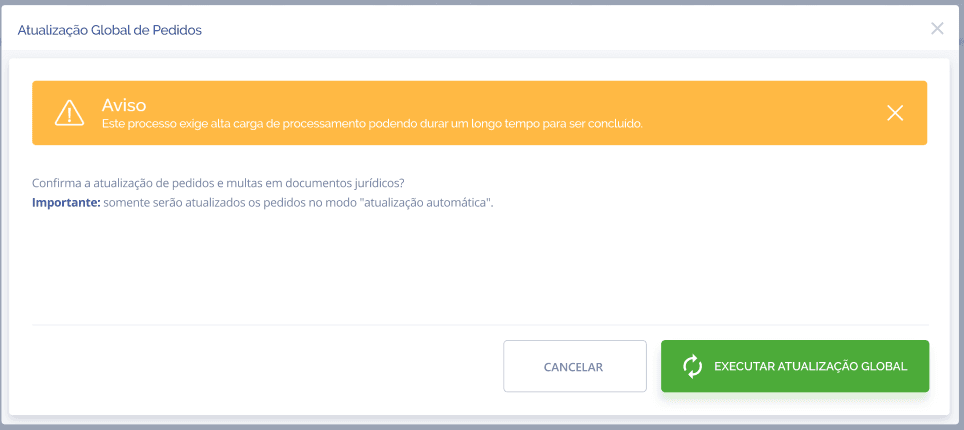
After making sure the economic index is updated, click the Execute Global Update button.
A floating window will be displayed indicating that the process may take some time to complete and that only orders/fines in automatic update mode will be updated.

When you confirm the execution, the request will enter the queue and change to the status Update completed… when processing is finished.