Economic indicators
The registration of economic indices allows you to record indicators such as INPC, IPCA and other financial indices, which can be used on the platform for queries and monetary update calculations, according to the defined configuration.
This feature is mainly used when there is a need to apply periodic adjustments to amounts, such as contracts, legal documents, and other processes that use financial updates.
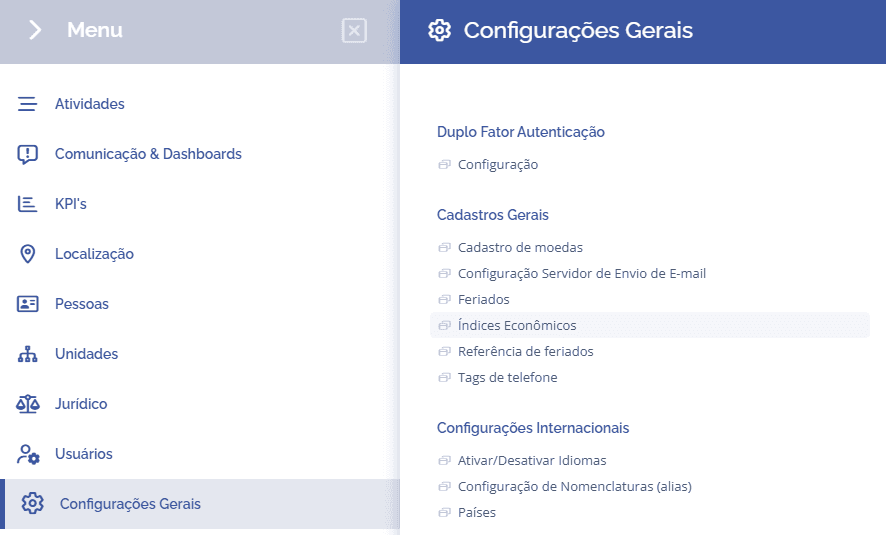
To configure the economic indices, you need to access General Settings > General Registrations > Phone Tags:
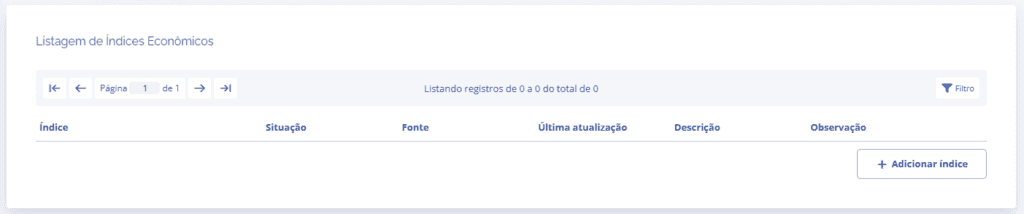
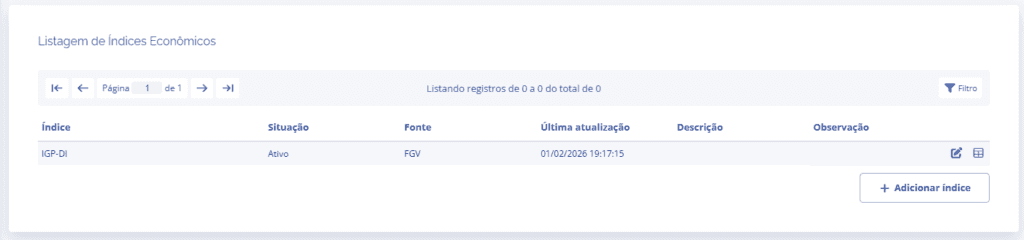
Next, you will be redirected to the Economic Indices Listing section, where you can add new indices by clicking the Add index button:
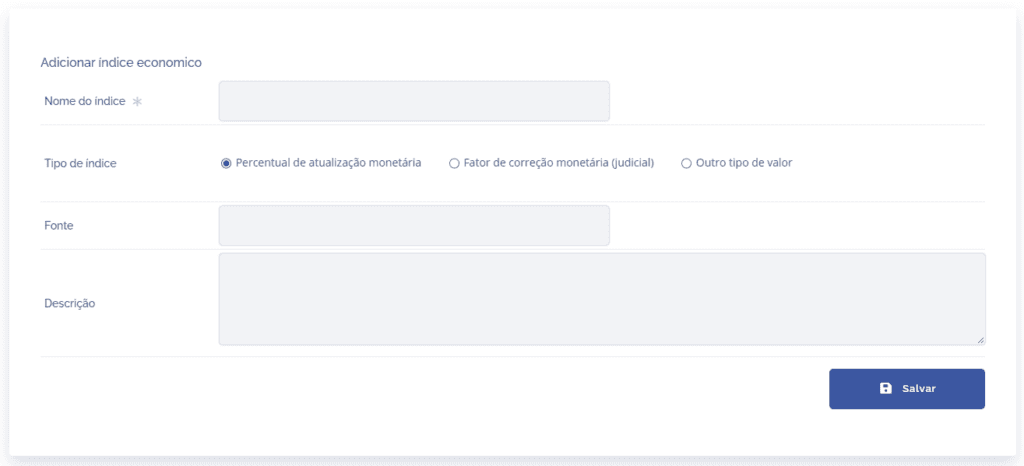
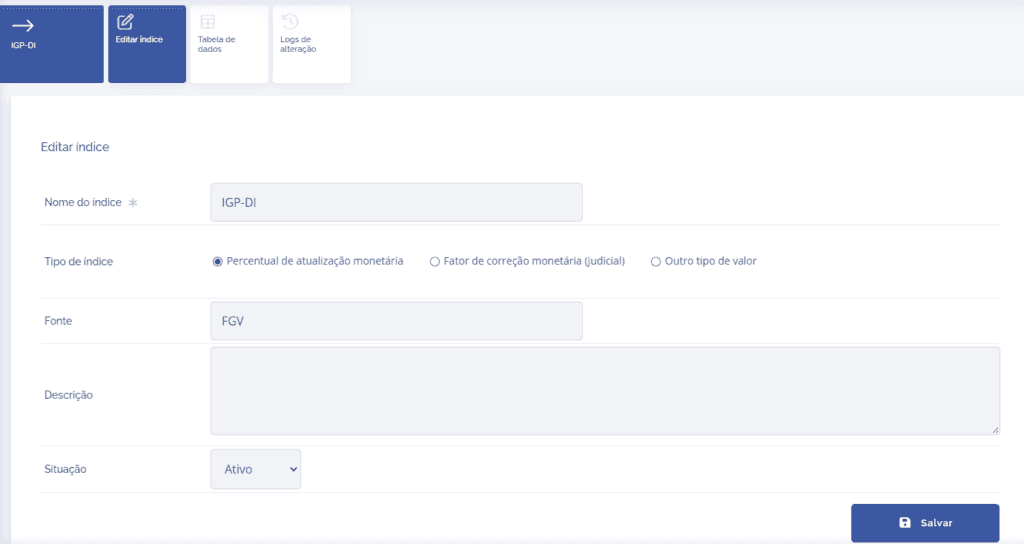
Then fill in the index fields:
Index name: Enter the name of the economic index.
Index type: Select one of the index types:
Monetary update percentage
Monetary correction factor (judicial)
Other value type (used for reference only)
Source: Enter the origin of the index data.
Description: Add supplementary information about the registration.
Note: The types Monetary update percentage and Monetary correction factor (judicial) can be used in calculations, according to the rule applied in the process.
When selecting Other value type, the registered data will be used for reference only and will not participate in monetary update calculations.
When you click the Save button, the index will be added to the system, and you can edit the registration information or check the data table and start filling in the index by clicking the respective edit icons.
By clicking the edit icon, the page will be redirected to the index editing card.
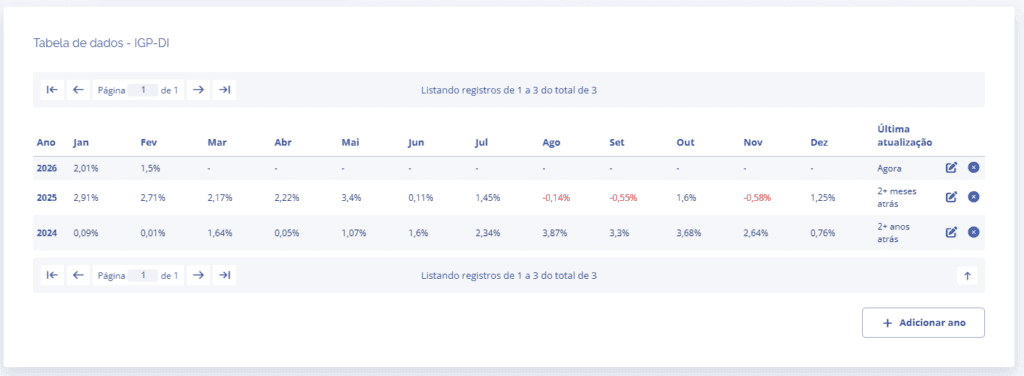
In the Data table card, you can view the annual indices registered in the system and, if necessary, add values for another year by clicking the Add year button.
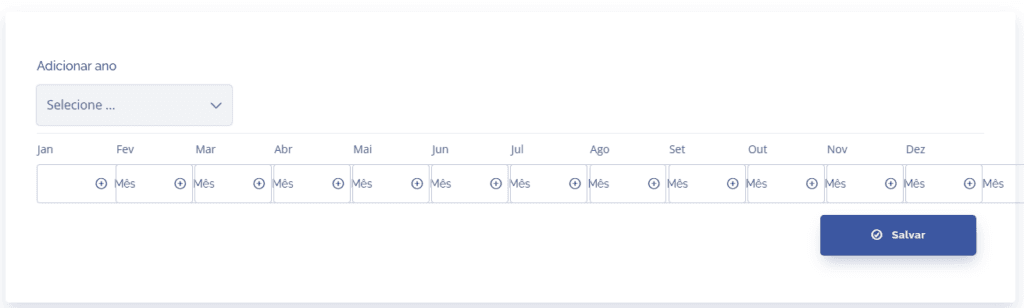
After selecting the reference year and monthly values, click save to add the new yearly index.
Note: If the current year is not registered, the index will indicate that there are inconsistencies, and it will be possible to edit or remove the year by clicking the respective icons in the list.
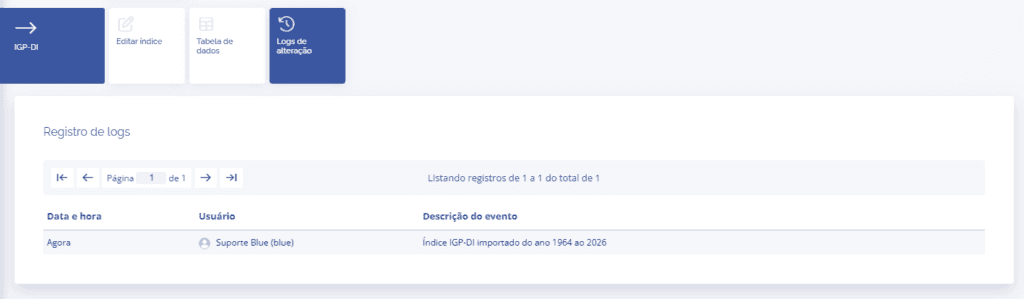
By clicking the Change log card, you can see the changes made to the index.