Guarantees of the legal document
In the details of a legal document, click the card Guarantees:

All registered guarantees are displayed in this block:
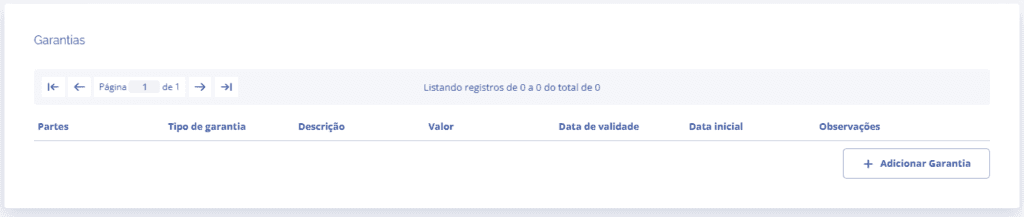
When clicking the Add Guarantee button, a block will open below:
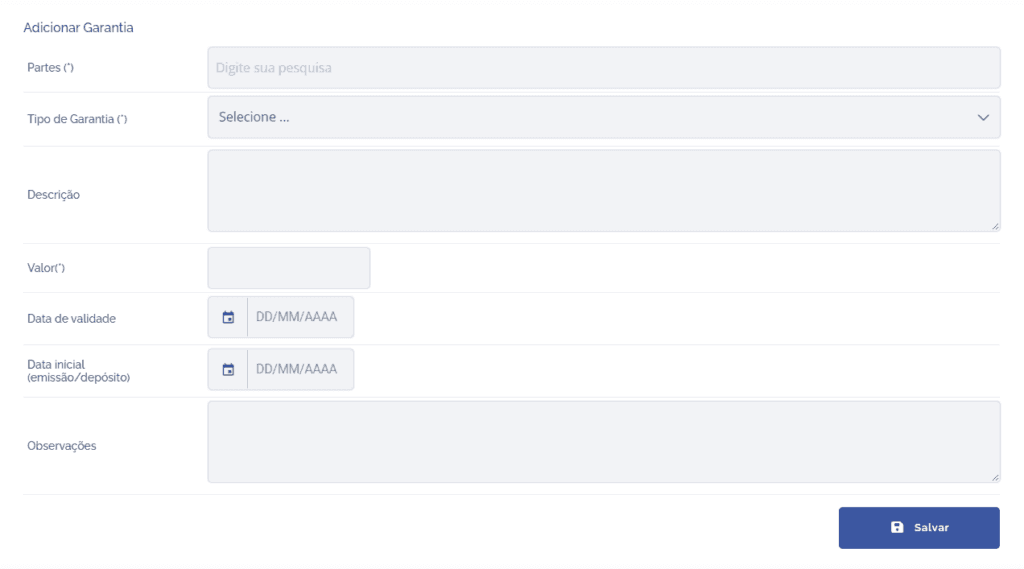
In this block, you need to fill in the following fields:
Parties: Select which parties are associated with the guarantee.
Guarantee Type: Select what the guarantee type will be.
Description: Define a description if necessary.
Value: Define the guarantee value.
Expiration date: Define the guarantee expiration date.
Initial date (issue/deposit): Define what the initial issue/deposit date will be.
Notes: Define a note if necessary.
When clicking the Save button, the guarantee will be added to the document.