
Request approval via email
Important: Before filling out this step to request an approval, make sure the settings in the topic Setting up approvals have been completed.
In add configuration in the Approvals card, fill in the fields:
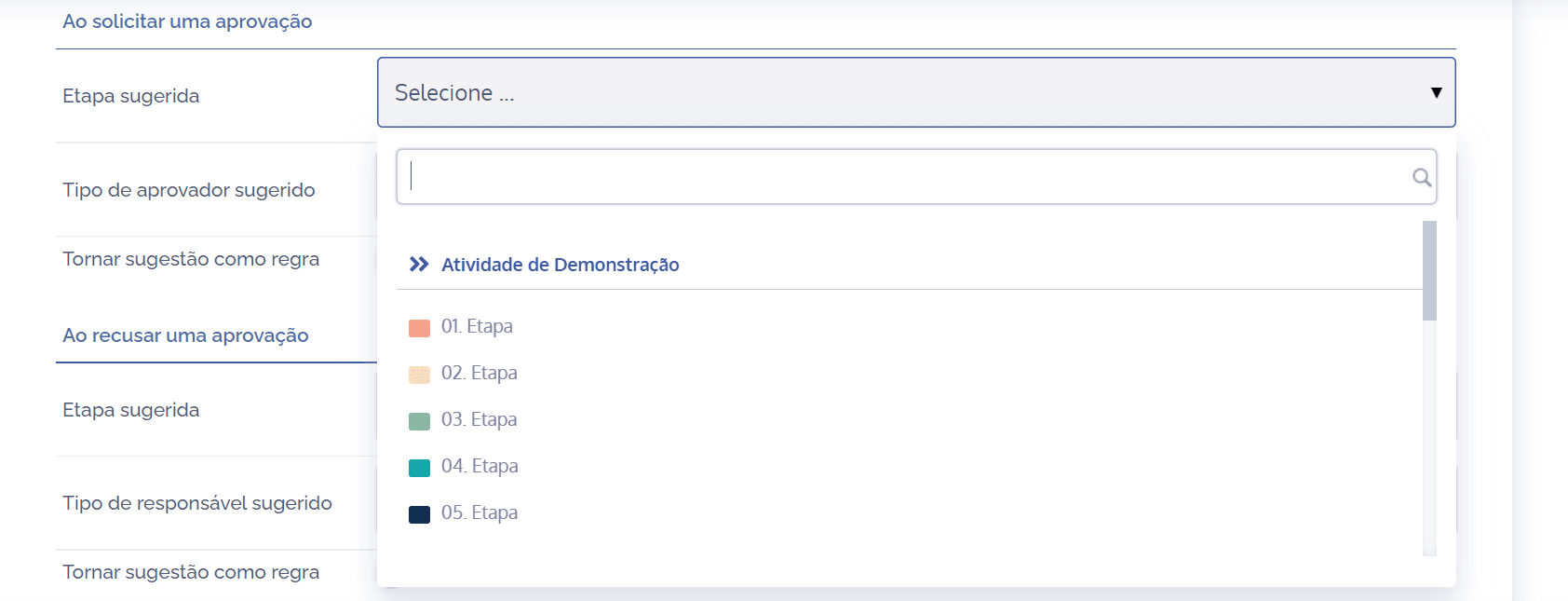
When requesting an approval, through the Suggested step field, it will be necessary to select the desired step.
Suggested approver type – Approval by email
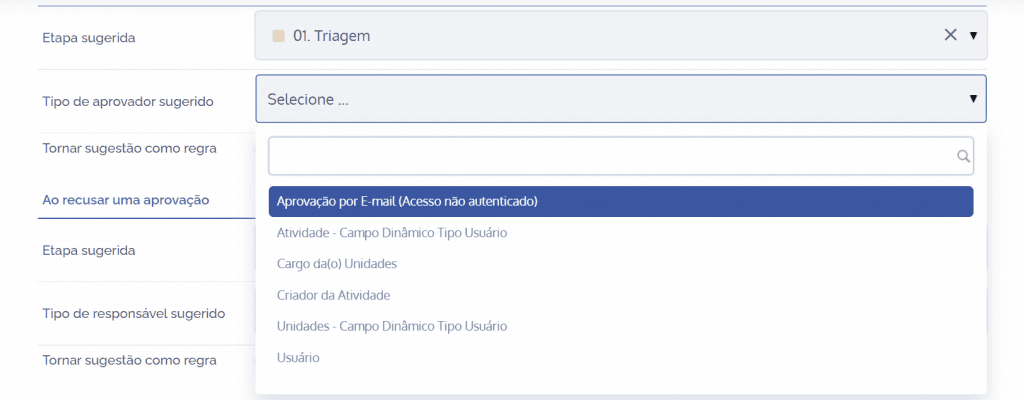
Approval by Email (Unauthenticated access): When selecting this option, the suggested request will be assigned to an external responsible party. This way, new fields will be displayed:
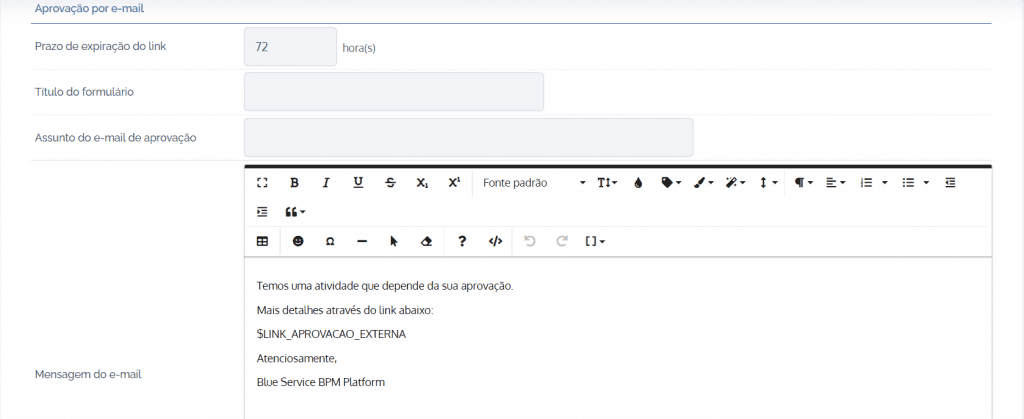
Link expiration deadline: By clicking this field, it will be possible to define in hours how long the link will remain active.
Form title: By clicking this field, it will be possible to enter a title in the form that describes the activity to be approved.
Approval email subject: By clicking this field, it will be possible to enter a brief title to describe the nature of the activity that depends on approval.
Email message: By clicking this field, it will be possible to provide a more detailed description of the nature of the activity in long text. In addition, in the activity tag [ ] it is allowed to insert fixed and dynamic fields in order to establish the criteria of the message to be sent.

Logo: By clicking this field, it will be possible to insert a logo at the end of the email; if preferred, you may include the default Blueservice logo. To do this: click Include default logo at the end of the email, unless it is already selected.
After configuring the fields for requesting approval by email and the other sections that belong to the Approvals card, which are found throughout the topics in this module, click the Save button.