
Request an approval
Important: Before filling in this step, requesting an approval, make sure that the settings in the topic Configuring approvals have been completed.
In add configuration in the Approvals card, fill in the fields:
Suggested step
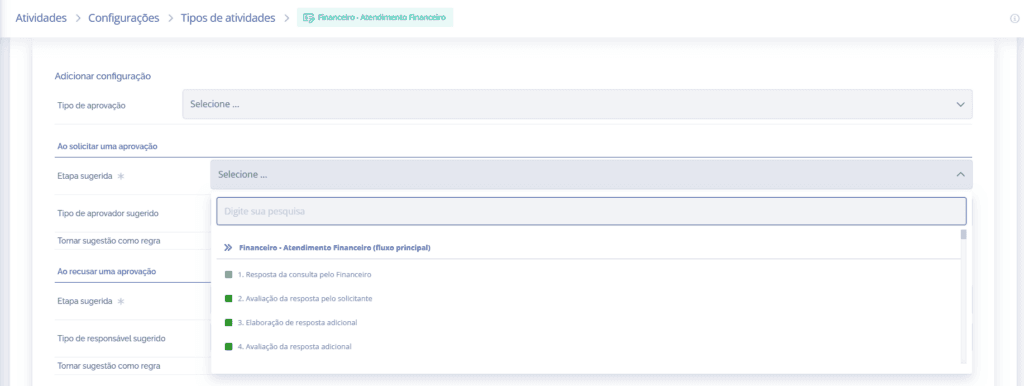
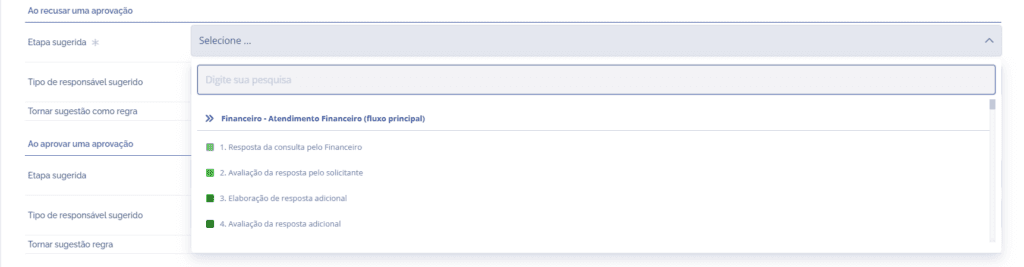
When requesting an approval, through the Suggested step field, it will be necessary to select the desired step.
Suggested approver type
When requesting an approval, through the Suggested approver type field, it will be necessary to link the approver type to the chosen step, so six suggestions are listed:

Approval by Email (Unauthenticated access): When selecting this option, the suggested request will be assigned to an external responsible party. For a better understanding of this configuration, check the topic Request an approval by email.

Activity – Dynamic Field User Type: By clicking this field, it will be possible to inform, through the Responsible (dynamic field, user) field, the agent responsible for the approval request; in this case, the user will be internal, depending on the association (link) with the activity.

Role of the Unit(s): By clicking this field, it will be possible to select, through the Responsible (role of unit(s)) field, among the roles registered in the unit in question, a role that is responsible for requesting approval.

Activity Creator: By clicking this field, the suggested responsible party is the activity creator.

Units – Dynamic Field User Type: By clicking this field, it will be possible to inform, through the Responsible (units – dynamic fields, user type) field, the agent responsible for requesting approval; in this case, the user will be internal, depending on the association (link) with the corresponding unit.

User: By clicking this field, it will be possible to inform, through the Responsible (user) field, the agent responsible for requesting approval; in this case, the user will be internal, regardless of any link.
Suggestion as a rule

By clicking the checkbox (present in all approver types), it will be possible to make the configured suggestion a rule, applied to all activities of this type.
After configuring the fields for requesting an approval and the other sections that belong to the Approvals card, which are found throughout the topics in this module, click the Save button.