Monthly visits
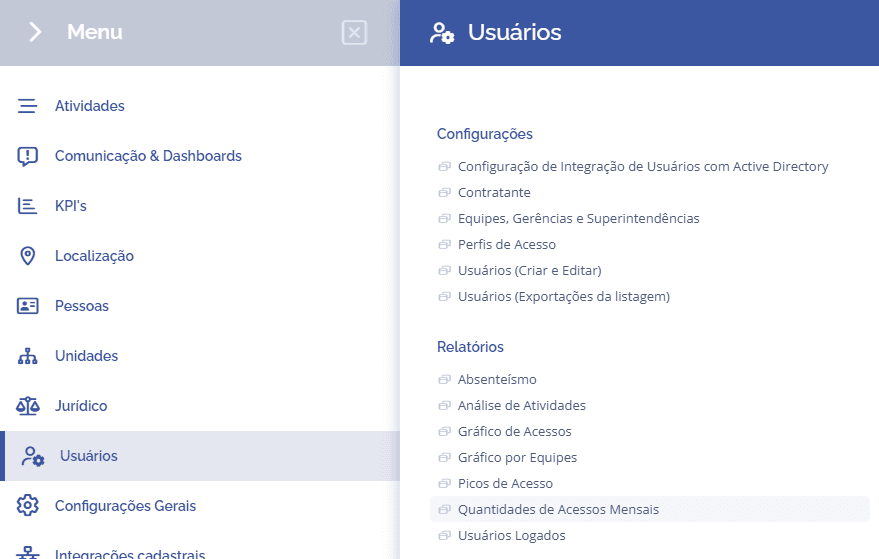
To check the monthly access quantity report in the system, it is necessary to access Users > Reports > Monthly Access Quantities:
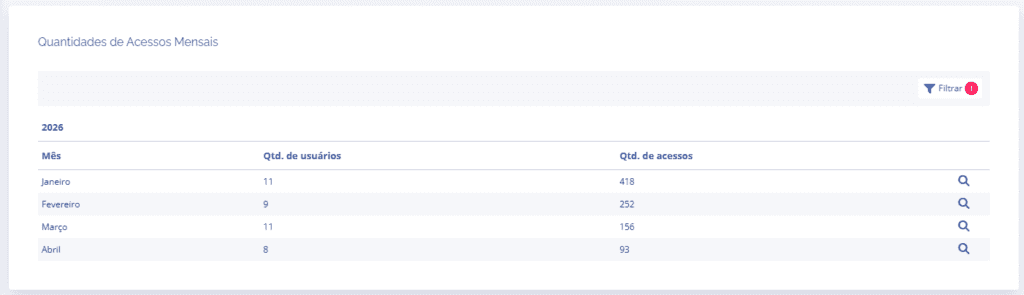
When accessing the report, the block will filter the accesses for the current year, and you can click the magnifying glass icon to see more details for the month.
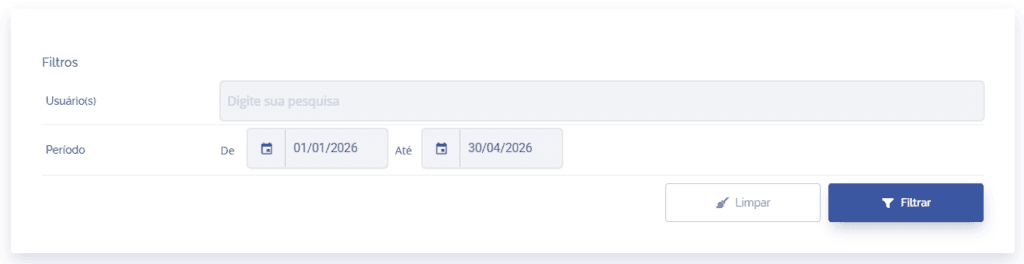
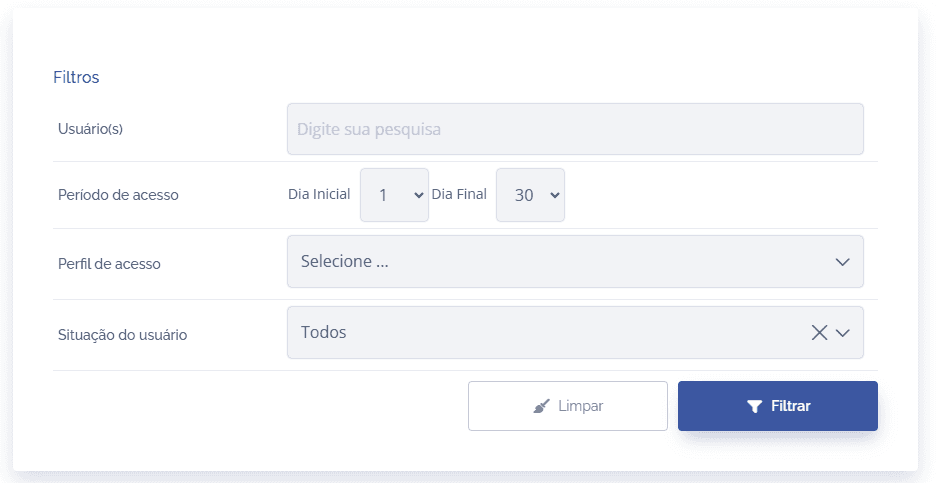
If necessary, by clicking the Filter button in the list, it is possible to define a specific period and search for users.
When selecting the magnifying glass icon to see more details for the month, users will be listed showing the number of accesses and, if you want to see more details about the user, click the information icon.
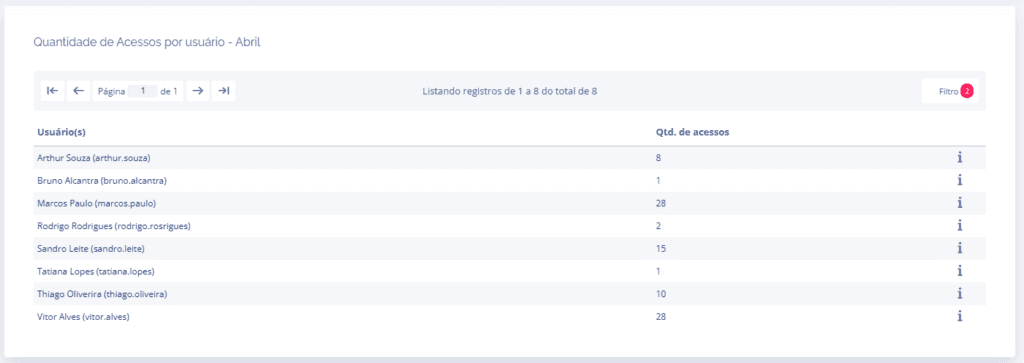
To filter the list, click the Filter button in the list, where you can select specific users, the access period during the month, access profiles, and the user's status.
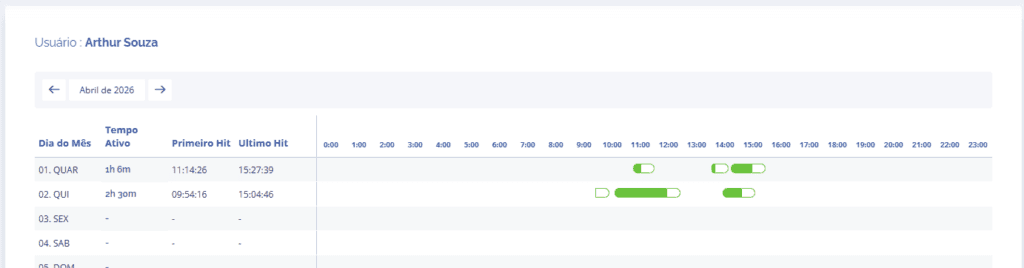
When clicking the information icon, the system allows you to view more complete operator data, showing active time in green and inactive time in white in the system.
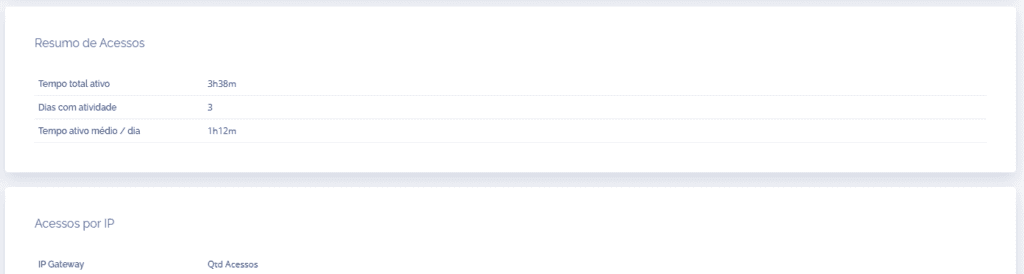
Right below, you can see the access summary and access by IP blocks.