
Planning – General Settings
Right after creating the plan, you will be redirected to the general settings of the plan.
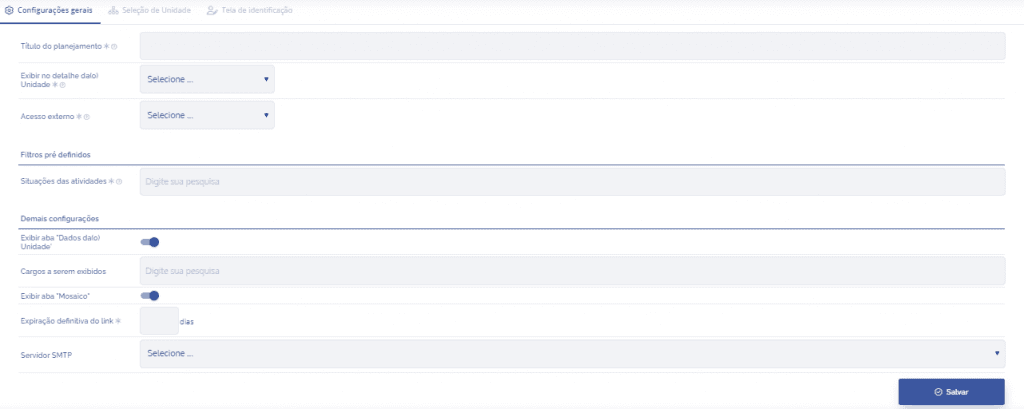
Plan title
In this field, the title will be displayed and you will have the option to edit it.

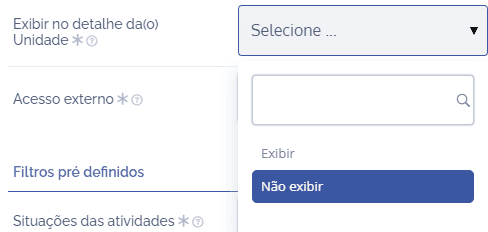
Show in unit details
You can select:
Show
Do not show
This choice will define whether or not the card related to the created plan will be shown in the Unit details.
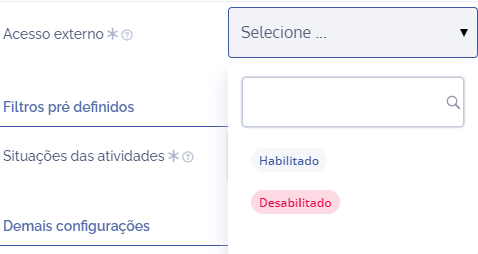
External access
If access is disabled, it will not be possible to access the Plan outside the platform (without authentication). The options for this field will be:
Enabled
Disabled
Activity statuses
Here, it will be defined which activity statuses will be displayed in the plan. By system default, the possible options are:
Not started
In progress
Completed
Canceled

Note: The system will display all options by default, and it is up to the user to remove them if necessary.
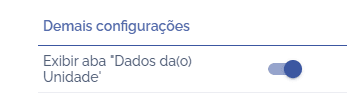
Show “Unit Data” tab
When Show “Unit Data” tab is enabled, the data of the Unit in the plan will be visible.
Roles to be displayed
In this field, the possible options will be all roles registered in your environment.

Show “Mosaic“ tab
When Show tab “Mosaic” is enabled, the Mosaic will be visible in the annual plan.

Permanent link expiration
In this field, the entered number will indicate for how long (in days) the link generated to access the plan will remain active.

SMTP Server
In this field, the user must select a server configuration from which annual plan emails will be sent.

After configuring all fields, click the Save button.