
Integrators
To configure integrators, open the main menu, select the General settings module, Integrations, and click the Integrators: option.
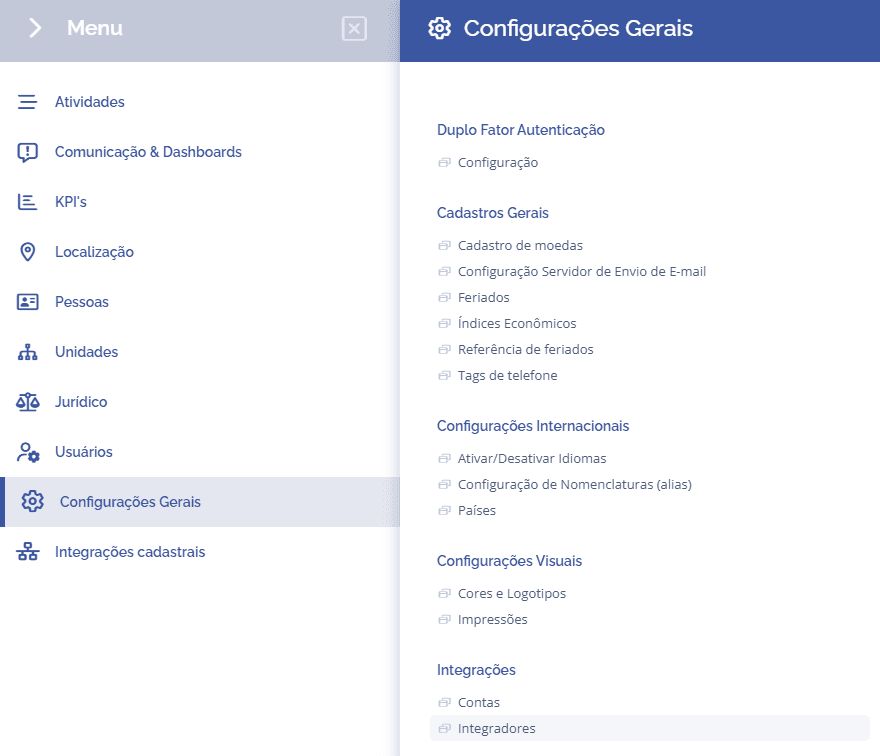
In this block, you can check the existing integrators in their overview, as well as see details of each one:

Details
To view an integrator's details, click the View details button, then you will be directed to a new screen with two blocks (Details and Edit):
In the details block, you can check the redirect URL:

In the edit block, you can edit the API settings:
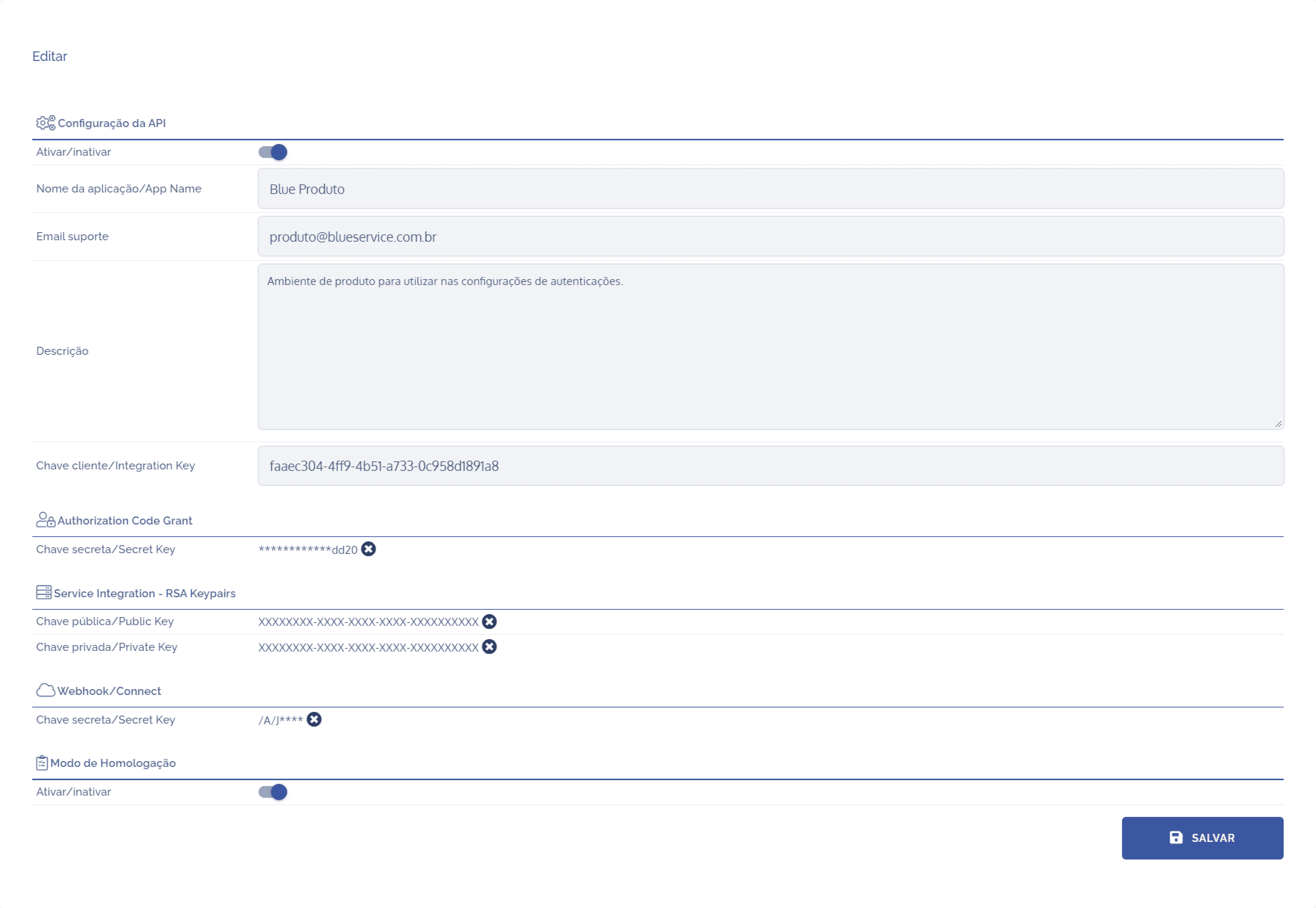
To proceed with editing, the following fields can be edited:
In the Enable/disable field, you can enable the API configuration using the toggle switch icon.
In the Application name field, you can edit the integrator title.
In the Support email field, you can edit the support email.
In the Description field, you can describe the application's function.
In the Secret key/Secret Key field, you can edit the key in question.
In the Public key/Public key field, you can edit the key in question.
In the Private key/Private key field, you can edit the key in question.
In the Secret key/Secret Key field, you can edit the key in question.
In the Enable/disable field, you can enable validation mode using the toggle switch icon.
After making the necessary edits, click the Save button.