Blue AI Integration (artificial intelligence)
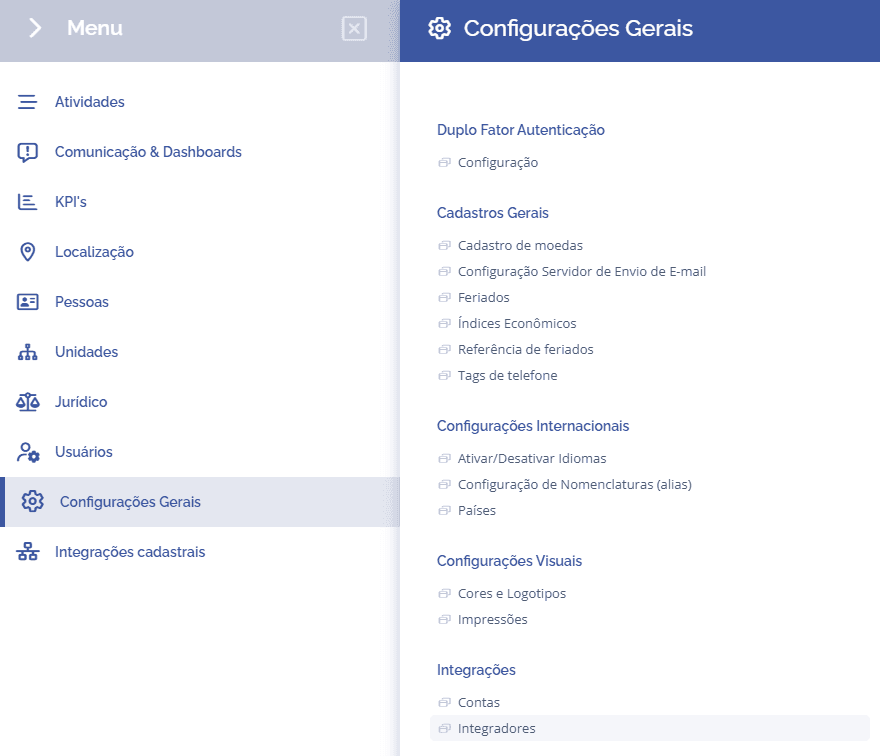
To integrate the AI agents, open the main menu, select the General Settings, Integrations module, and click the Integrators: option
In this section, you can check the existing integrators in your overview. To access the AI integrations, click the View details button for Blue AI:

Account Listing
When you click the View details button, the Blue AI Accounts section will be displayed, allowing you to check/test the status of the AI agents registered in the system, set the preferred agent, and add a new agent if necessary.
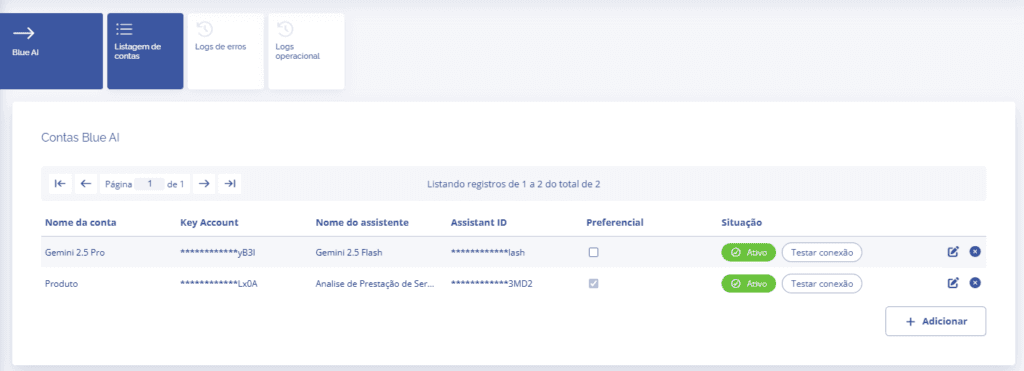
When you click the Add button, a new section for registering the AI agent will be displayed.
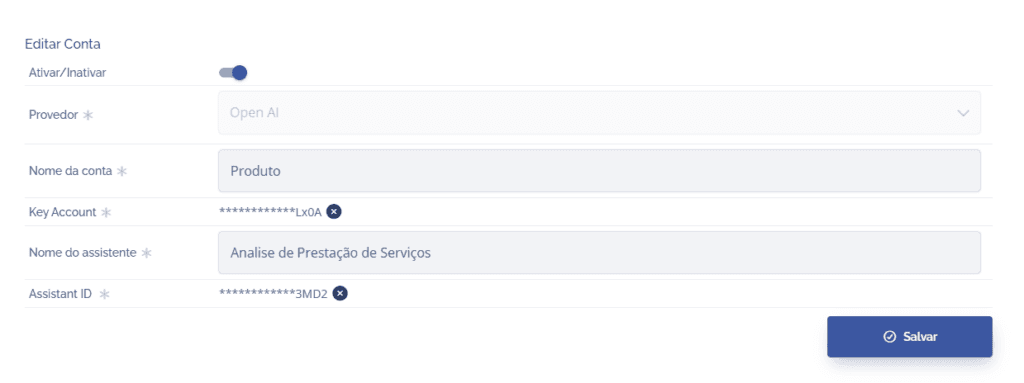
After filling in the required fields, the agent will be added to the Blue AI Accounts list.
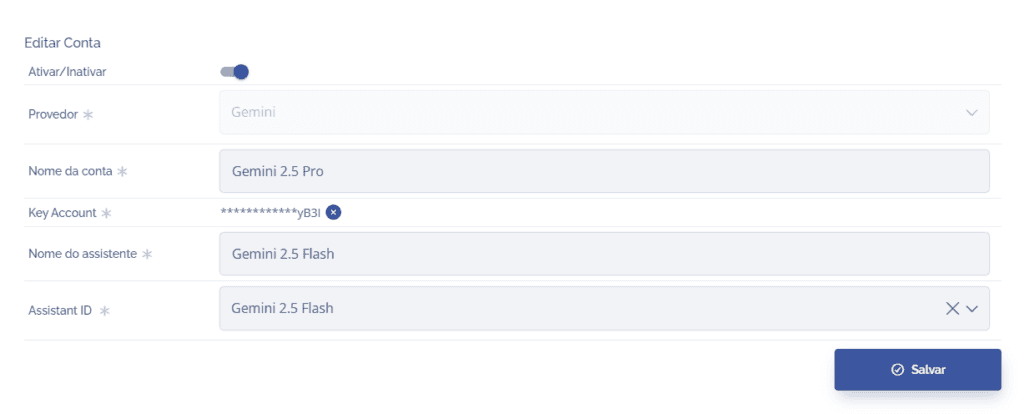
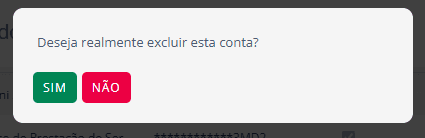
If the agent has any incorrect information or needs any changes, click the edit icon (pencil) or remove it by clicking the remove icon (X)
Edit Account:
Remove account:
Error Logs
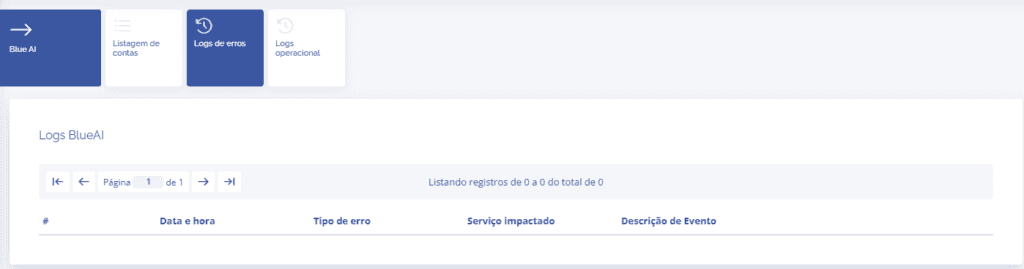
If any processing error occurs with an agent, you can check the error details by accessing the Error Logs card.
Operational Logs
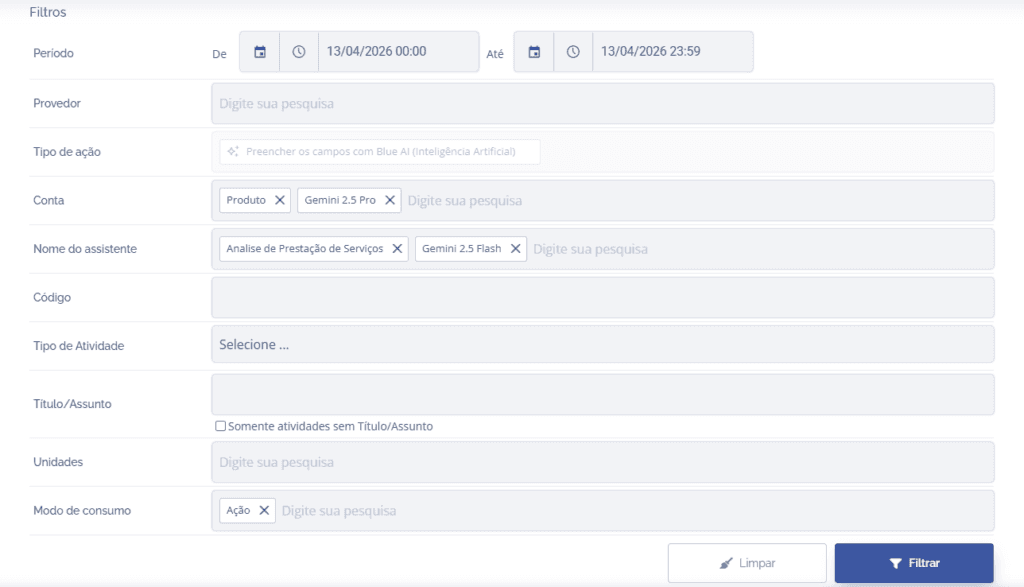
By accessing the Operational Log card, you can see all records that used the registered AI agents, as well as get a total report of tokens used.
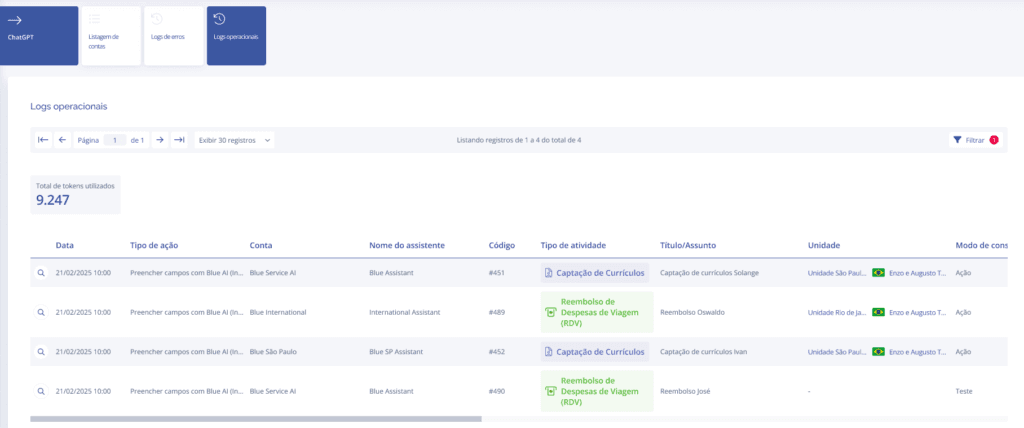
When clicking the filter button in the list, it is possible to search for specific agent and activity data.