
Operational flows
Before creating an operational flow, it is necessary to define it:
Concept
Operational Flow: These are groupings of activity stages, used to organize the flows of a given activity. For example, when creating a flow for the activity type Recruitment and Selection, it is already possible to link all the stages of this flow.
Create Flow
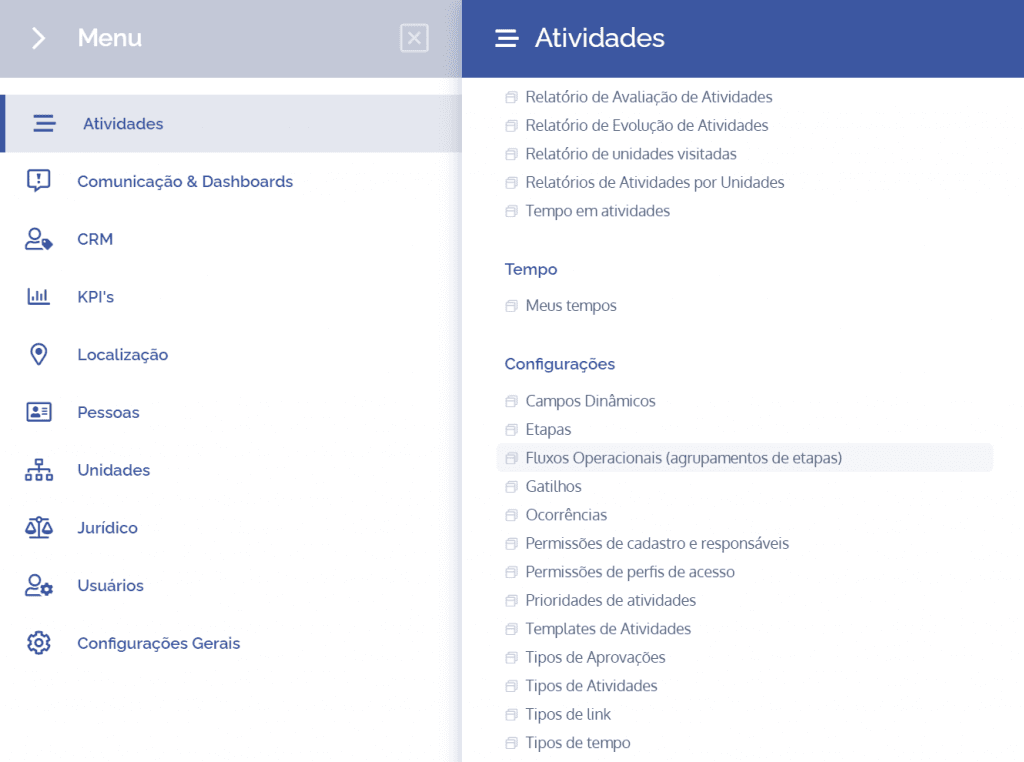
To create an operational flow, open the main menu, select the Activities module, Settings and click the Operational flows option.
The operational flows will be displayed in this block:
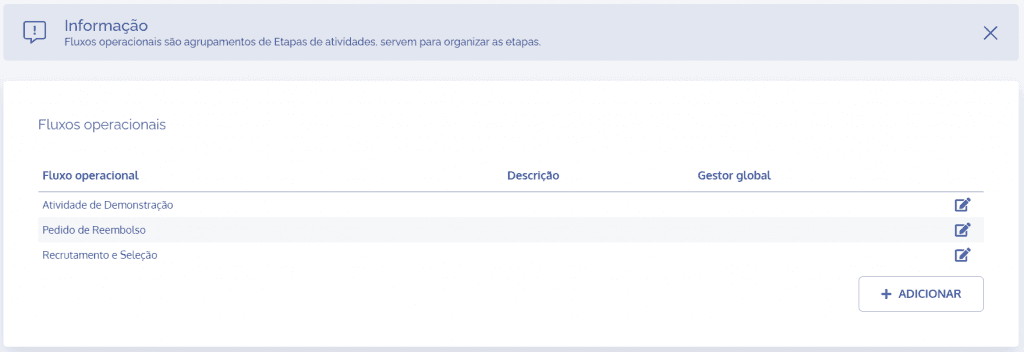
When clicking the Add button, the Add operational flow block will open:
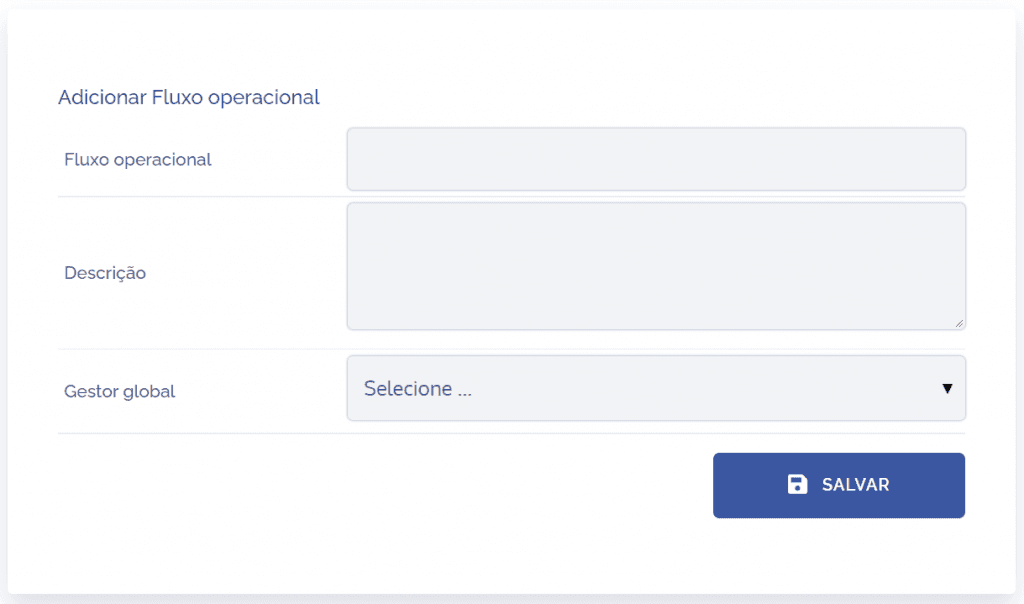
Fields to be filled in
To proceed with creating the operational flow, the following fields must be filled in:
Operational flow
Name of the operational flow that will define the stages of the process in question;

Description
Brief description of the stage flow;

Global manager
User responsible for managing the operational flow.

After filling in the fields and clicking the “SAVE” button, the flow will be created, and this is how operational flows are created.