
Expire an approval
Important: Before completing this step to reject an approval, make sure the settings in the previous topics of this module have been completed.
In add configuration in the Approvals card, fill in the fields:

Approval expiration deadline: when clicking the Never expires option, the approval settings remain unchanged at all times, but when clicking the Expires in option, it is possible to define, in hours, how long the approval process for a type of activity will remain active.
With the Expires in option enabled, it is necessary to inform the suggested expiration stage:
Suggested stage
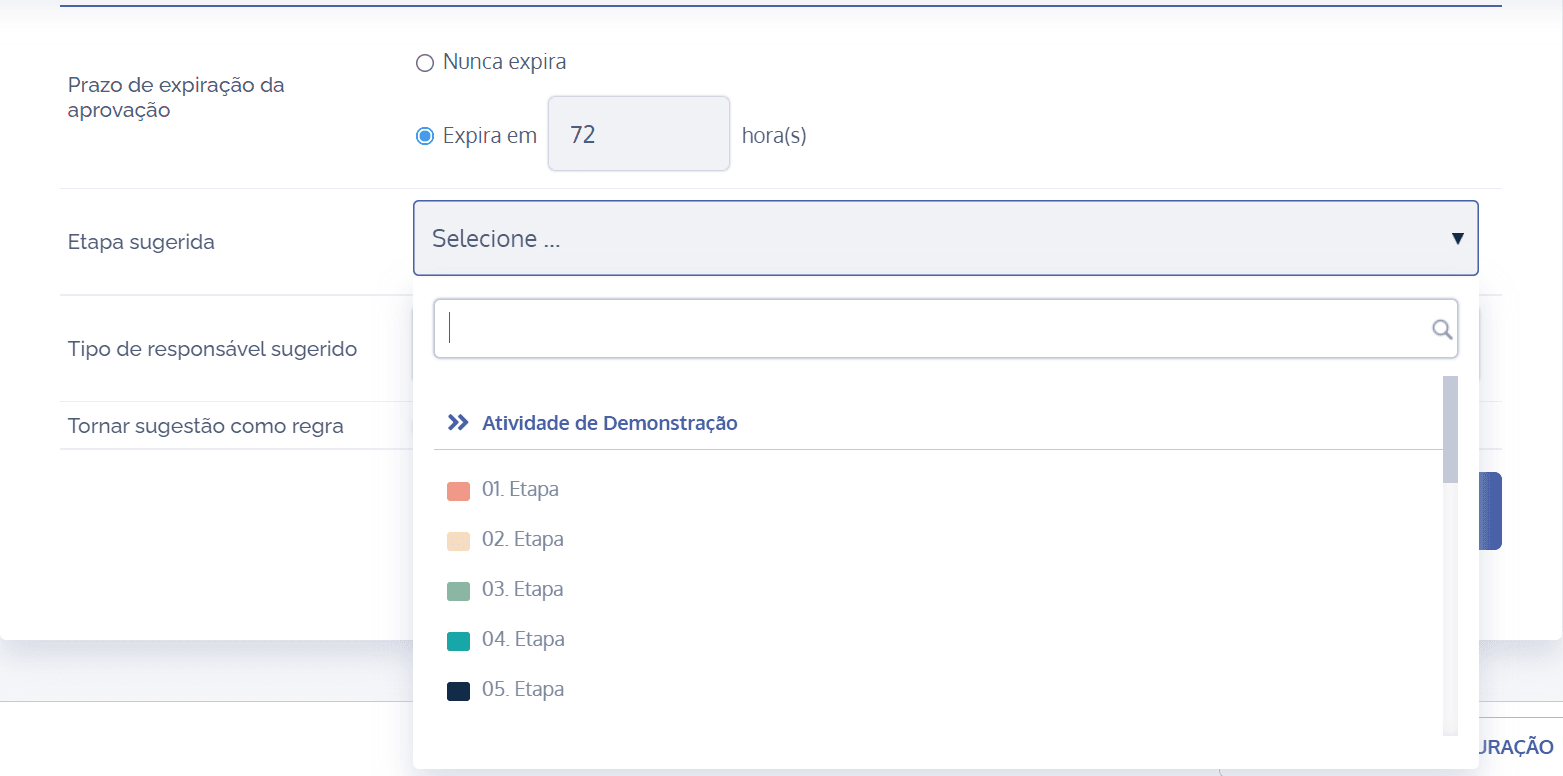
When defining an approval expiration deadline, through the Suggested stage field, it will be necessary to select the desired stage.
Suggested responsible party type
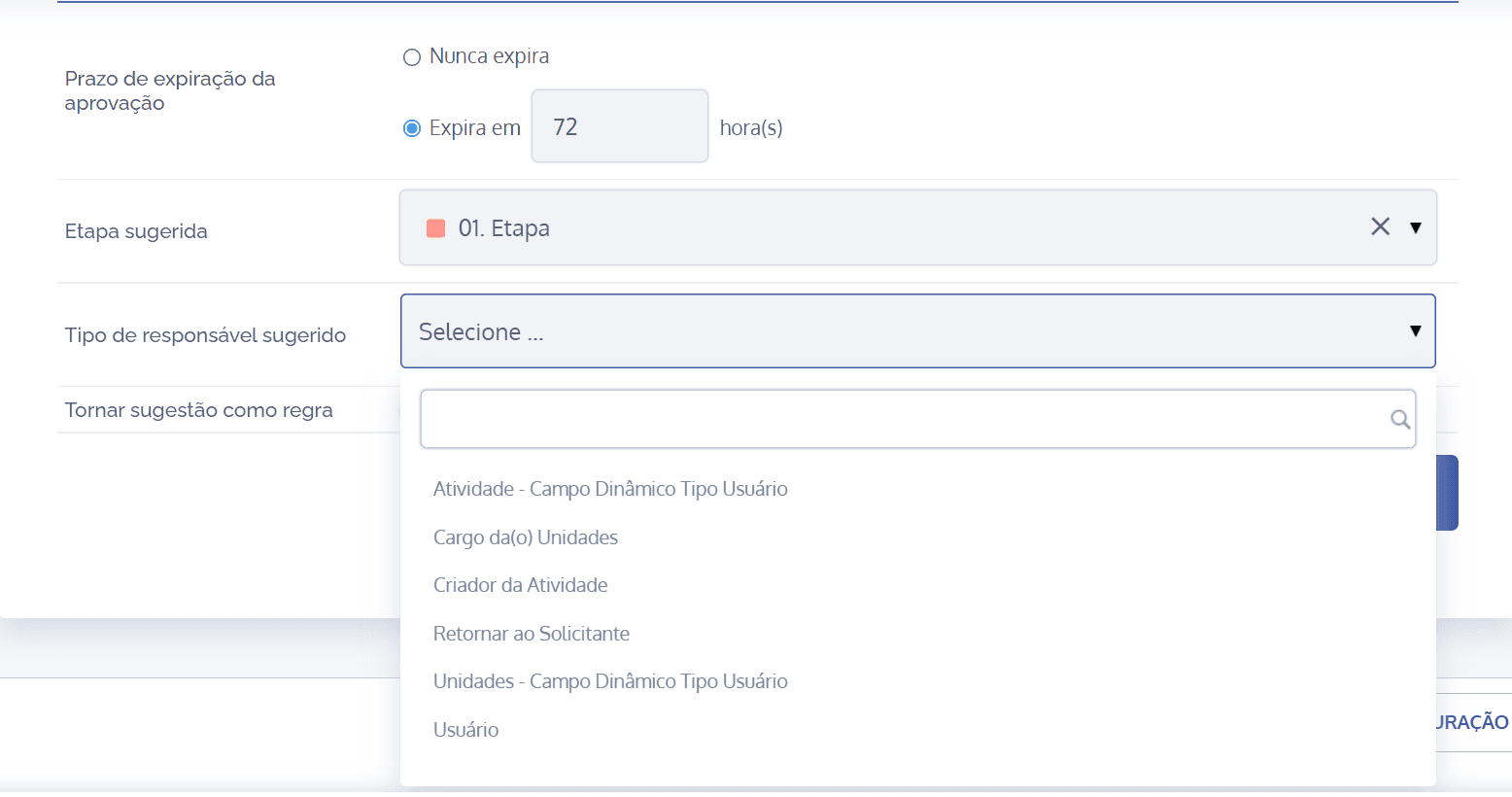
When defining an approval expiration deadline, through the Suggested responsible party type field, it will be necessary to link the responsible party type to the chosen stage; then, six suggestions are listed:

Activity – Dynamic Field User Type: When clicking this field, it will be possible to inform, through the Responsible (dynamic field, user) field, the agent responsible for the approval expiration deadline; in this case, the user will be internal, depending on the association (link) with the activity.

Position of the Unit(s): When clicking this field, it will be possible to select, through the Responsible (position of the unit(s)) field, among the positions registered in the unit in question, a position that is responsible for the approval deadline expiration.

Activity Creator: When clicking this field, the suggested responsible party is the activity creator.

Return to Requester: When clicking this field, the suggested responsible party is the activity requester.

Units – Dynamic Field User Type: When clicking this field, it will be possible to inform, through the Responsible (units – dynamic fields, user type) field, the agent responsible for the approval deadline expiration; in this case, the user will be internal, depending on the association (link) with the corresponding unit.

User: When clicking this field, it will be possible to inform, through the Responsible (user) field, the agent responsible for the approval deadline expiration; in this case, the user will be internal, regardless of any link.
Suggestion as rule

When clicking the switch, it will be possible to make the configured suggestion a rule, applied to all activities of this type.
After configuring the approval expiration fields and the other sections that belong to the Approvals card, which are covered throughout the topics of this module, click the Save button.