
DocuSign
Docusing is a way organizations can manage electronic contracts through digital signatures.
To configure Docusign, in an activity’s details, click the Docusign card:

The envelopes will be displayed in this block:
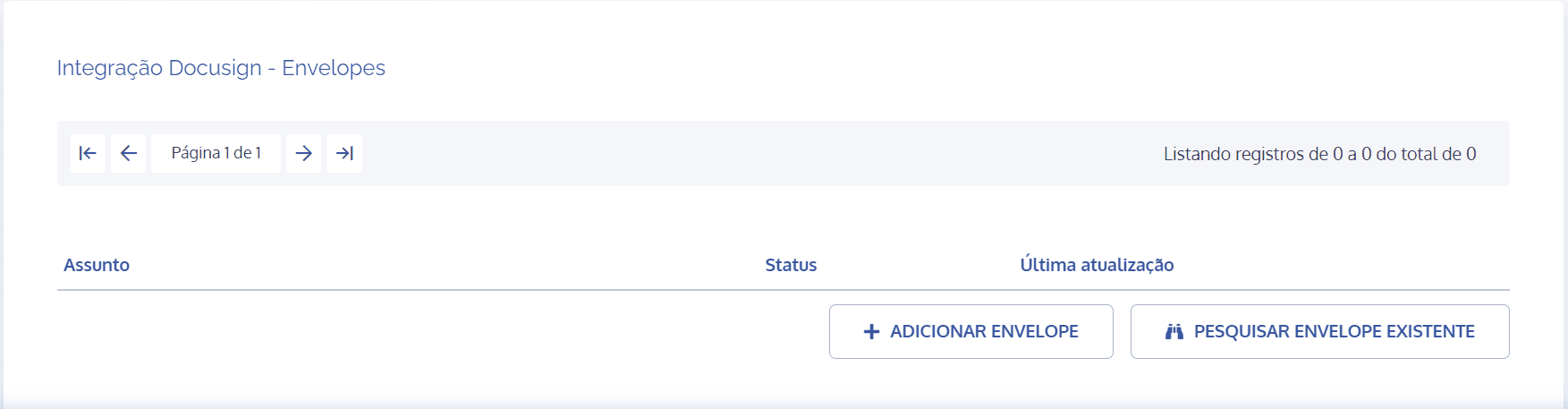
The Subject column refers to the title that describes what will be executed in that particular envelope.
The Status column refers to the status of the created envelope, whether not started, in progress, or created.
The Last update column refers to the latest update of the created envelope.
Important: For a better understanding of how to create/add an envelope, see the topic Creating envelopes in the activity in this module.
Search existing envelope
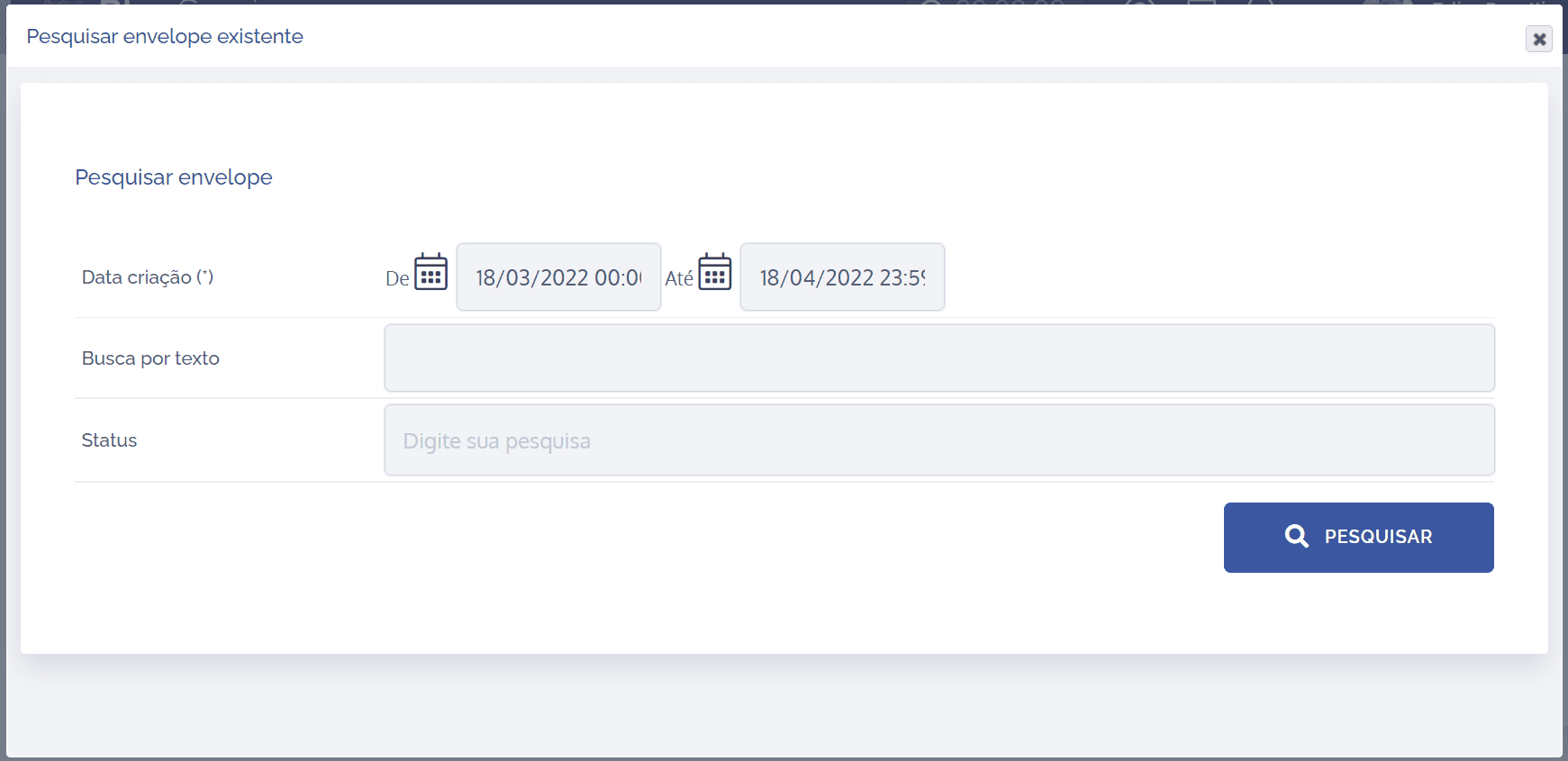
To search existing envelopes, you must fill in the fields:
Creation date(*): define the creation dates when the envelopes were created by selecting From/To in the calendar, in DD/MM/YYYY format.
Text search: perform searches using keywords from content related to envelopes.
Status: specify the type of status you want to use to search envelopes.
After filling in the desired search fields, click the Search button.