
Creating envelopes in the activity
To add an envelope to an activity, open the main menu, select the Activities module, Operation and click the Activity listing (Beta) option.
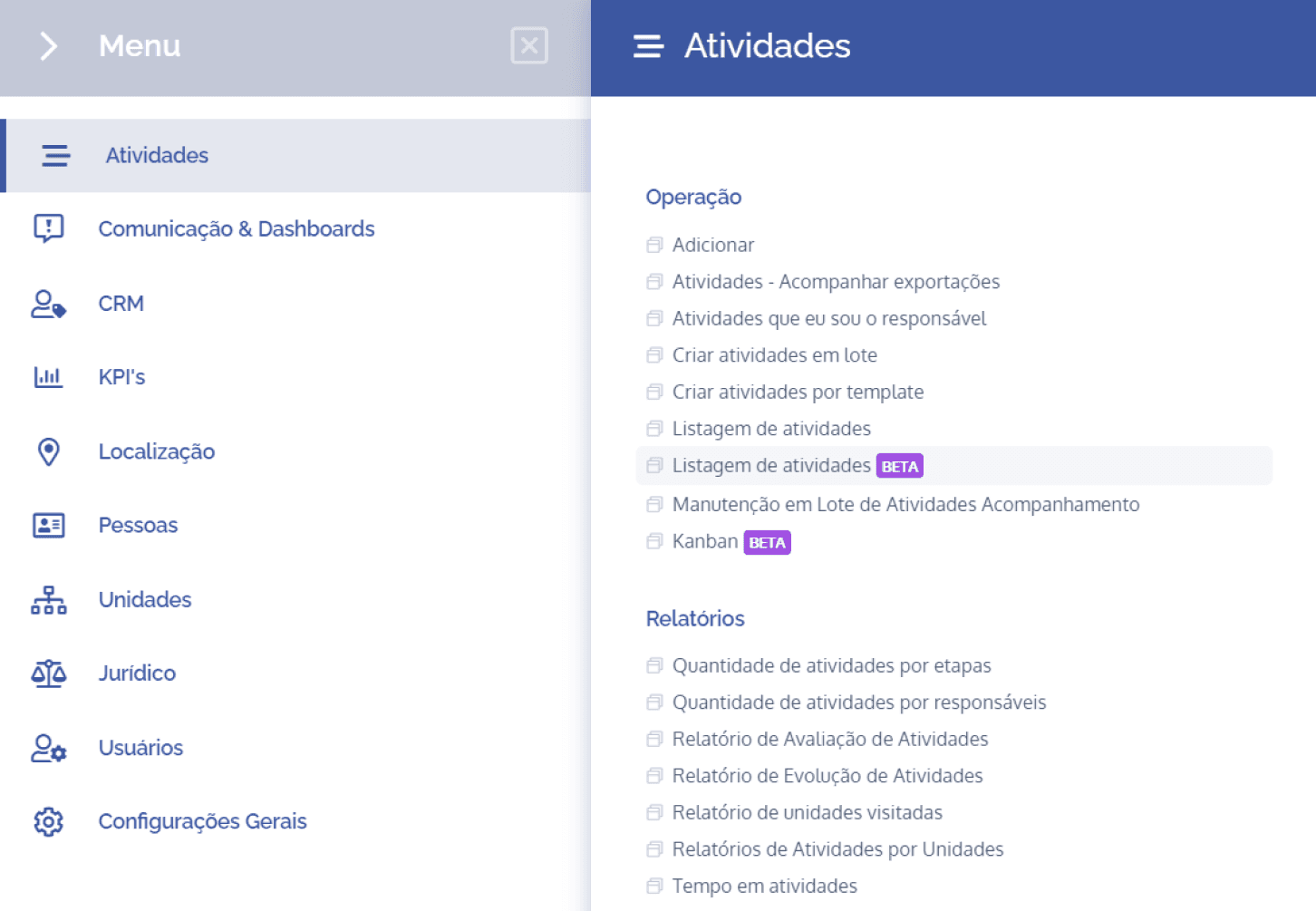
In this section, the list of activities registered in the system will be displayed:
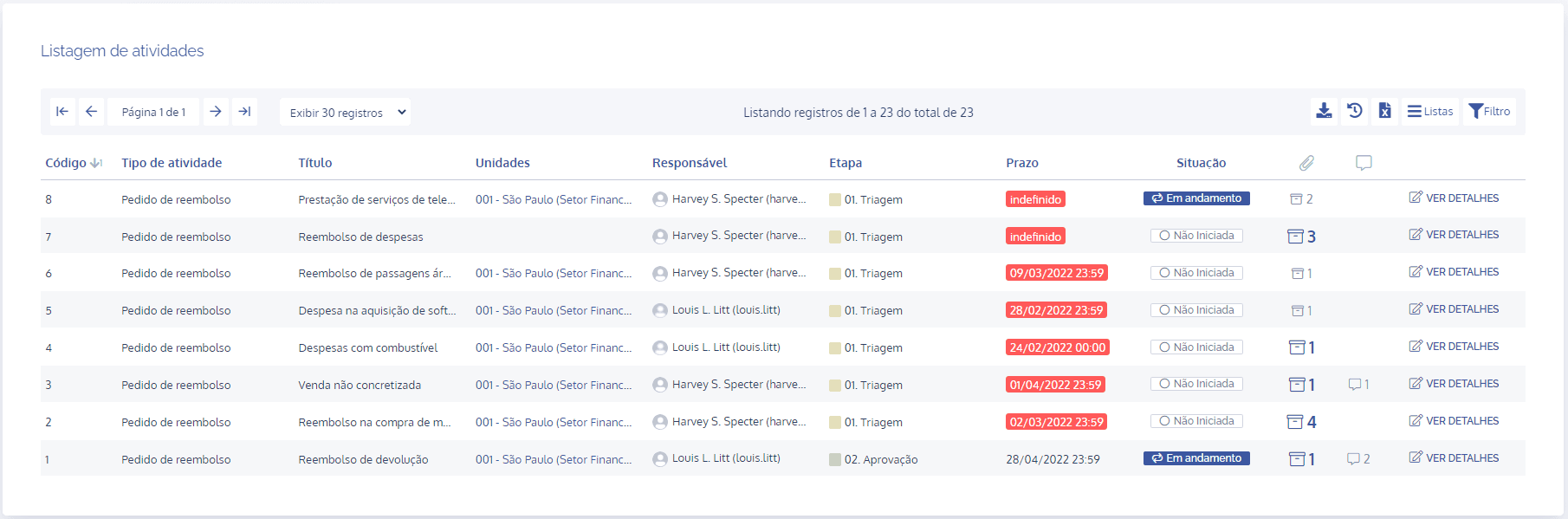
Next, at the end of the desired activity, click the View details button.
Add envelope
In an activity's details, click the Docusing card and, in the Docusign Integration – Envelopes section, click the Add envelope button:
Next, a floating screen will be displayed:
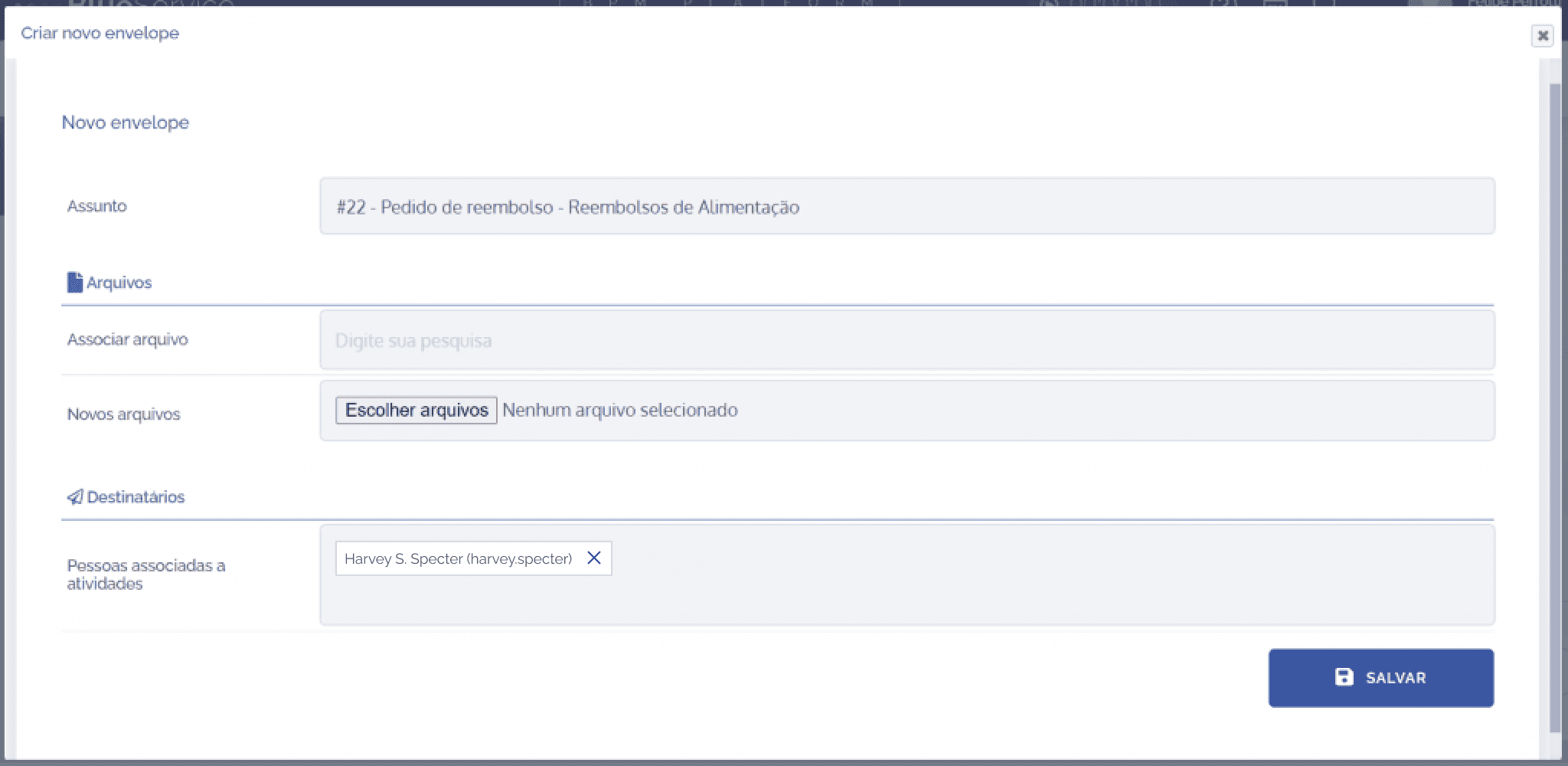
Fields to be filled in:
Subject: by default, this field is already filled with the activity title and can be changed.

Link file: in this field, it will be possible to select files linked to the activity type.

New files: in this field, it will be possible to add new files.

People associated with activities: in this field, it will be possible to link people (clients).

After filling in the fields, click the Save button.