
Activity type details
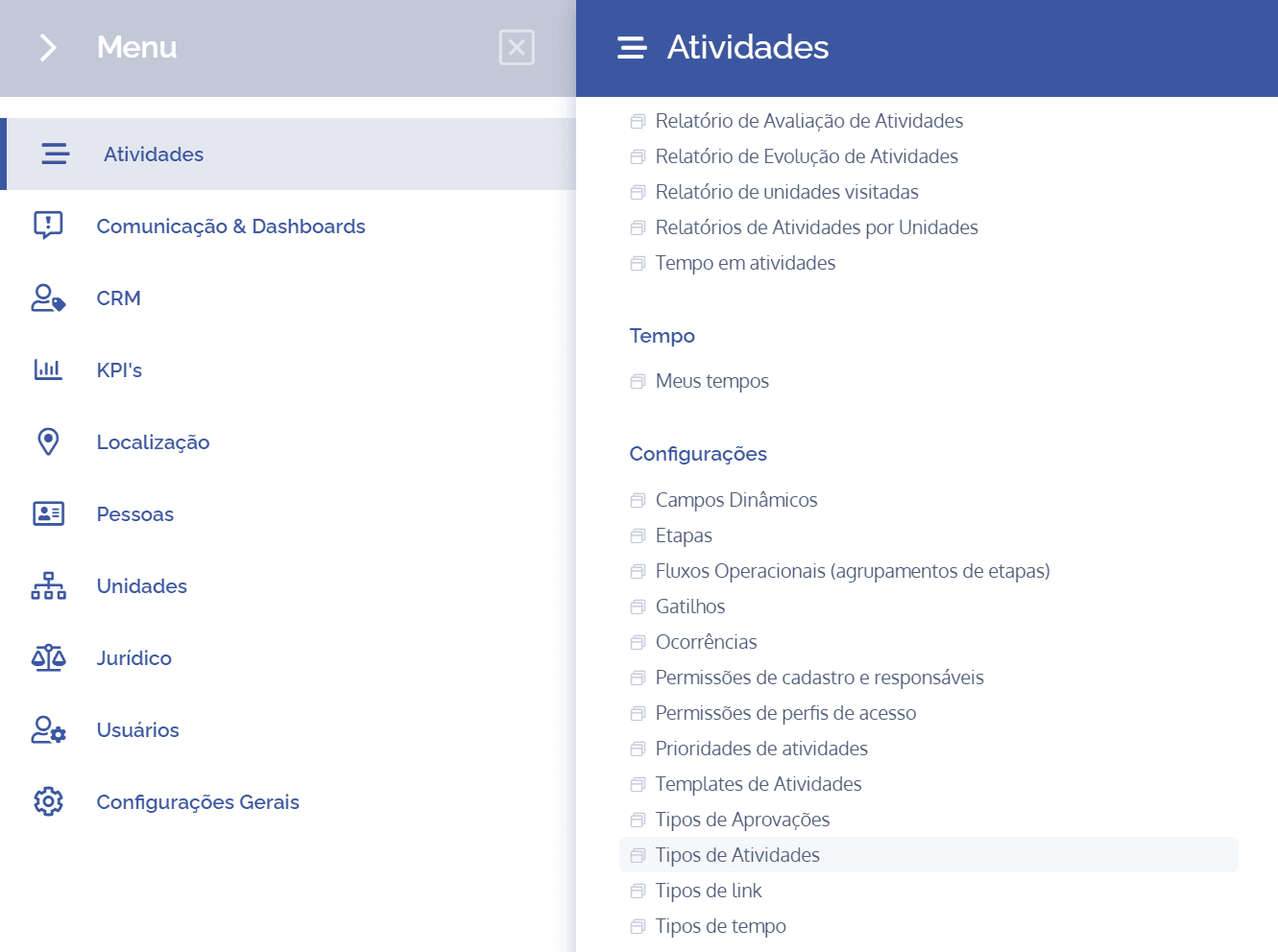
To view the details of an activity type, open the main menu, select the Activities module, Settings, and click the Activity types option.
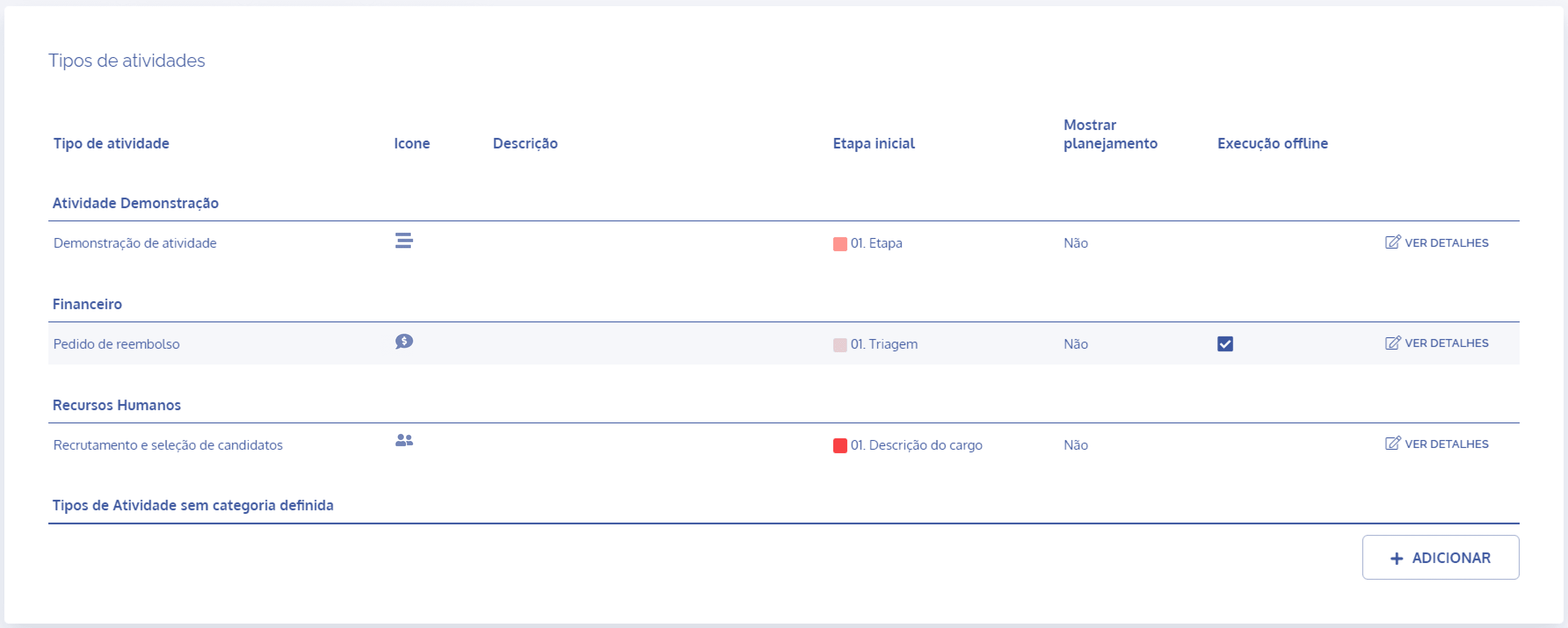
In the Activity types block, click the View details button to display the details of the desired activity:
The first screen displayed shows the activity type details:
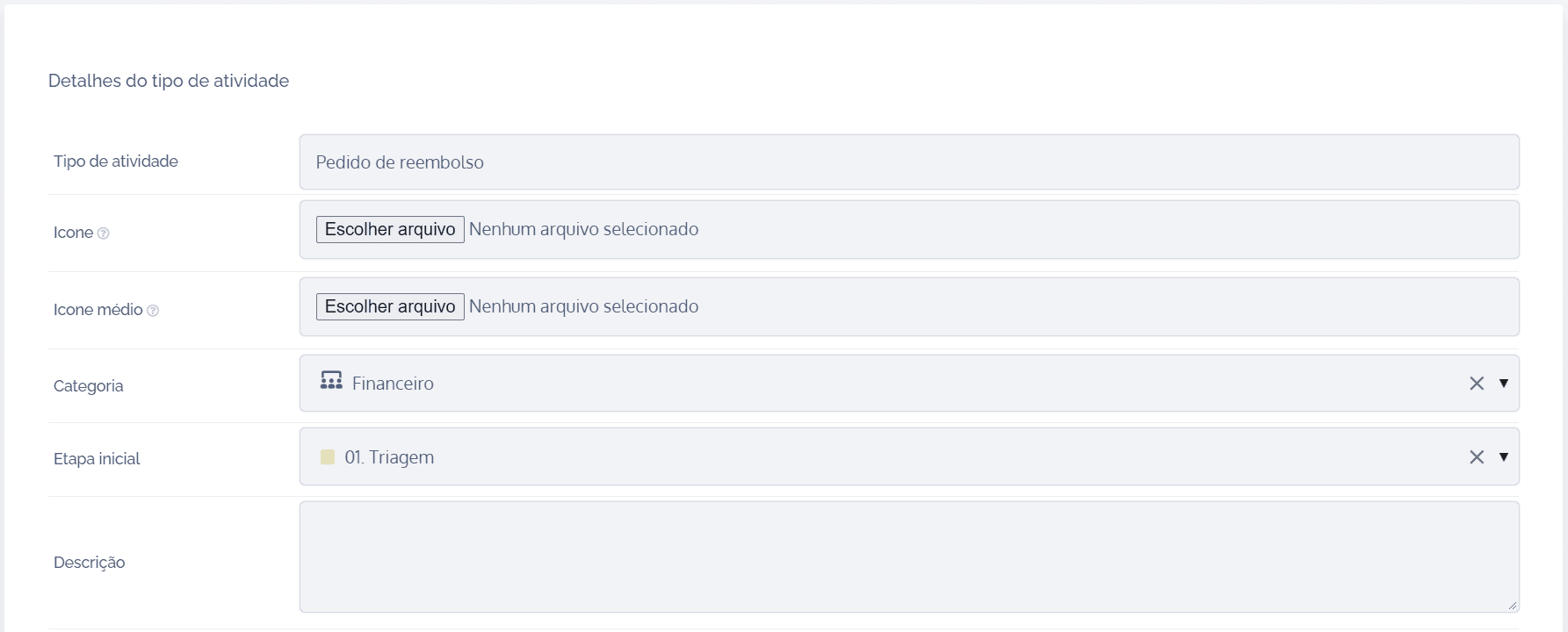
The fields can be edited. In the fixed fields, it is possible to define which ones will be displayed or not in an activity, as well as define which ones will be required: from creation, from progress, and only upon completion. It is also possible to configure the entire process for generating link types and alerts for: creator, observer, and assignee.
After making the changes, click the Save button at the end of the block to record them in the system.