
Activity alerts
In Activity Type Details in the Activity Alerts section, it is possible to create three types of alerts: Creator, Observer and Assignee:

Alert for creator
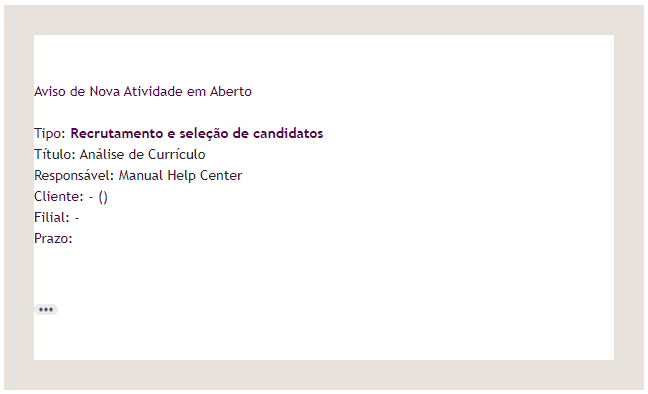
Change on creation
when selecting this option, through the icon , it will be possible to create an alert (trigger) for the person responsible for the activity; that is, every time an activity is created, a notification email will be sent:
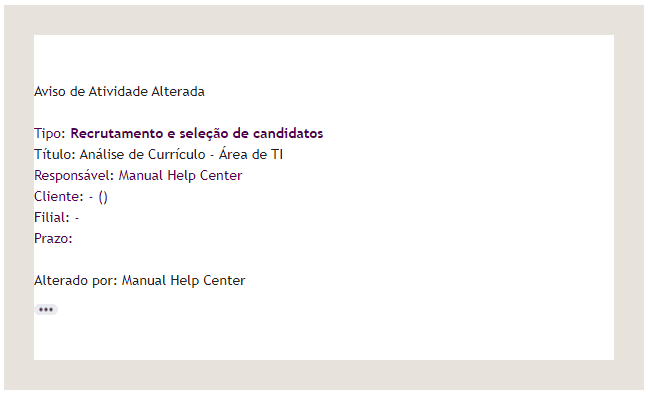
Change on edit
when selecting this option, through the icon , it will be possible to create an alert (trigger) for the person responsible for the activity; that is, every time an activity is changed/edited in its content, a notification email will be sent:
Start planning
when selecting this option, through the icon , it will be possible to create an alert (trigger) to inform “x” day(s) before an activity is carried out; that is, before an activity starts, a notification email will be sent:
Deadline
when selecting this option, through the icon , it will be possible to create an alert (trigger) to inform “x” day(s) before an activity deadline; that is, before an activity is completed, a notification email will be sent:
Alert for observer
Change on creation
When selecting this option, through the icon , it will be possible to create an alert (trigger) for the activity observer; that is, every time an observer is added to an activity, a notification email will be sent:
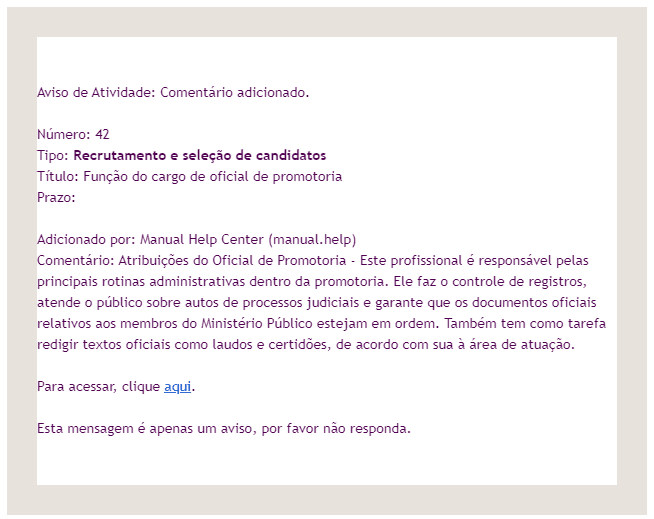
Change on edit
when selecting this option, through the icon , it will be possible to create an alert (trigger) for the activity observer; that is, every time an activity is changed/edited in its content, a notification email will be sent:
Start planning
when selecting this option, through the icon , it will be possible to create an alert (trigger) to inform “x” day(s) before an activity is carried out; that is, before an activity starts, a notification email will be sent:
Deadline
when selecting this option, through the icon , it will be possible to create an alert (trigger) to inform “x” day(s) before an activity deadline; that is, before an activity is completed, a notification email will be sent:
Alert for assignee
Change on creation
When selecting this option, through the icon , it will be possible to create an alert (trigger) for the new person responsible for the activity; that is, every time an activity has its assignee changed, a notification email will be sent:
Change on edit
when selecting this option, through the icon , it will be possible to create an alert (trigger) for the person responsible for the activity; that is, every time an activity is changed/edited in its content, a notification email will be sent:
Start planning
when selecting this option, through the icon , it will be possible to create an alert (trigger) to inform “x” day(s) before an activity is carried out; that is, before an activity starts, a notification email will be sent:
Deadline
when selecting this option, through the icon , it will be possible to create an alert (trigger) to inform “x” day(s) before an activity deadline; that is, before an activity is completed, a notification email will be sent: