
Create/Add web dashboard
To create dashboards, open the main menu, select the module Communication & Dashboards, Dashboards and click the Web Dashboards option:
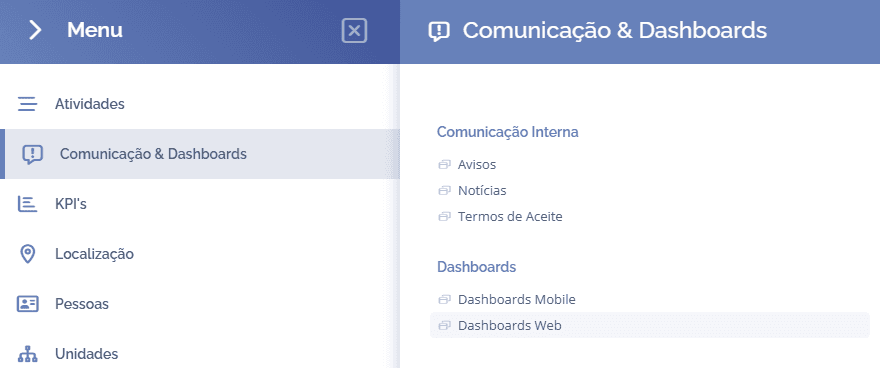
This section displays the created dashboards

When you click the Add dashboard button, a section will open below:
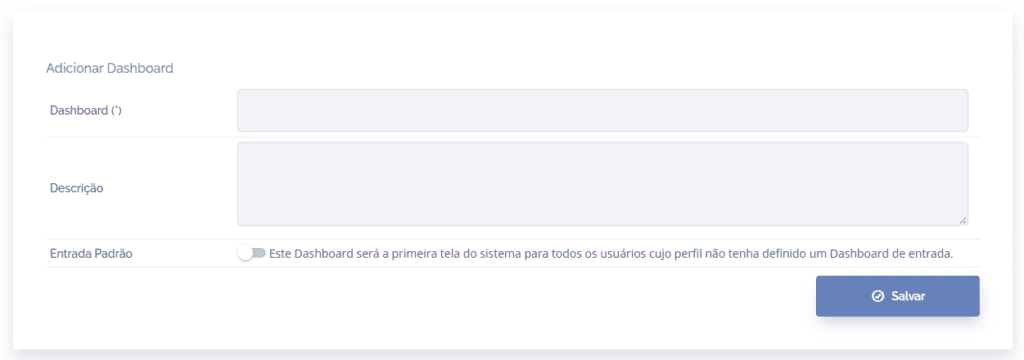
Dashboard: In this field, a name/title is defined for the dashboard.
Description: In this field, it is possible to add a description for the dashboard.
Default startup: In this field, it is possible to define whether this dashboard will be the system's first screen for all users whose profile does not have a startup dashboard defined. startup.
After filling in the fields, click the button Save to record the information.