
Creating legal documents in the app
This topic introduces the functional and operational part of the legal module on mobile, starting with the creation of legal documents.
The content below addresses the manual creation of legal documents, that is, through the legal document creation form.
Legal document creation form
The legal document creation form contains fixed fields and dynamic fields configured according to the document type. The fixed fields are filled in first, and the dynamic ones are displayed immediately after, and may be divided into categories.
Important: for a better understanding of fixed and dynamic fields, see the topic Editing activities in the app
Creating a legal document
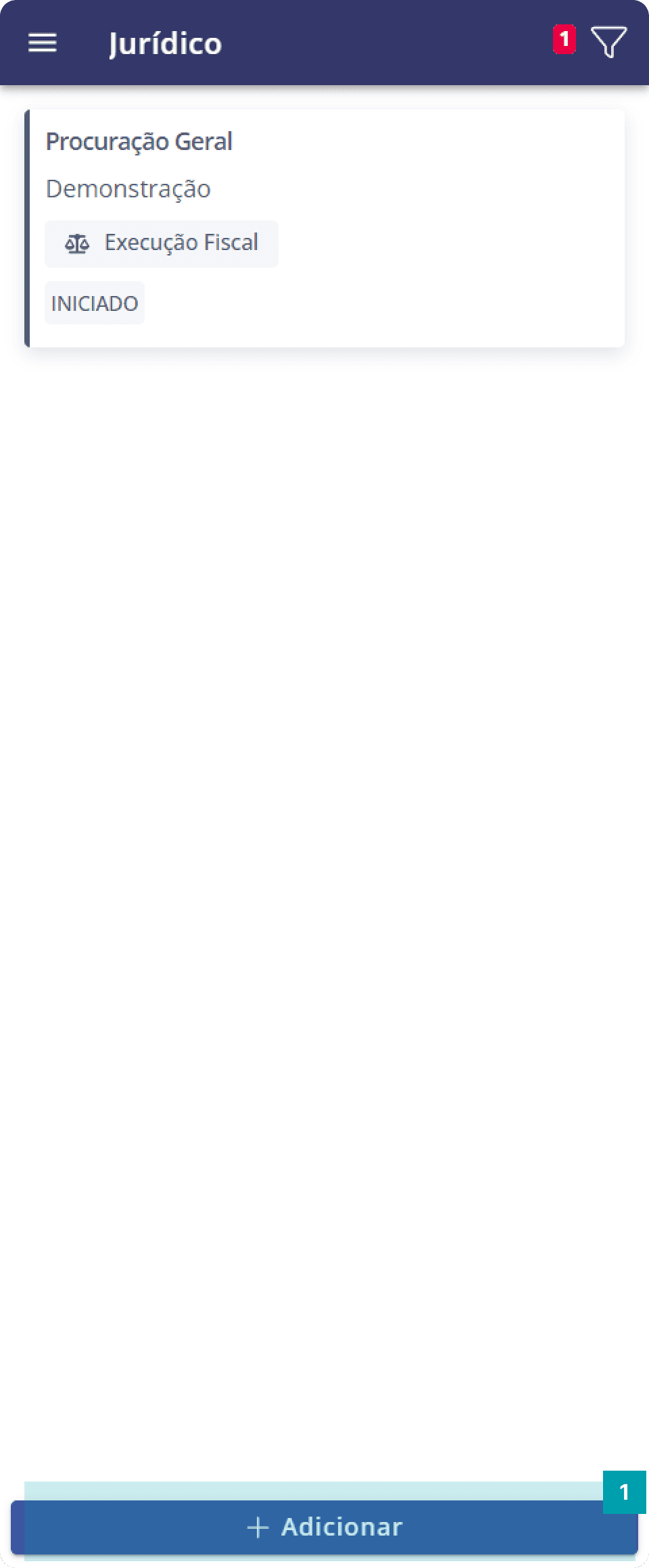 | 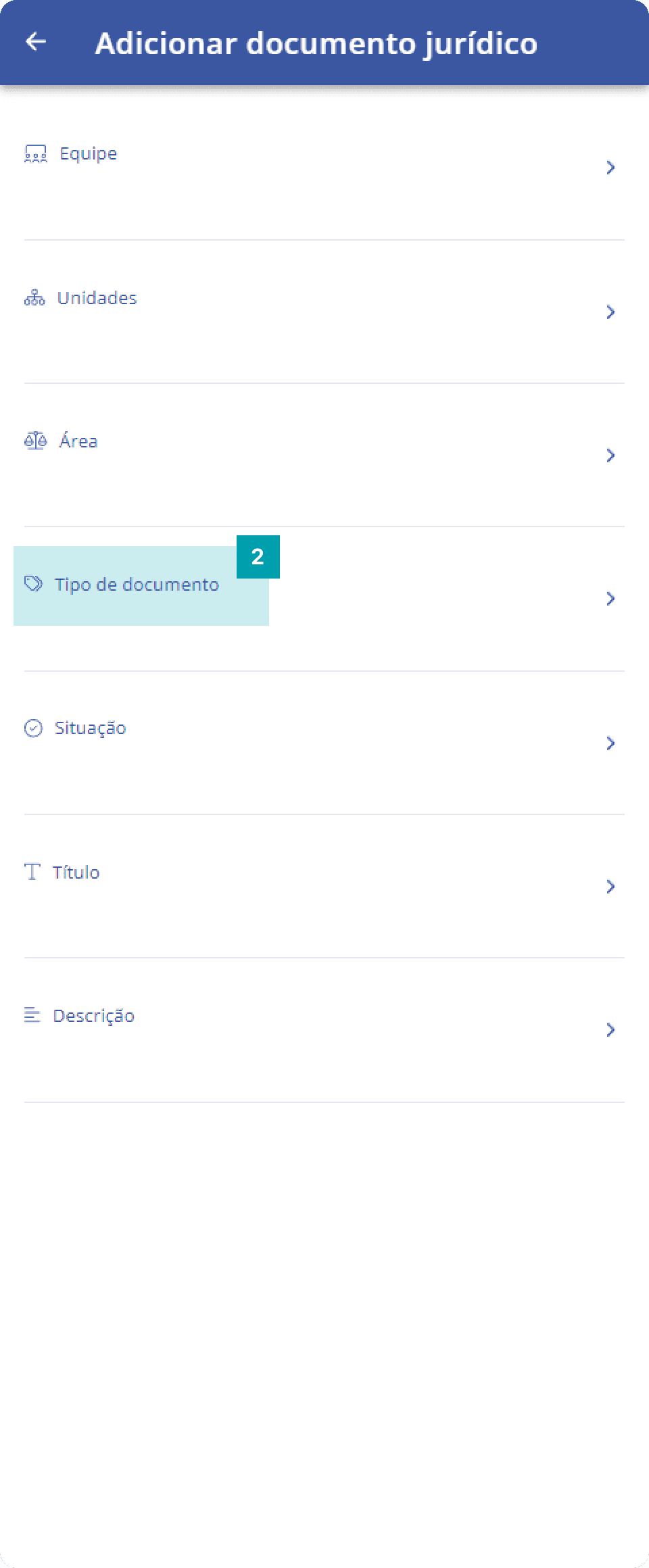 | 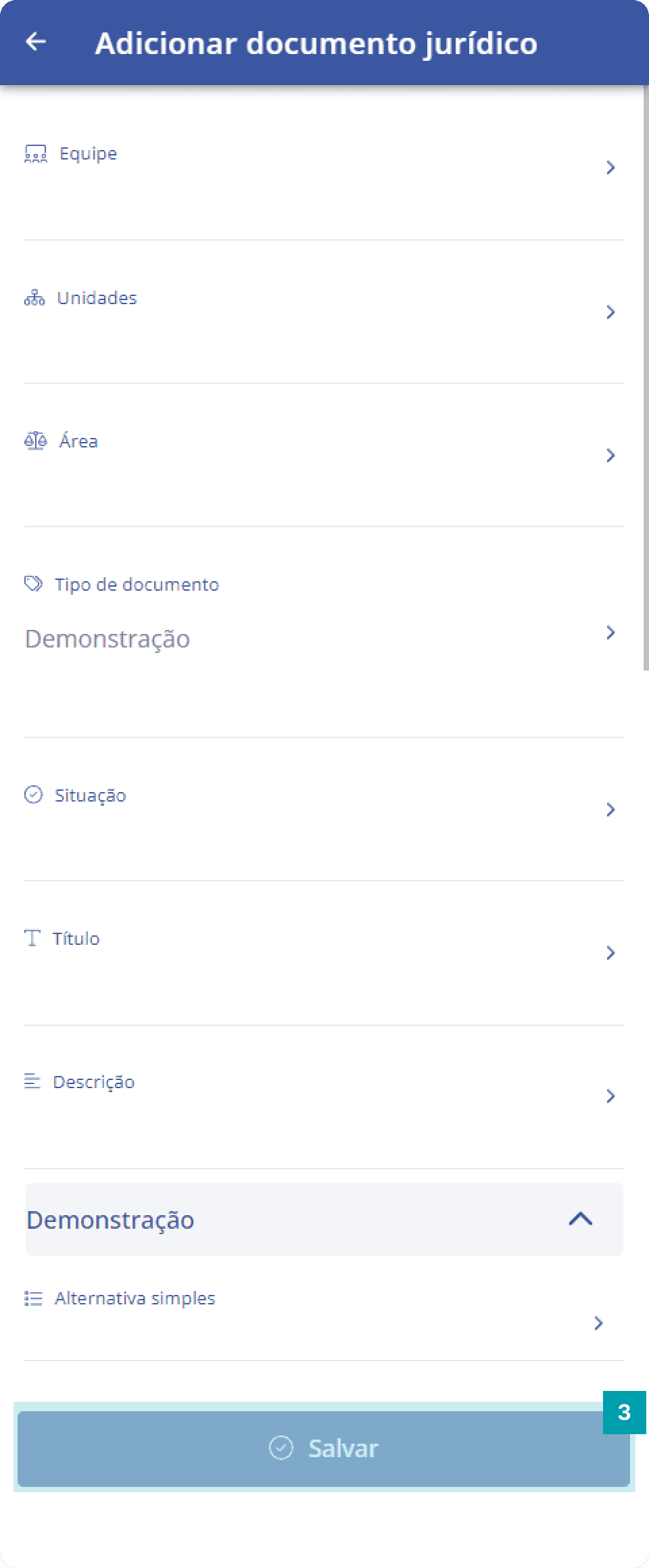 |
|
|
|
Attention: only document types compatible with the user's access profile will be displayed.