
Change the language in the app
To change the language in the app is very simple, let's access the Language menu:
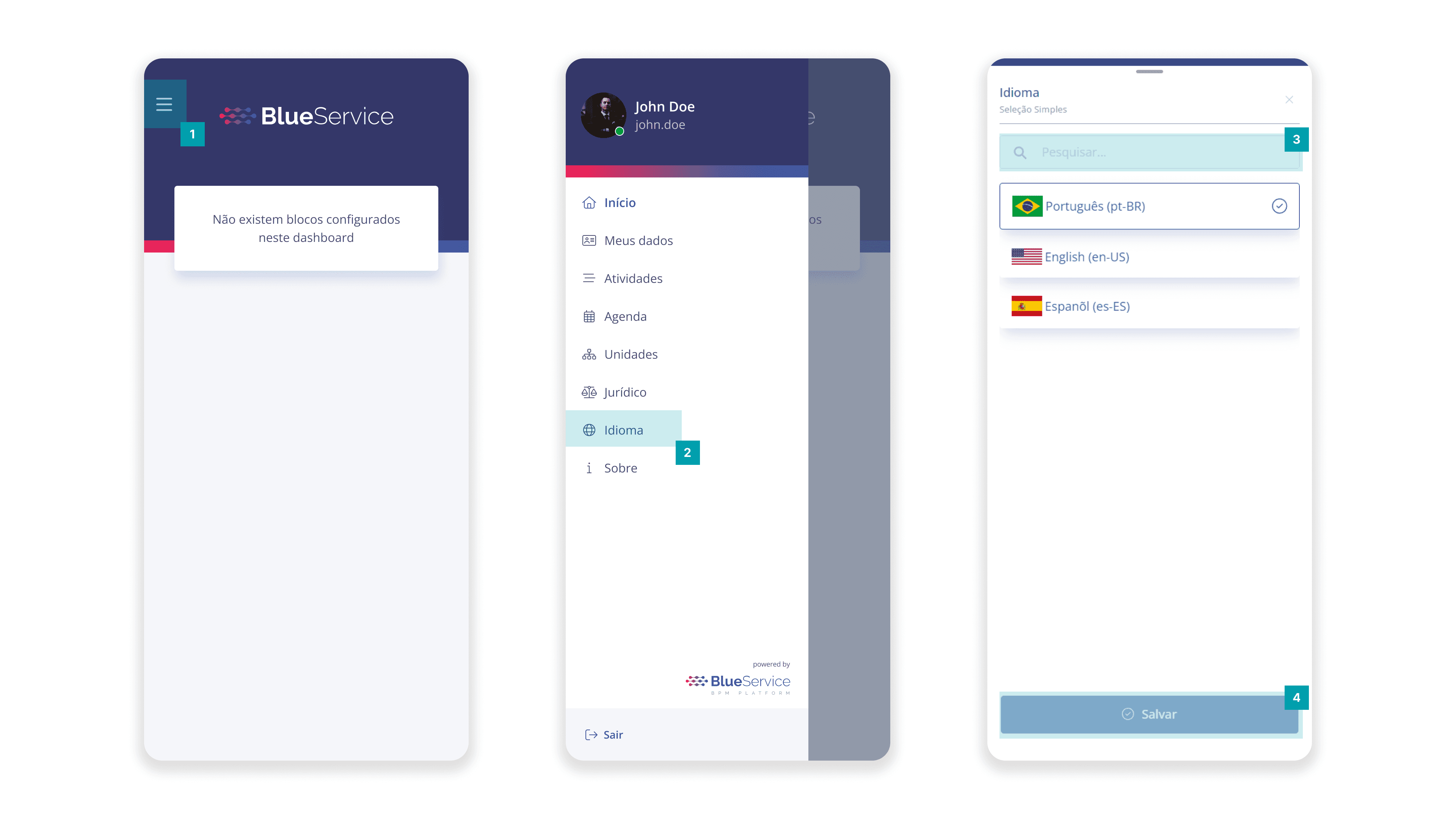
Click the Main Menu button.
Click Language.
On the screen, it will be possible to search for specific languages made available by the platform.
To change the language, just select the desired language and then click the Save button so that the changes are applied.
Important: the selected language is changed only for the logged-in user.