
Setting up email sending server
To configure the email sending servers, it is necessary to access General Settings > General Registrations > Email Sending Server Configuration:
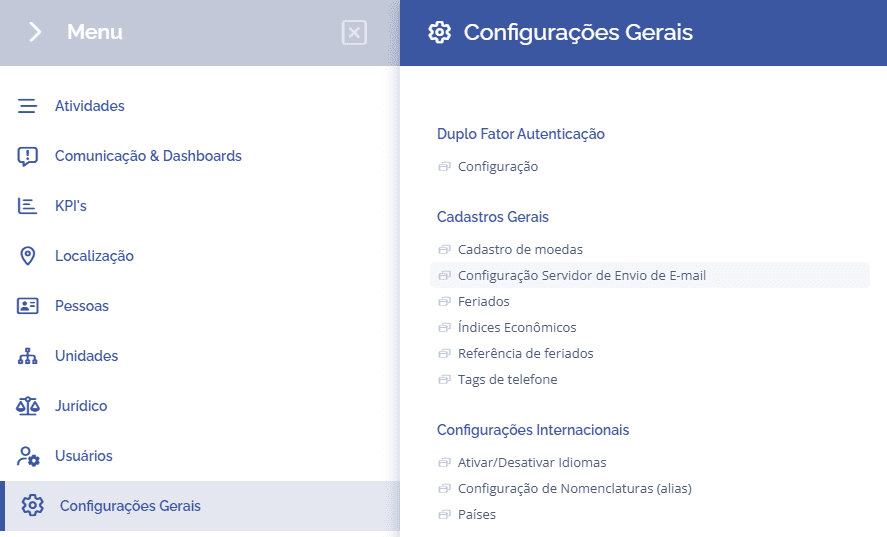
Next, you will be redirected to the Email Sending Server (SMTP) section, where you can configure the email sending servers by clicking the Add Server button:

When clicking Add Server, a registration form will be displayed requesting the data for the server to be used:
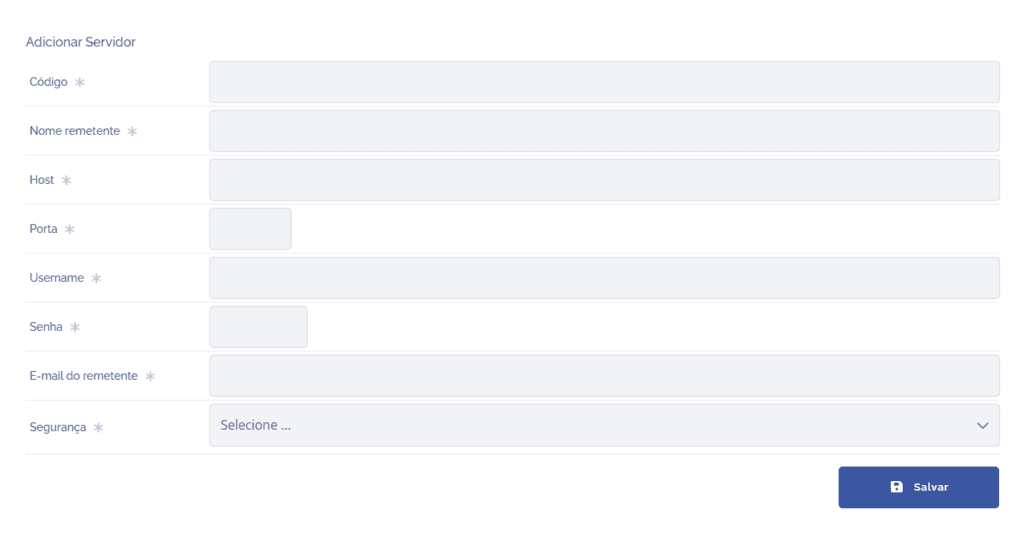
After completing the server registration, click the Save button, and the server will be ready to use.
If necessary, it is possible to edit or remove the registered servers by clicking the respective edit and delete icons in the list.