
Classification of dynamic occurrence fields
Dynamic occurrence fields are records of a specific situation in the system. This allows the user to determine a logical sequence of actions. It is worth noting that records of a given occurrence take place within an activity type with date and time stamping.
Dynamic fields will complete or add columns to occurrences.
For better understanding, see the article Dynamic occurrence fields.
Before creating dynamic occurrence fields, it is necessary to define a general classification for these fields, that is, assign a reference that characterizes the existence of these fields. Imagine that a certain classification, for example, is intended to report incident handling that occurs within a call center. Therefore, such classification may be named BUG Handling.
Add field classification
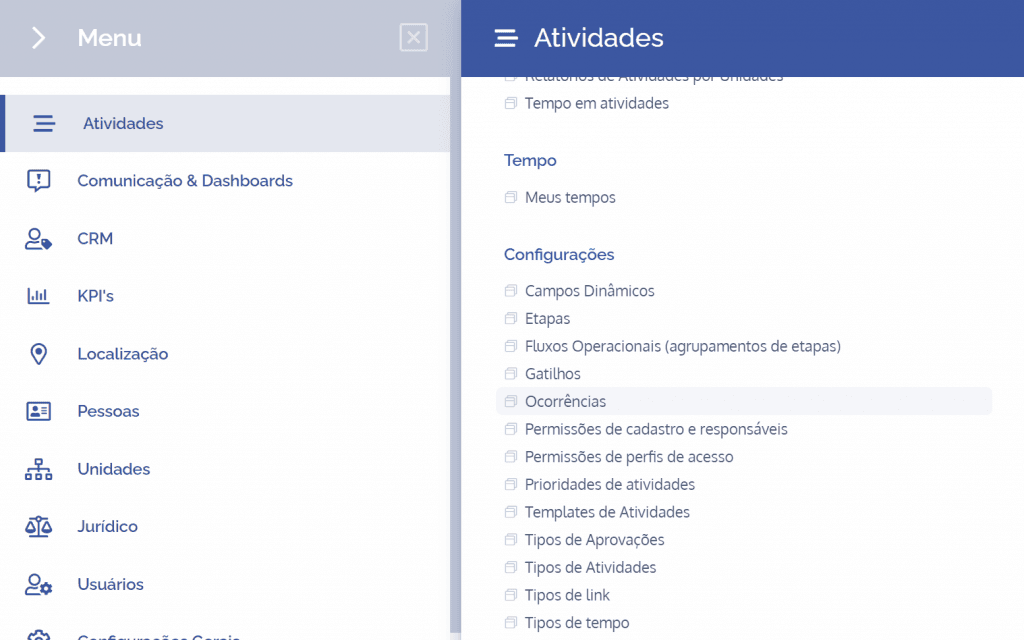
To create a classification of dynamic occurrence fields, open the main menu, select the Activities module, Settings and click the Occurrences option.
The classifications of dynamic occurrence fields will be displayed in this block:
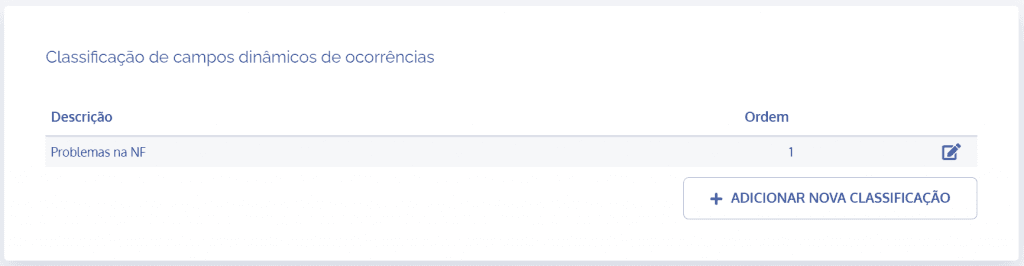
When clicking the Add new occurrence button, the Add new classification block will open:
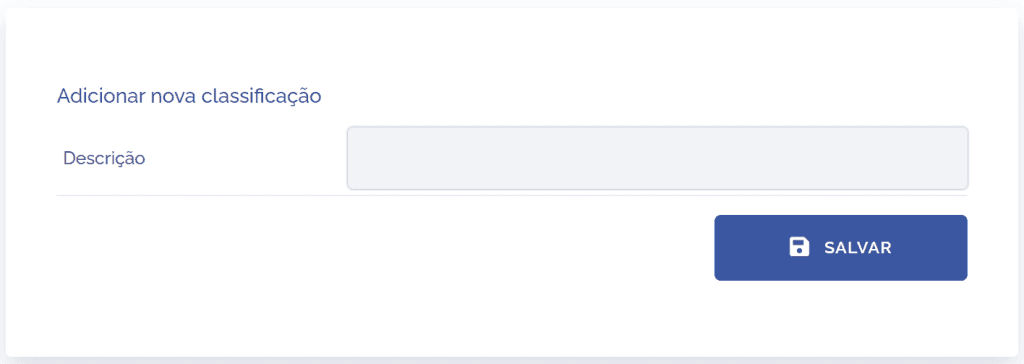
Field to be filled in
To proceed with creating the classification, the following fields must be filled in:
Description
Define a description for the classification that represents or portrays the incident.

After filling in the field and clicking the “SAVE” button, the classification will be created, enabling the linking of dynamic occurrence fields.