
Types of activities
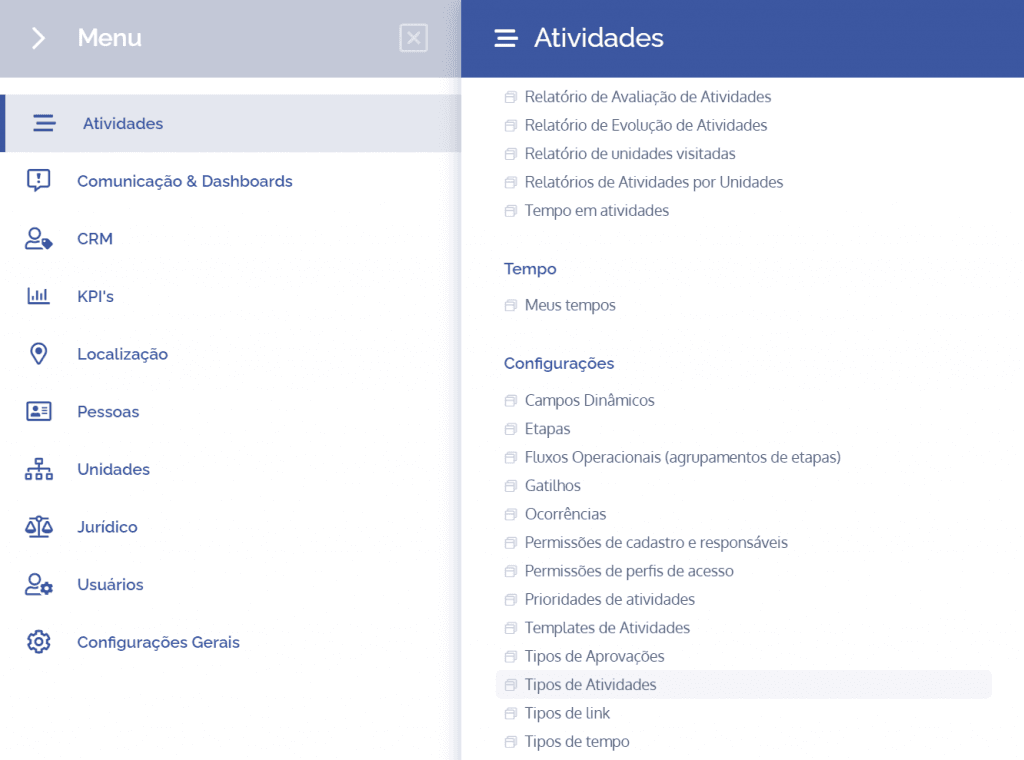
To create an activity type, open the main menu, select the Activities module, Settings and click the Activity types option.
The activity types will be displayed in this block:
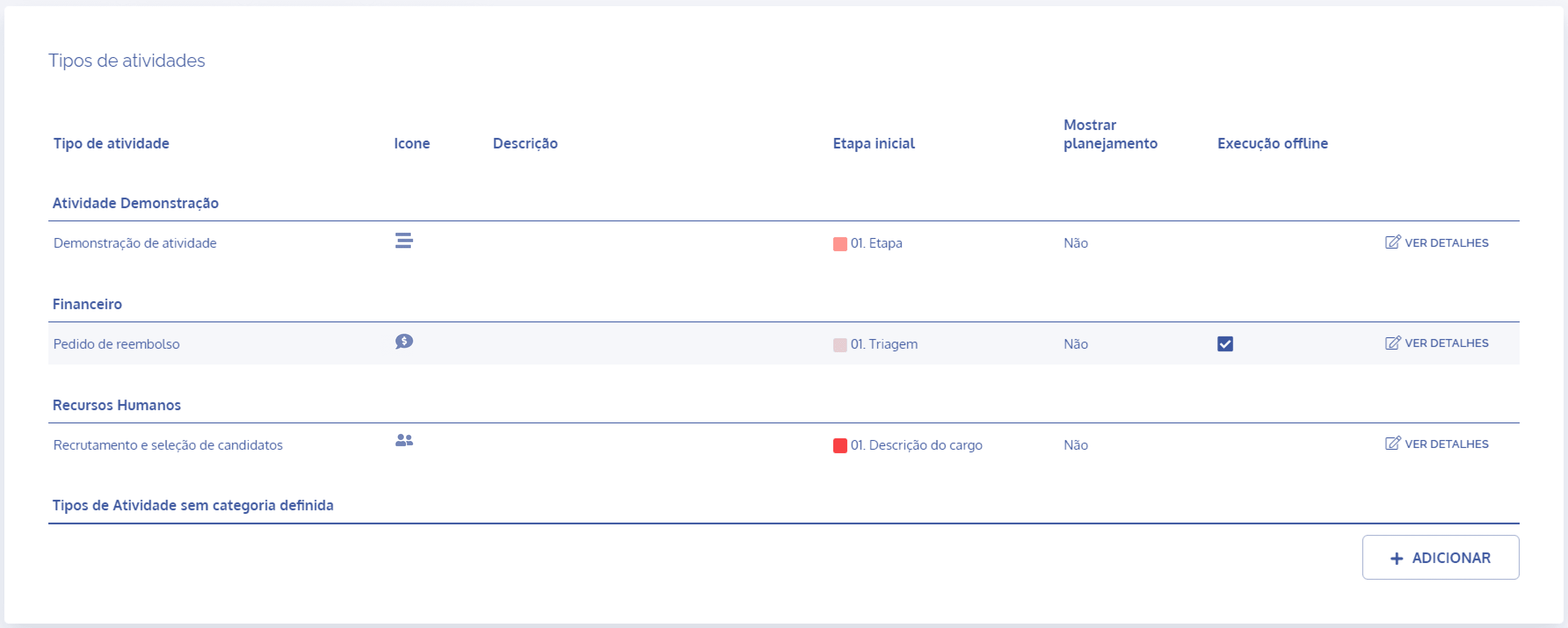
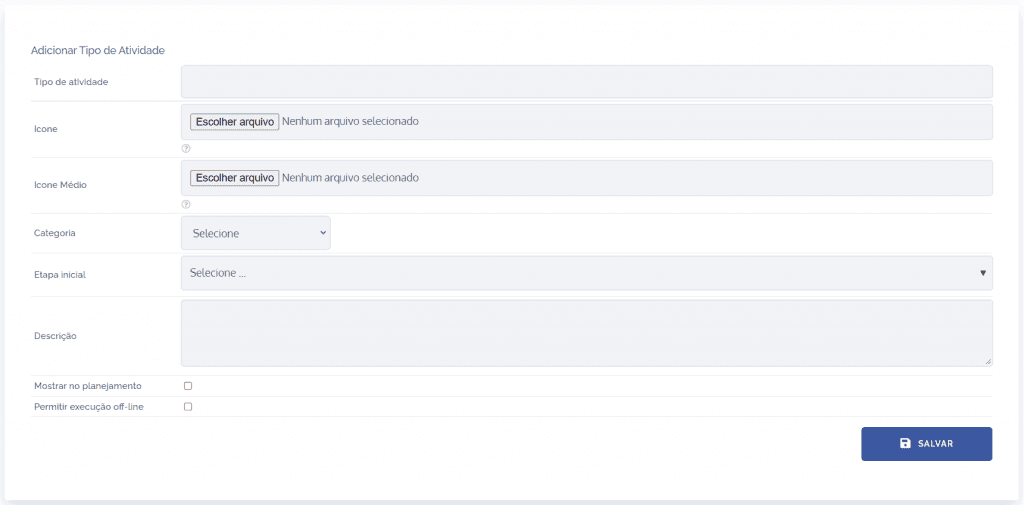
When you click the Add button, the Add activity type block will open:
Fields to be filled in
To proceed with creating the activity type, the following fields must be filled in:
Activity type
Title that will be defined for the activity;

Icon
Choose an image to represent the activity in question;

Medium icon
Choose an image to represent the activity in question;

Category
Select the category to which the activity belongs;

Initial stage
Inform the stage that should start the process;

Description
Brief description of the stage in question.

After filling in the fields and clicking the “SAVE” button, the activity type will be created and linked to the defined category.