
Model category
In the document generator, it is possible to create categories for the document templates that will be used in the document generator.
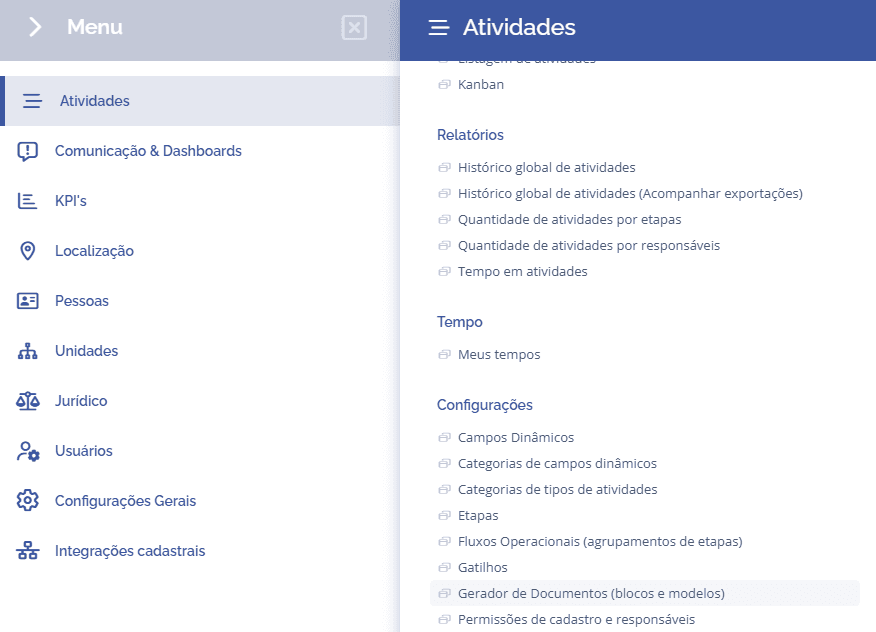
To create a document, you need to access the left menu and click on document generator.
Then, select the Template categories card:
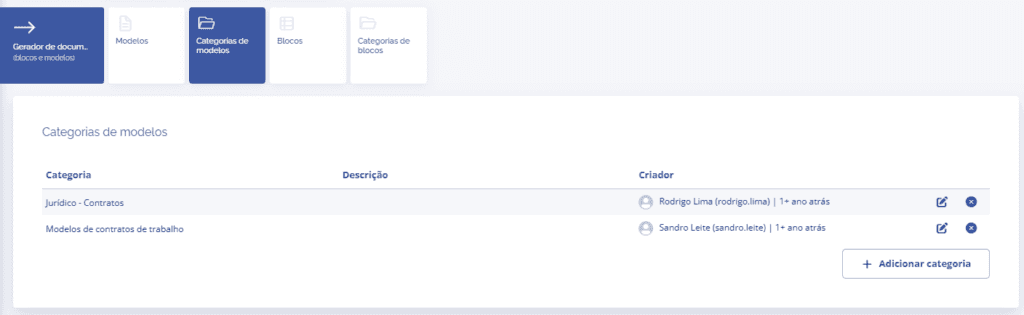
When clicking the Add category button, the category creation block will be displayed.
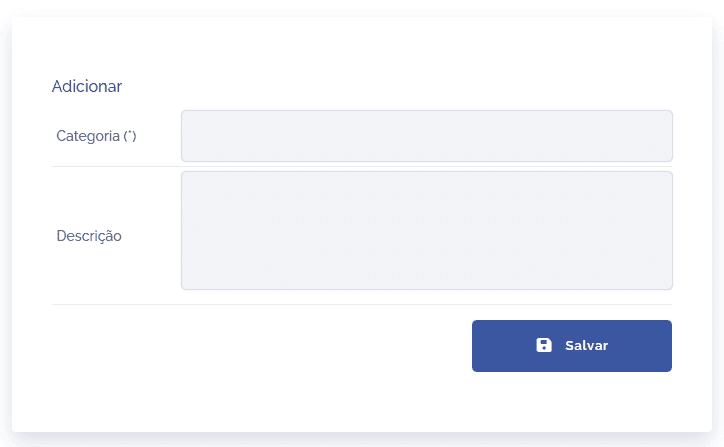
Category: when clicking this field, you need to define a title (name) for the category to be created.
Description: when clicking this field, describe the purpose of the category to be created.
By clicking Save, the category will be added.