Custom fields
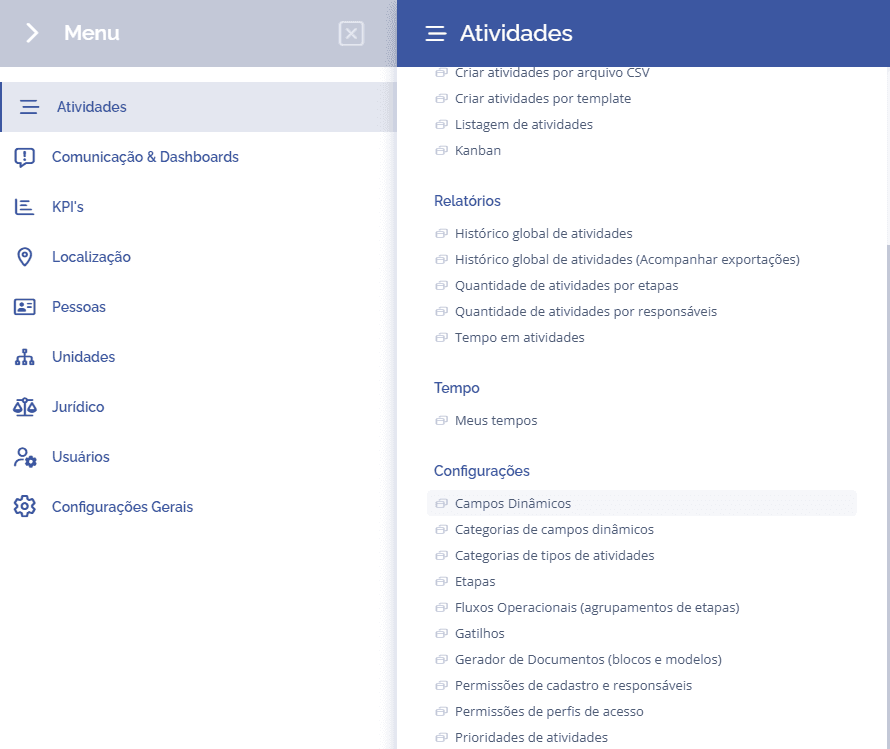
To create dynamic fields, open the main menu, select the Activities module, Settings, and click the Dynamic fields option.
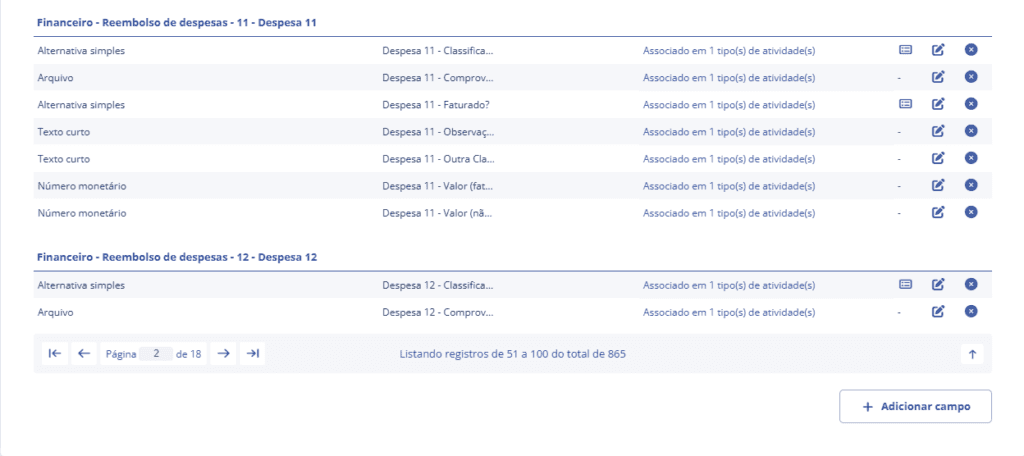
Dynamic fields will be displayed in this section:
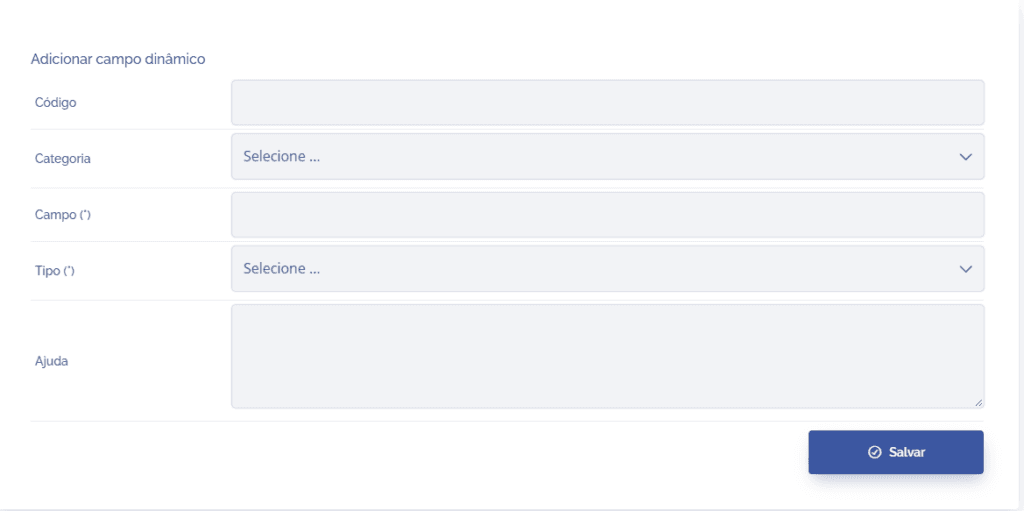
When you click the Add button, the Add dynamic field section will open:
Fields to be filled in
To proceed with creating dynamic fields, the following fields must be filled in:
Code
Used to uniquely identify the field;

Category
Link the field to a category created in Dynamic field categories;

Field
Define a title for the field;

Type
Define what the type of the dynamic field will be;

Help
Information that is important to highlight about the field.

After filling in the fields and clicking the “SAVE“ button, the dynamic field will be created. You can create as many fields as needed and link them to a specific category.