Dynamic fields of the legal department
These are configurable fields, that is, they are created and associated with a specific document type.
Their purpose is to create fields that enable the correct execution of a process, with concise and relevant information in order to clarify the subject matter of the legal proceeding.
For more information about field elements, see the topic Activity dynamic fields.
Create dynamic fields
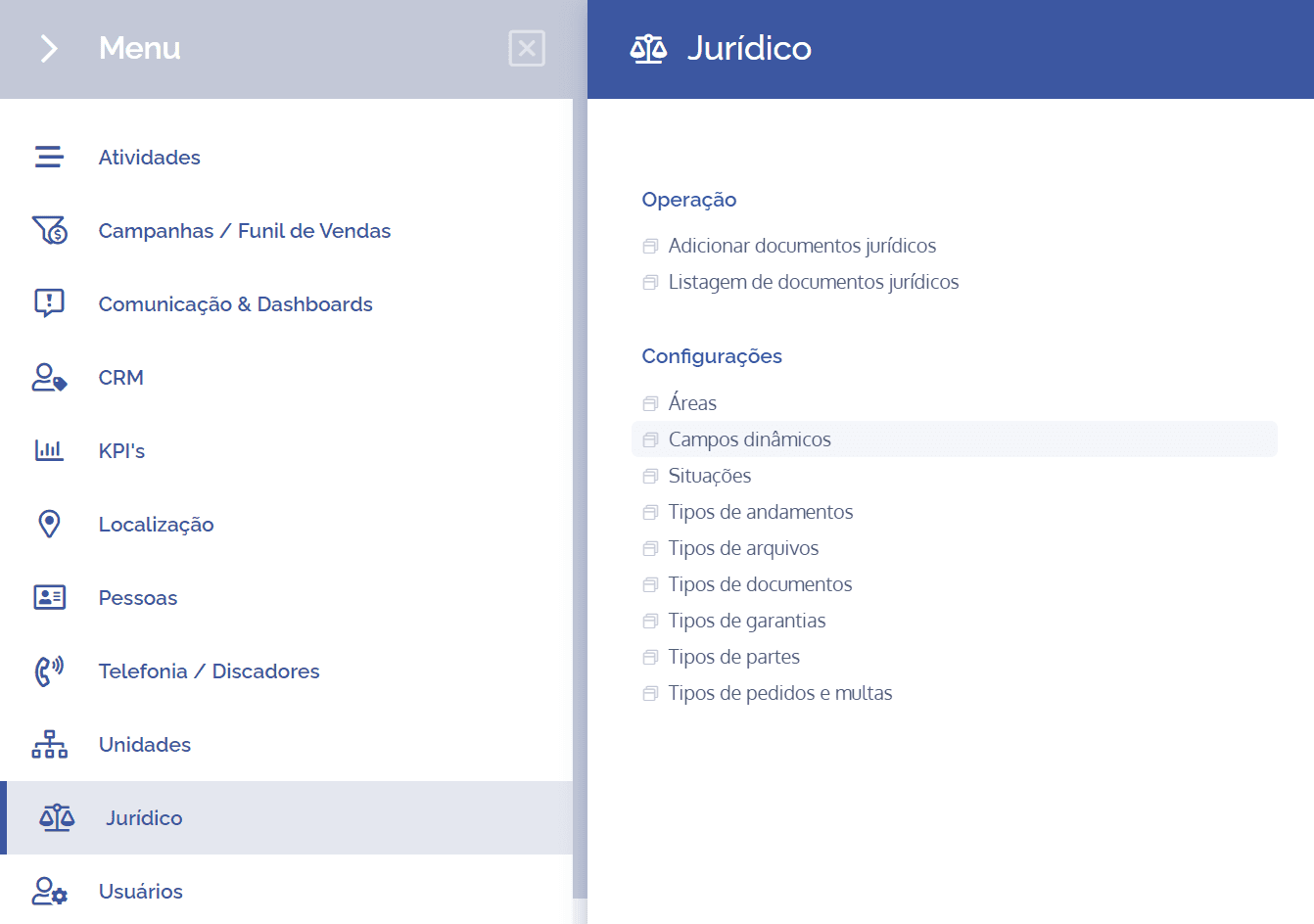
To create dynamic fields, open the main menu, select the Legal module, Settings and click the Dynamic fields option.
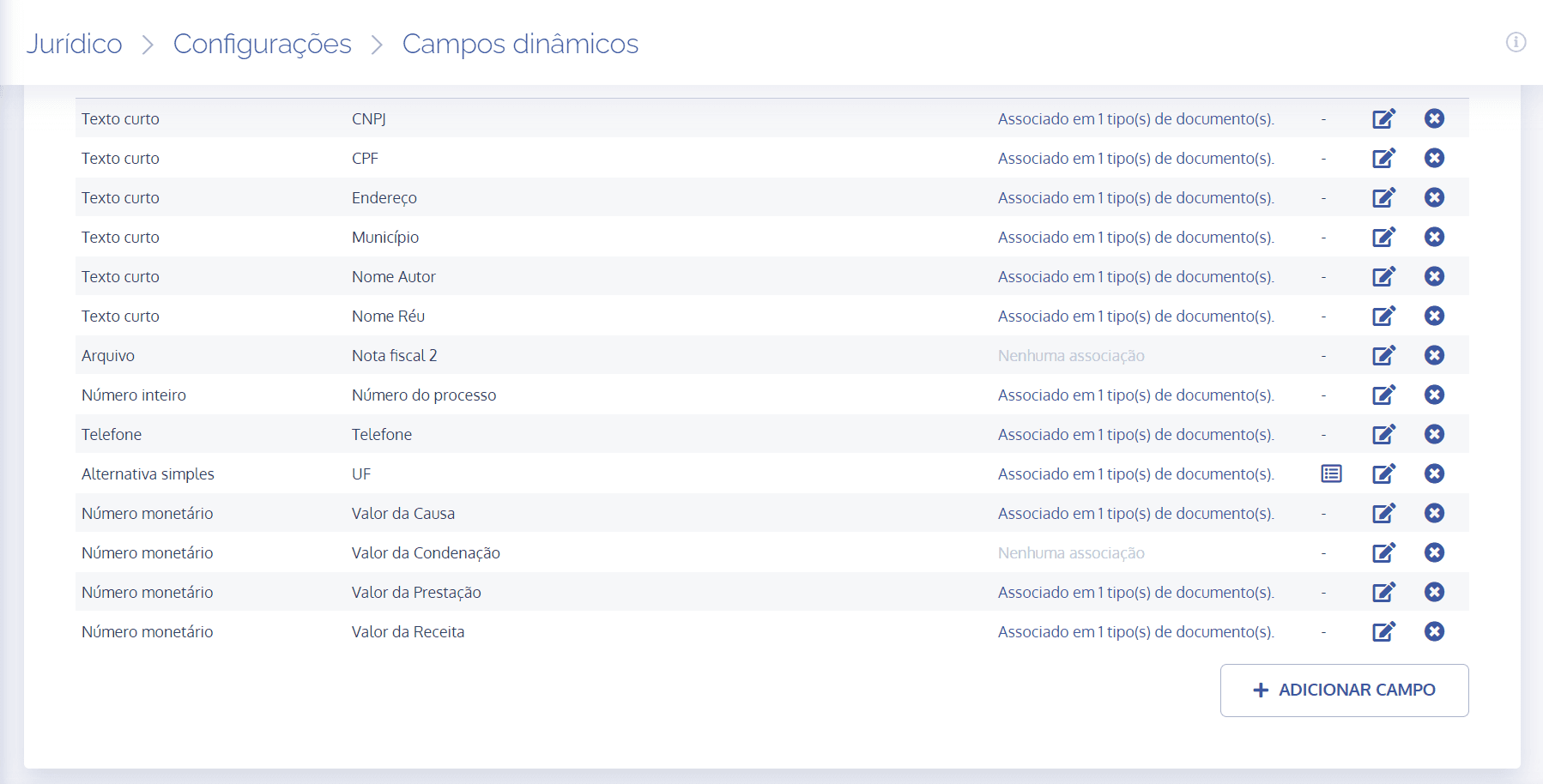
On the next screen, click the Add field button:
A new Add dynamic field block will be displayed:
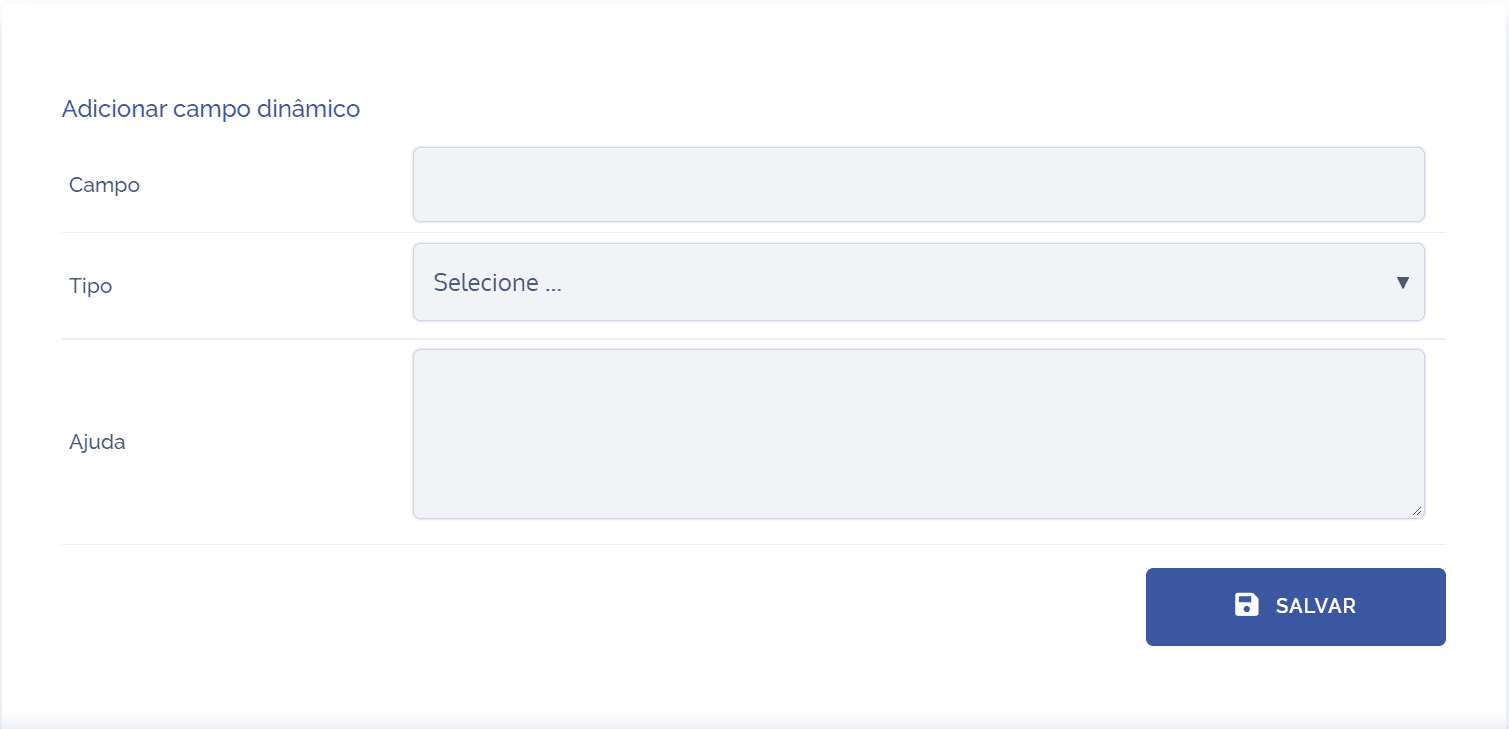
To proceed with creating dynamic fields, the following items must be filled in:
Field: When selecting this option, it is possible to define a title for the field, so fill it in with the desired name.
Type: When selecting this option, it is possible to choose what the type of the dynamic field will be.
Help: When selecting this option, it is possible to provide a brief description regarding the purpose of the field.
After filling in the fields, click the Save button to register it in the system.
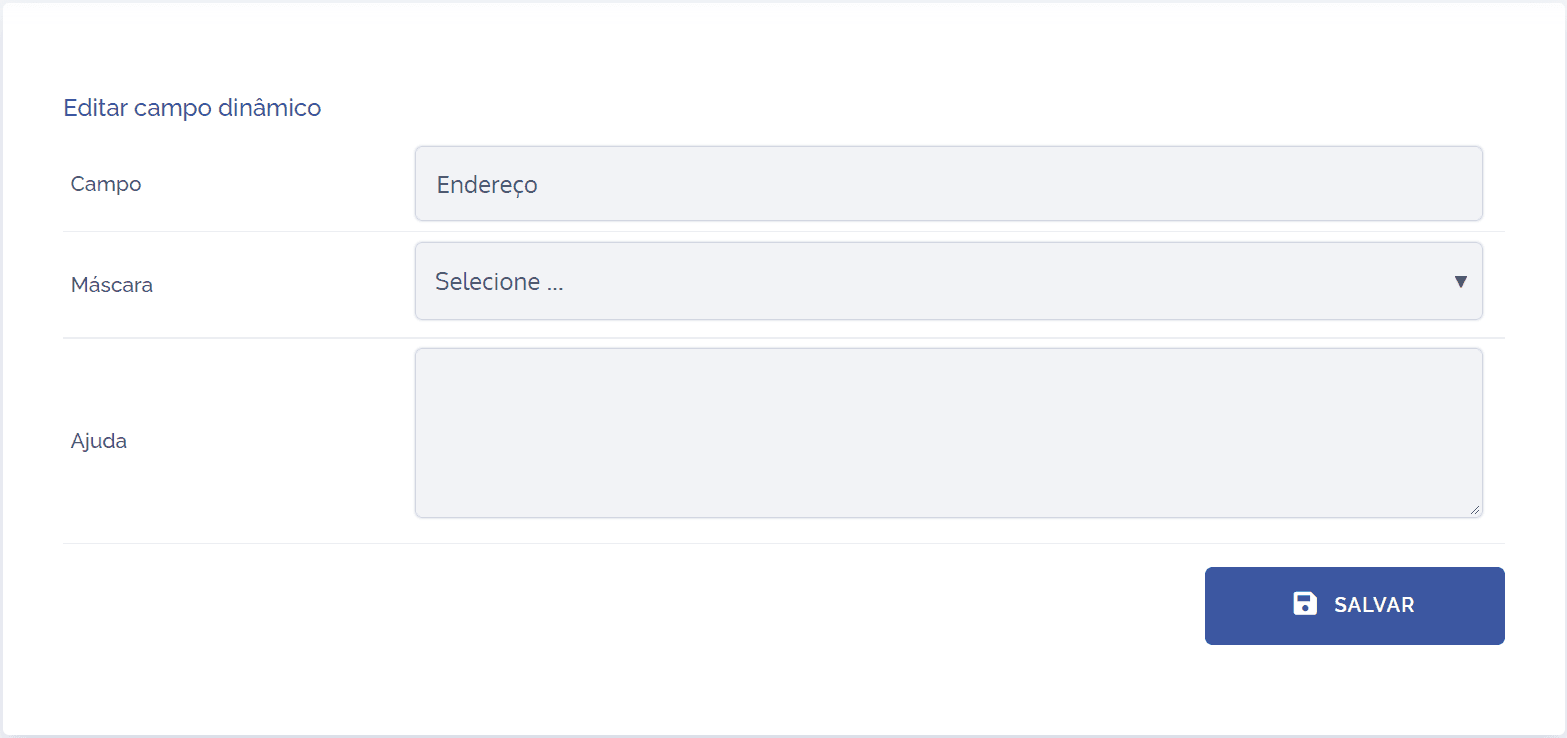
Note: In dynamic fields of the short text type, it is possible to insert input masks, for example, CPF, CNPJ, vehicle license plate, and register new masks.
Edit field
When clicking the edit icon, a block will be displayed to edit the field in question:
Remove field
When clicking the remove icon, a confirmation box for field removal will be displayed: