
Association of request types and fines
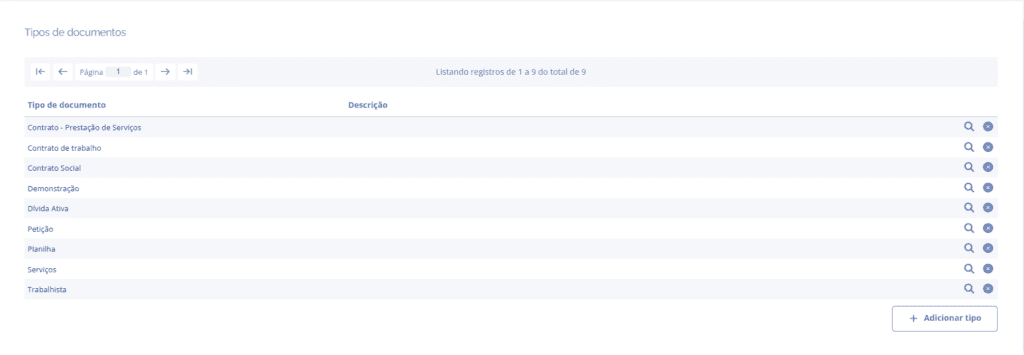
In the Document Types block, click the details icon for the desired type:
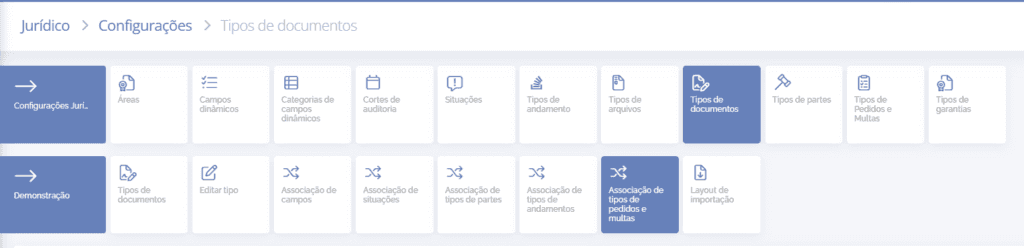
In the type details, click the Association of order types and fines card:
After clicking the field, it will be possible to search the registered orders and fines:

All can be added at once (Add all) or selected one by one. Likewise, it is possible to remove all selected ones (Remove all).
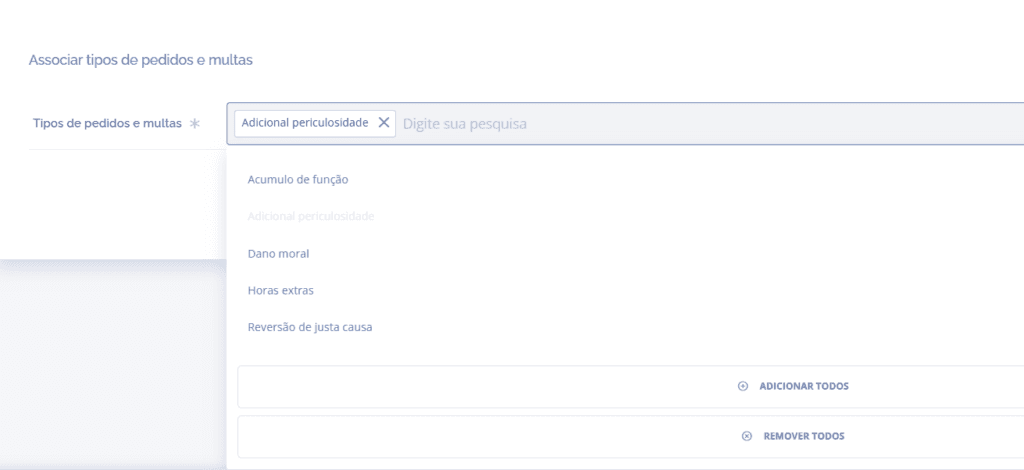
After selecting the order or fine types, click Save.
Remove field
When clicking the remove icon, the desired item will be removed from the field, and to confirm the action, click the Save button.
