
Access activity
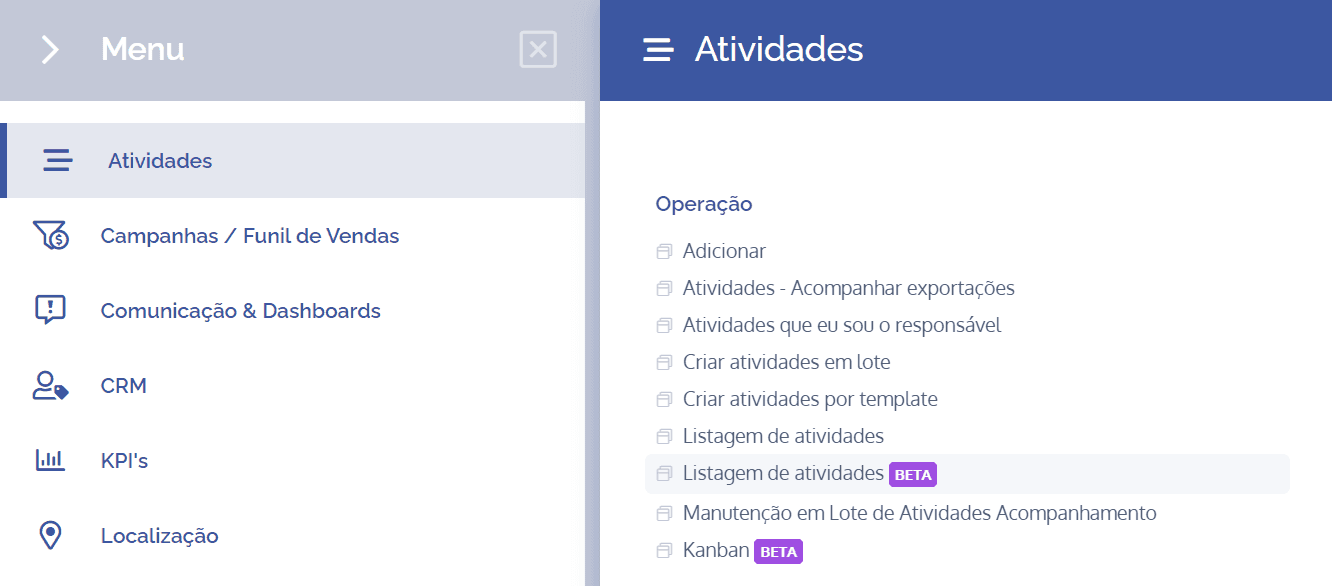
To access the details of an activity, open the main menu, select the Activities module, Operation, and click the Activity listing (Beta) option.
In this block, the list of activities registered in the system will be displayed:
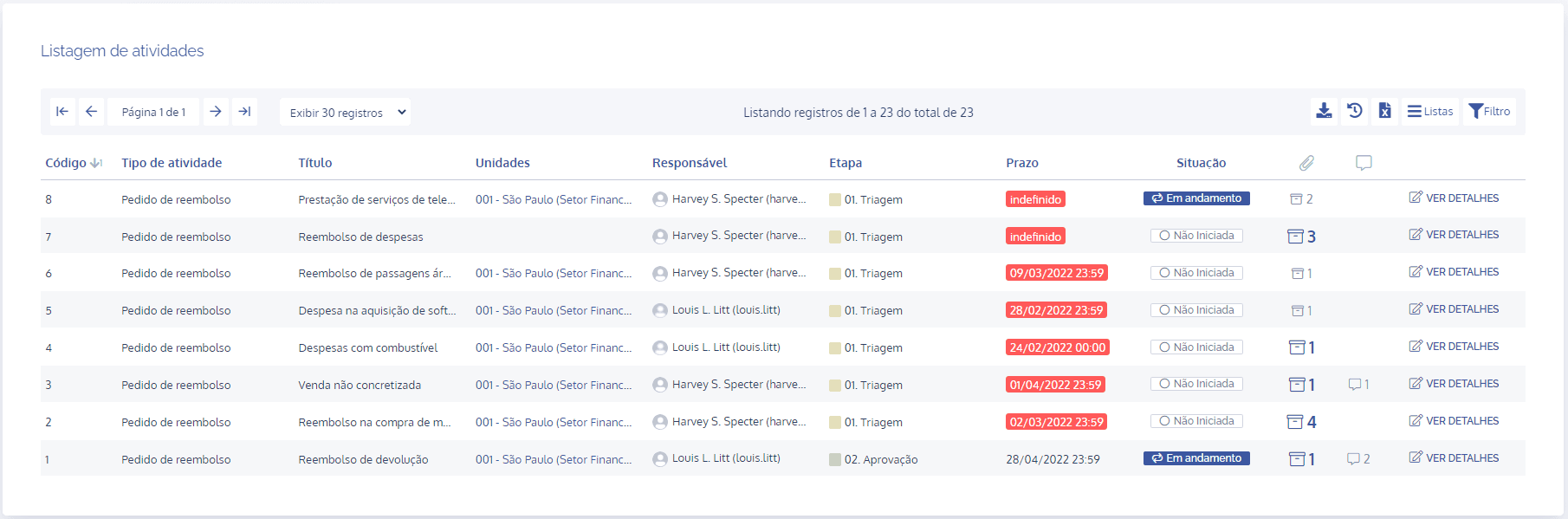
Then, at the end of each activity, click the View details button to access the details of the selected activity.