
Accessing the app
After downloading the Blue Service app and installing it, the first step is to configure the environment. To do this:
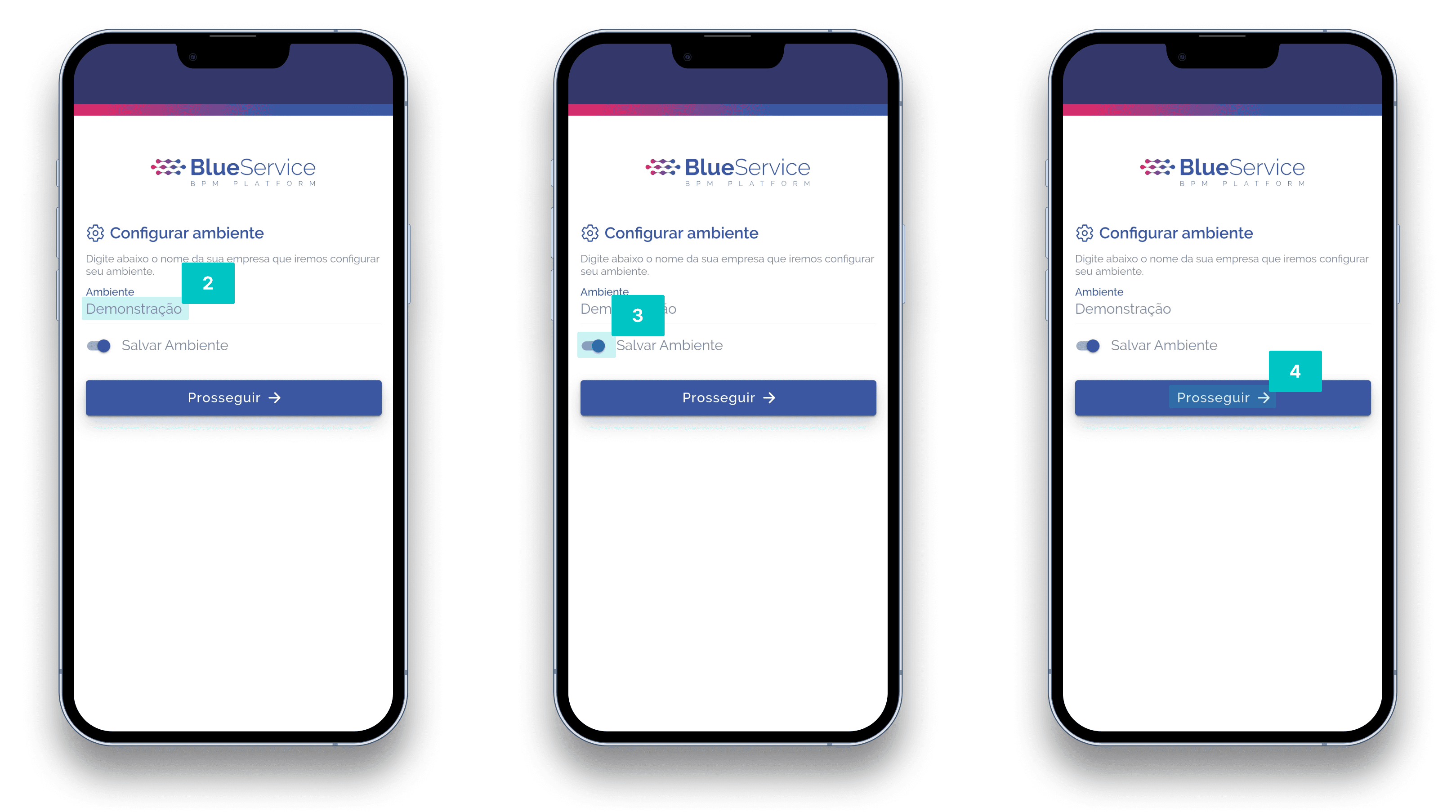
Open the Blue Service app.
The first screen displayed is to configure the environment, so in the Environment field, enter the name to be linked.
It is possible to save the environment. To do this, in Save environment, use the toggle switch and select it.
Then, click the Proceed button.
Next, you will be directed to the User/Password screen to authenticate your credentials. To do this:
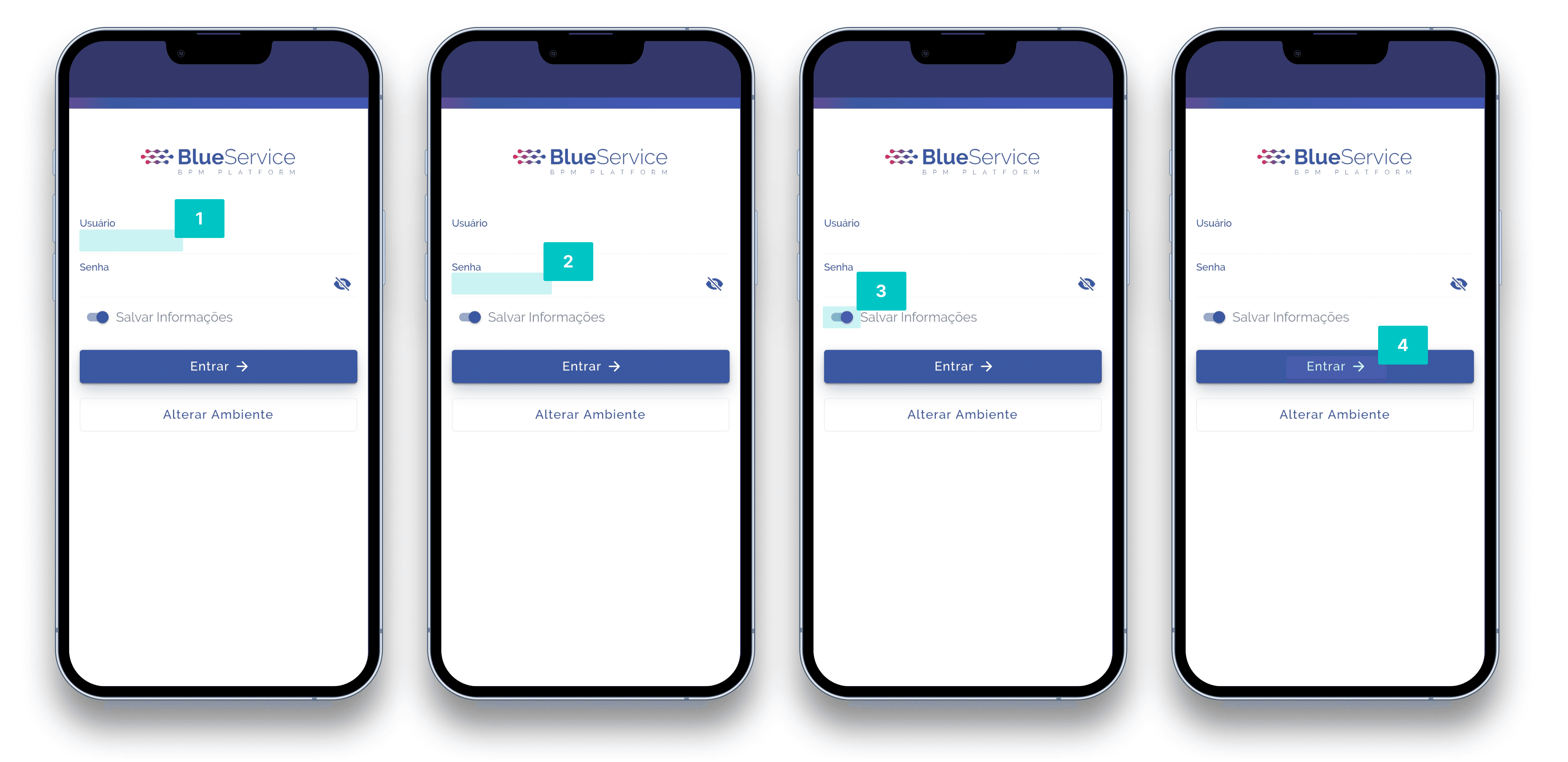
Enter the desired username in the User field.
Then, enter the password in the Password field.
It is possible to save the access information. To do this, in Save information, use the toggle switch and select it.
Then, click the Sign in button.