
Using the calendar in the app
In Agenda, it is possible to configure a filter in order to refine the search results and find one or more events that match the established dates. You can also navigate the calendar manually and synchronize the agenda. To make these settings, follow the step-by-step instructions below:
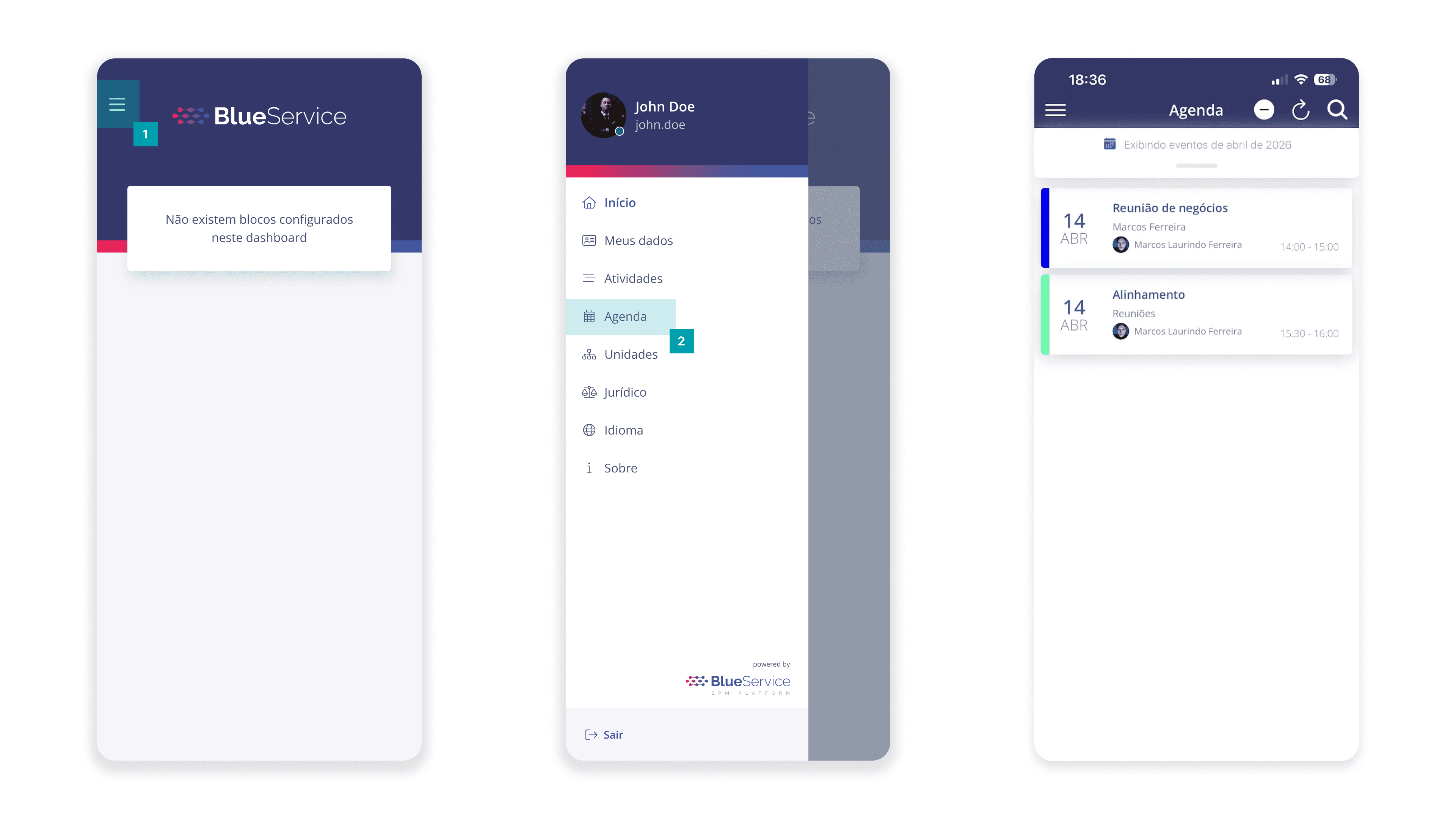
Click the Main Menu button.
Click on Agenda.
On the agenda screen, it will be possible to view the registered events, as well as search for specific events and synchronize the agenda.
Filter agenda
In Agenda, it is possible to configure a filter in order to refine the search results. To perform this configuration, follow the step-by-step instructions below:
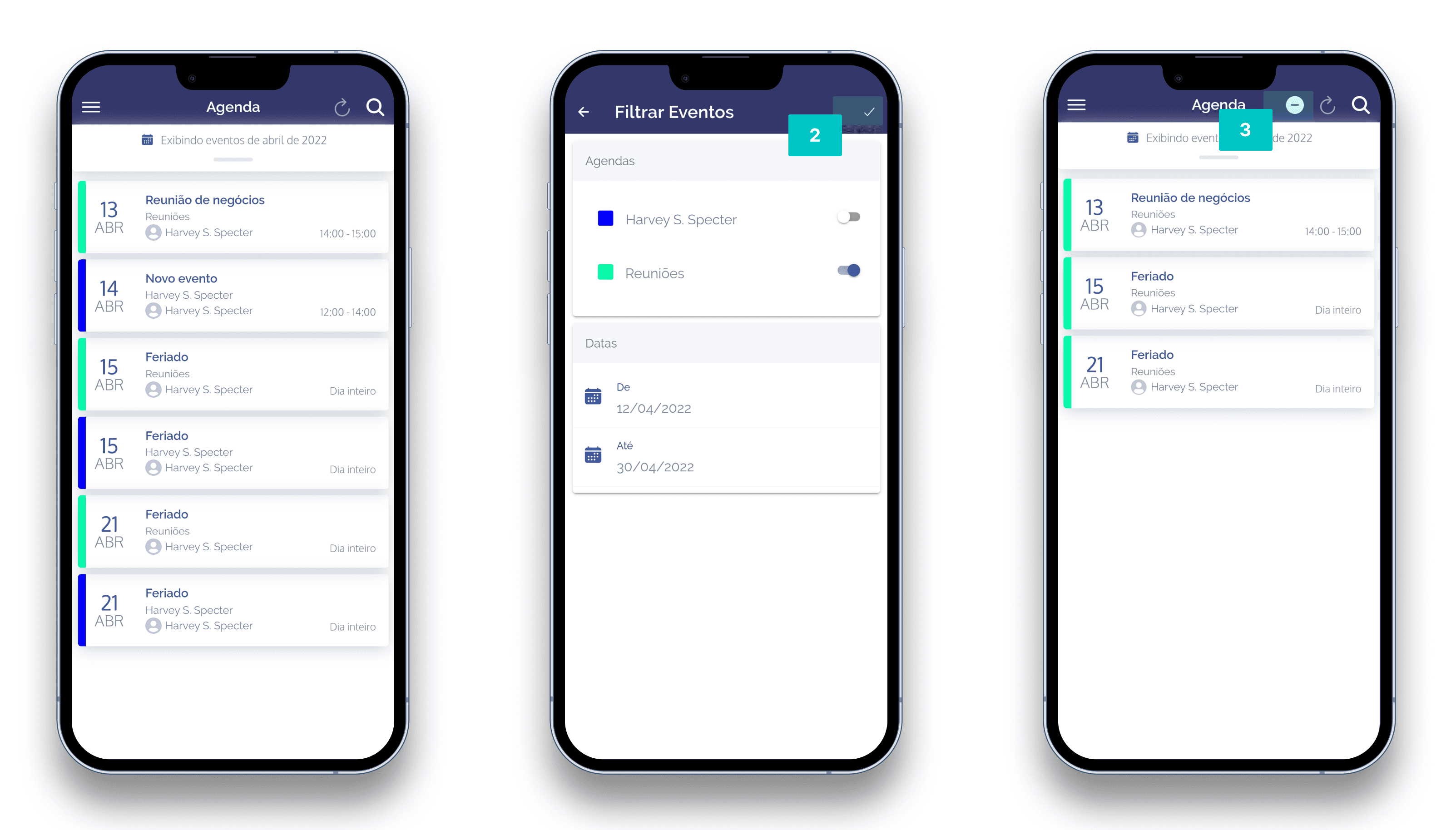
Click the filter icon located on the right side of the page.
Next, the existing agendas and dates will be displayed to refine the event results.
To choose one or more agendas from those registered, click the switch icon in the Agendas block.
To define a specific period, click the From and To fields, choose the start and end date to perform the search, then click the confirm button in each field. The filter will then be applied.
Click the confirmation icon to apply the criteria to the filter.