
Types of weather
To access the Time Types menu, go to Activities > Settings > Time Types
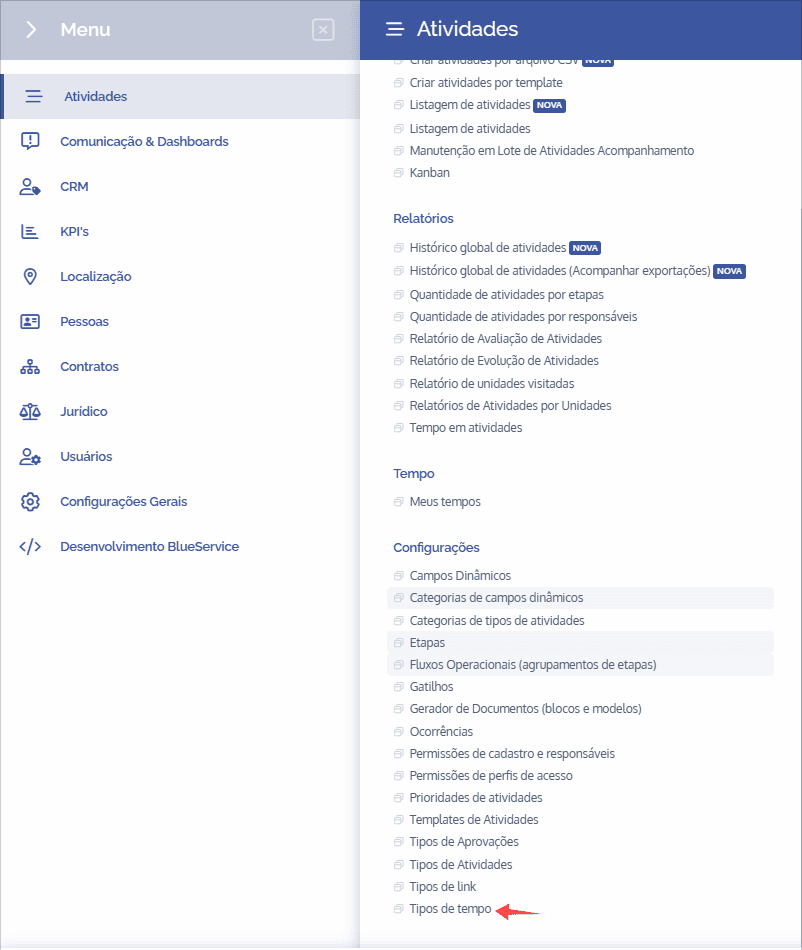
Next, you will be redirected to the Time Types section, as shown in the image below:

To add a new time type, click the “+Add Time Type” button and the following form will be displayed.
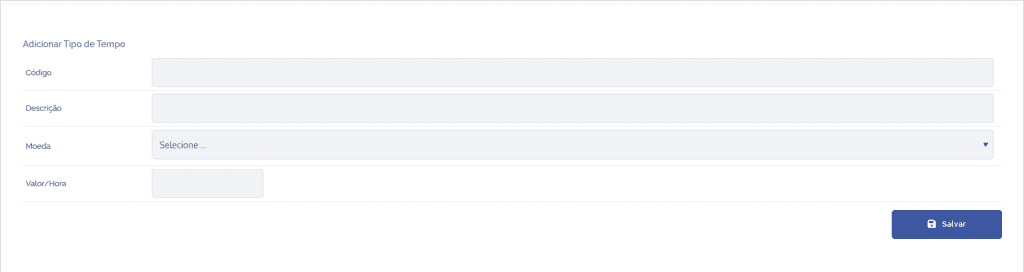
First, fill in the code field. Next, enter a brief description of the time type. Also select the currency type from all currencies previously registered on the platform. Finally, define the hourly rate for this time type.