
Group permission
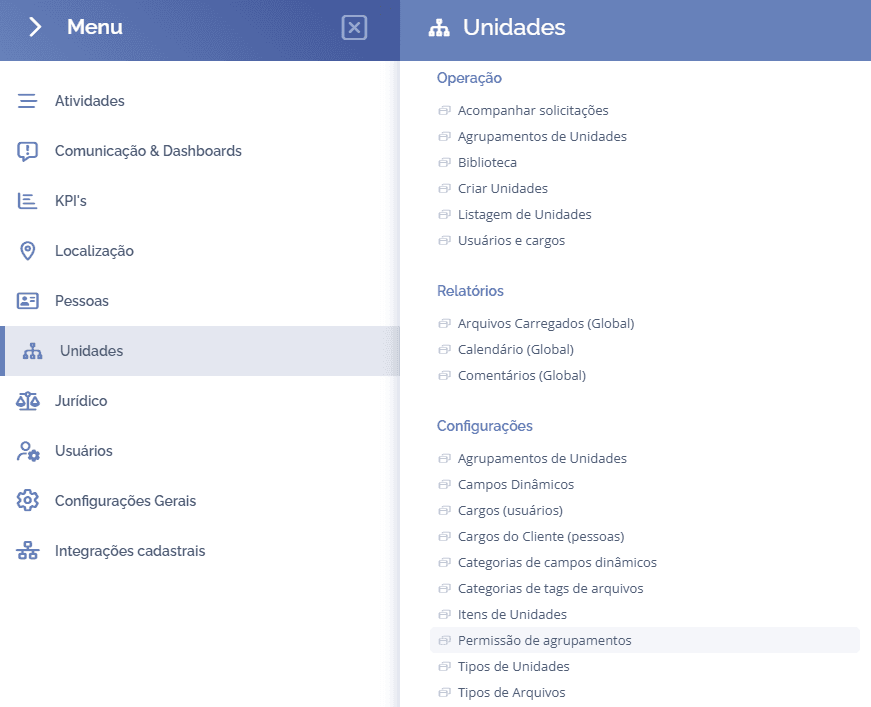
To enable grouping permissions by access profile, open the main menu, select the Units module, Settings and click the Grouping permissions option.
Next, the (Select the access profile) block will be displayed:
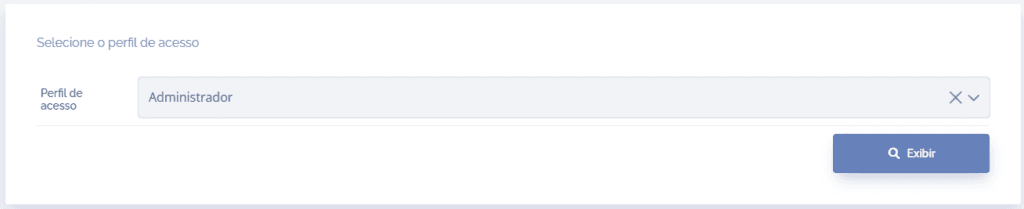
When selecting the desired profile through the Access profile field, click the Display button; then, the block (Access profile permission settings in unit groupings) will be displayed:
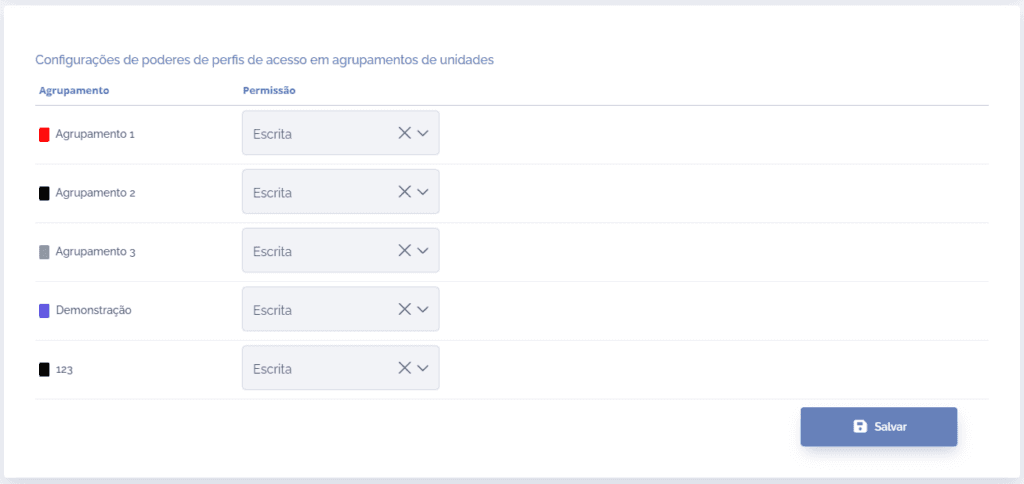
For each registered grouping, it is possible to define the desired permission: None, Read or Write:
None: By choosing this option, users of the selected profile will not be able to view the grouping in that unit.
Read: By choosing this option, users of the selected profile will be able to view the grouping in that unit, but they will not be able to edit it.
Write: By choosing this option, users of the selected profile will be able to view and edit the grouping in that unit.
After completing the settings, click the Save button.