
Filters
In the activity listing, it is possible to configure the filter, as well as add new fields. To perform this configuration, click the Filter icon located on the right side of the page:

When clicking the Filter icon, a block will open below:
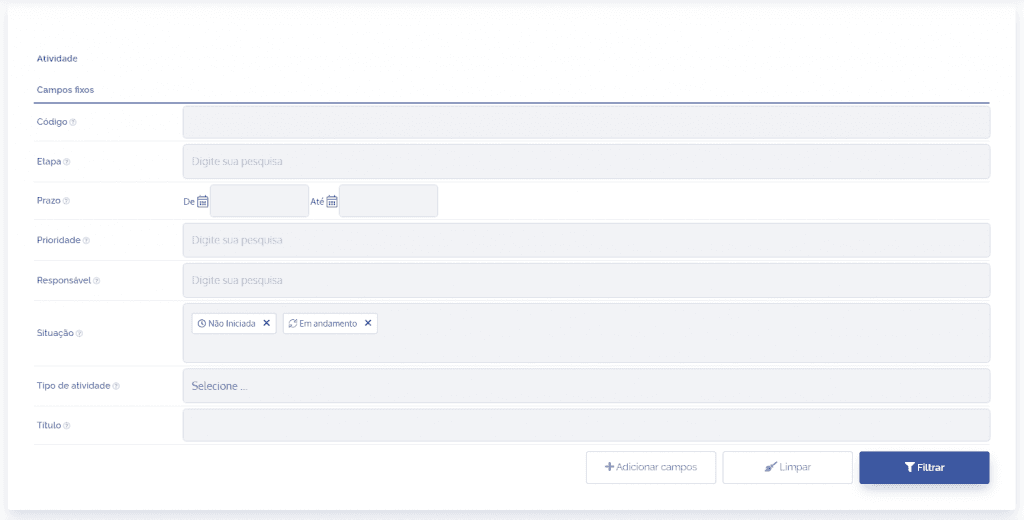
Note that the configurable fields are fixed and dynamic types, but to add other dynamic fields it is necessary to click the “+Add fields” button, which will open a pop-up window to select the desired fields.
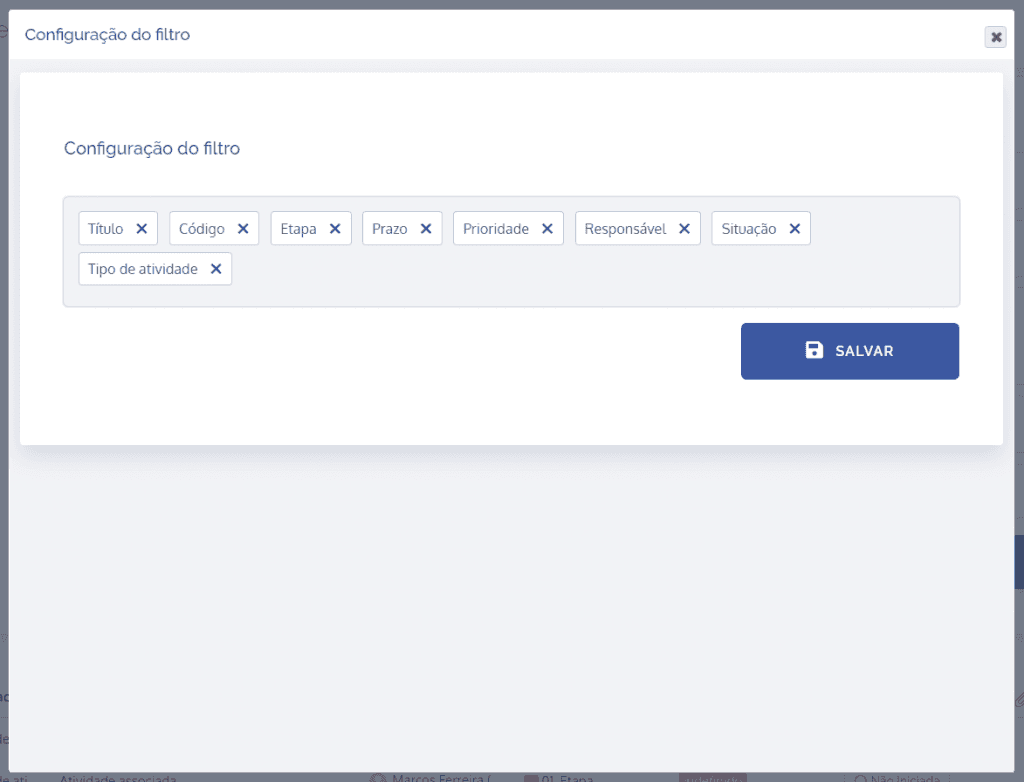
The filter that is defined by default contains the following fixed fields:
Code
Searches for the activity identification code;

Stage
Selects the activity stage;

Deadline
Activity deadline period;

Priority
Searches for the activity priority as high, medium, or low;

Responsible
Collaborator responsible for the activity;

Status
Selects the activity status (Not started, In progress, Completed, and Canceled);

Activity type
Selects the activity type;

Time type
Searches for activity by time type;

Title
Searches by activity title;

Units
Searches for the unit linked to the activity.
