
Unit filter in the app
In Units, it is possible to configure the filter in order to refine the search results, to find a unit that exactly matches the established criteria. To do this, follow the step-by-step below:
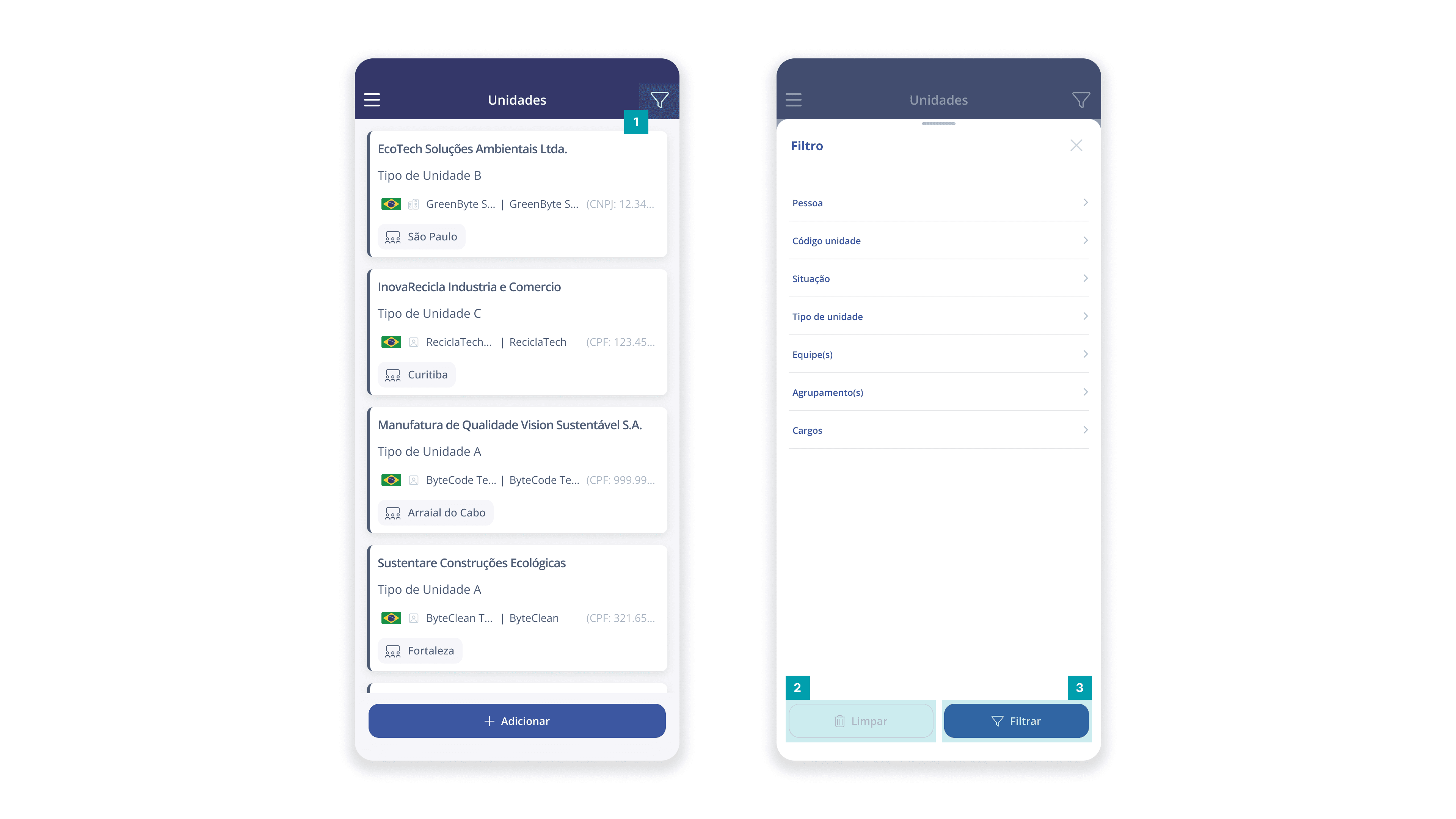
Click on the filter icon, which is located in the upper right corner of the screen.
If there are active filters, you can remove them by clicking the Clear button.
Next, the fixed-type fields to be configured according to the desired criteria will be displayed. After configuring the fields, click the Filter button to apply the criteria to the filter.