
Edit terms of acceptance
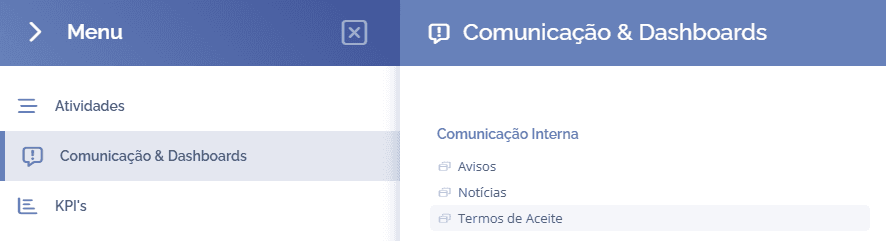
To edit acceptance terms, open the main menu, select the module Communication & Dashboards, Internal Communication, and click the Acceptance Terms option:
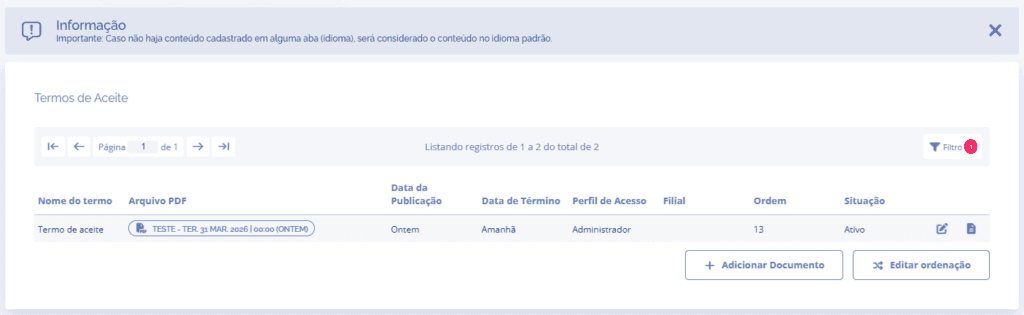
In this section, choose the acceptance term you want to edit and click the edit icon:
A section will open below for editing the acceptance term:
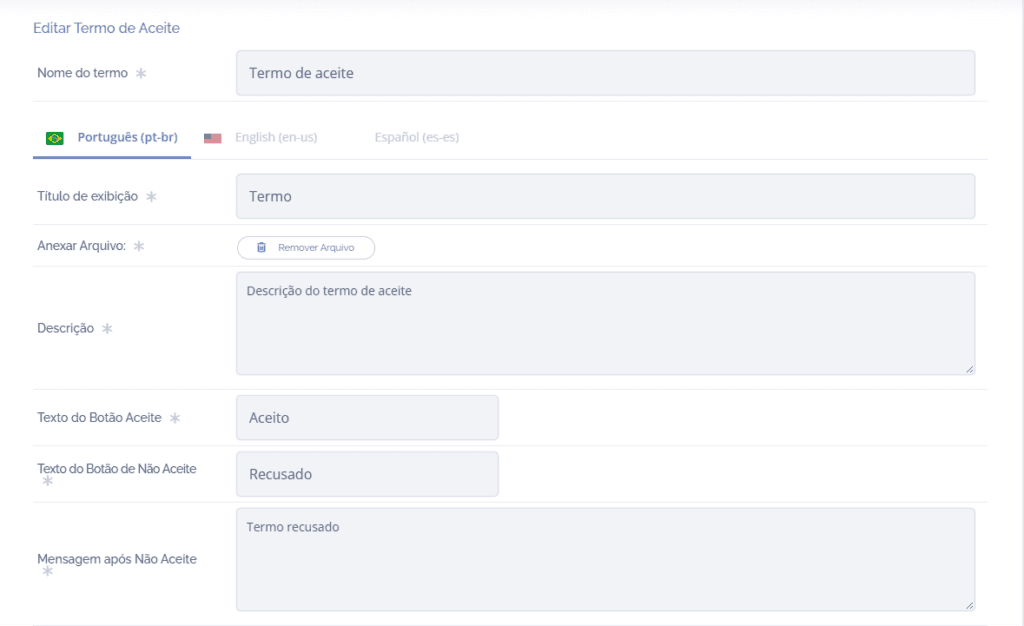
After editing, click the Save button at the end of the section to save the information in the system.