
Create/Add acceptance terms
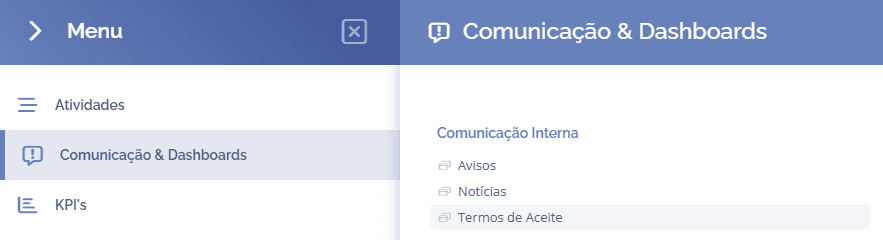
To create terms of acceptance, open the main menu, select the Communication & Dashboards module, Internal communication, and click the Terms of acceptance option:
The terms of acceptance will be displayed in this block:
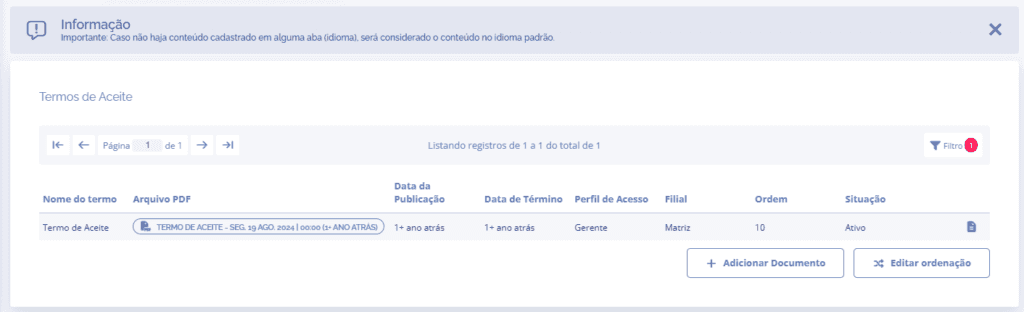
When you click the Add document button, the Add term block will open below:
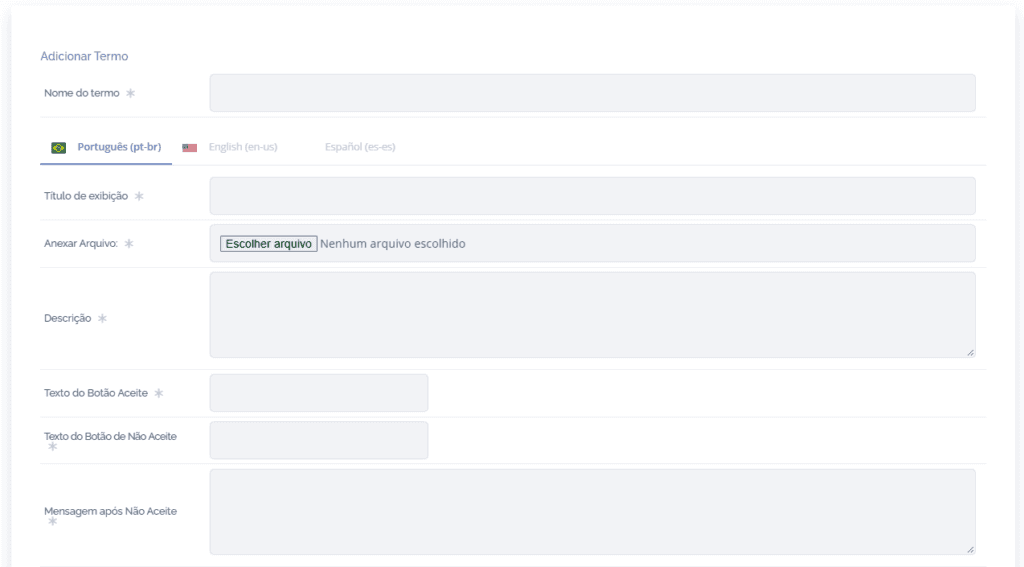
Display title: Name of the document that will be displayed.
Attach file: Attach a document to be displayed.
Description: A description about the term of acceptance.
Accept button text: By default, the button name is set to I agree, but it can be changed.
Decline button text: By default, the button name is set to I do not agree, but it can be changed.
Message after decline: By default, the message is set to: “Acceptance of this document is mandatory to use the system.”, but it can be changed
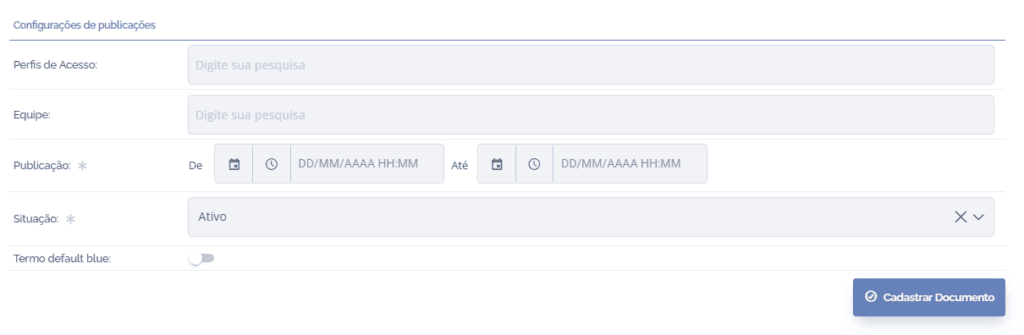
Access profiles: Select the access profiles that will view the term of acceptance.
Team: Select the teams that will view the term of acceptance
Publication: Start and end date and time of the term of acceptance.
Status: If the status is set to Active, the term is displayed. If it is set to Inactive, the term is no longer displayed.
After filling in the fields, click the Register document button to save the information in the system.