English

Edit user data in the app

Search for content...

Edit user data in the app

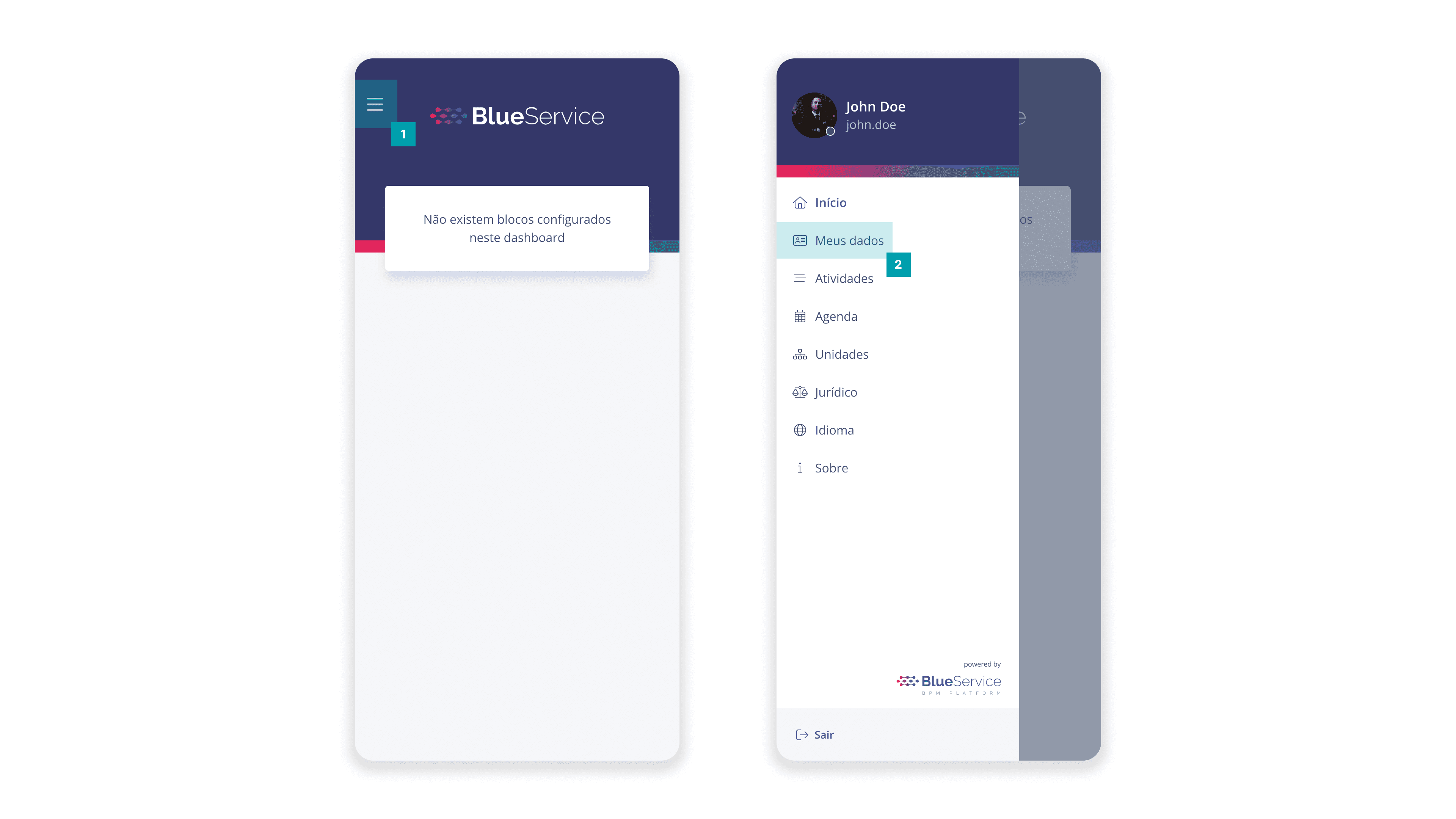
To edit the user's data, open the user menu in the upper left corner and click the My Data option
Full


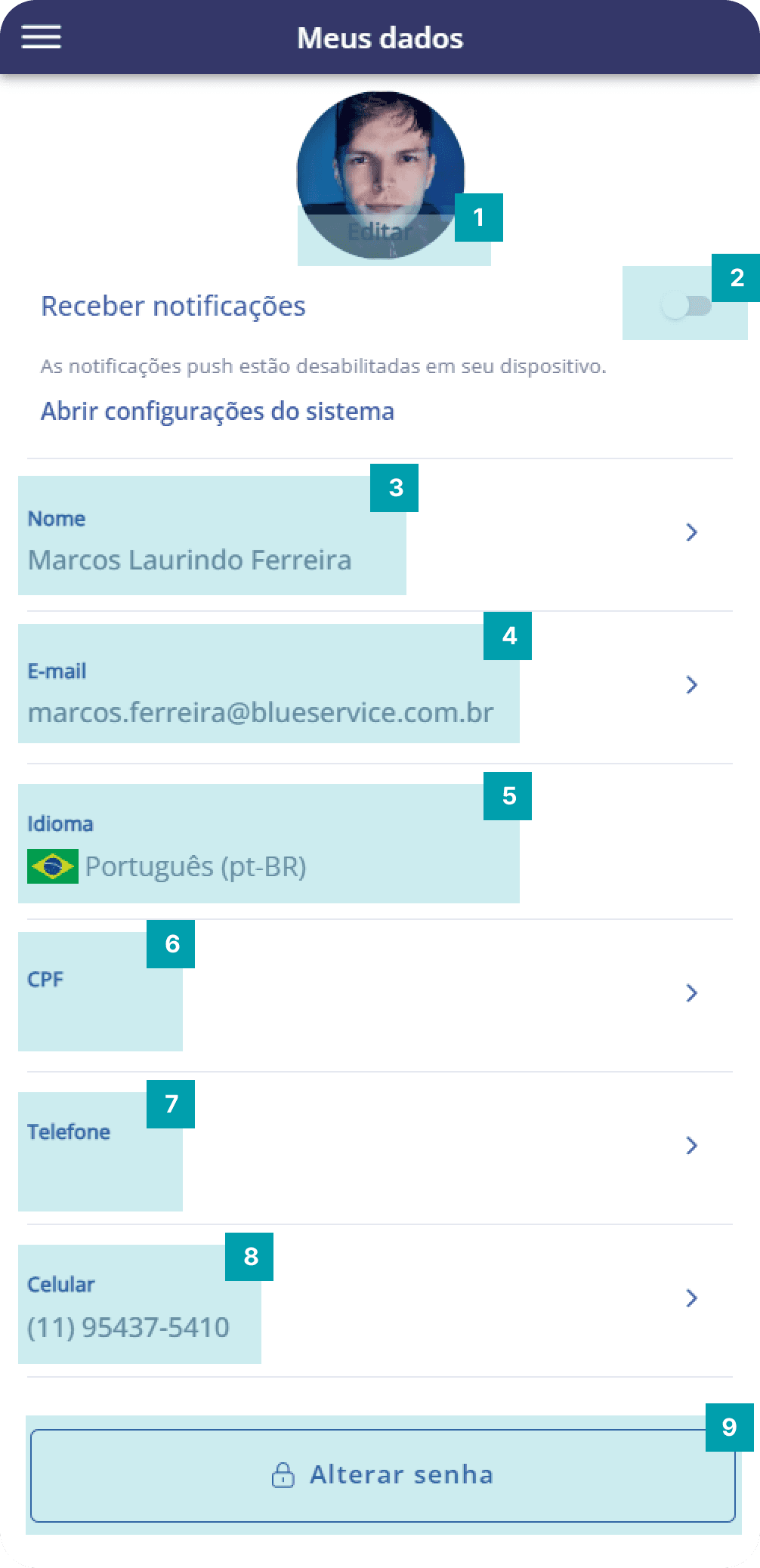
On this screen, you can make the necessary changes:
75%
  1. Photo – Allows you to add an image for the user

  2. Notifications – When you enable the switch, you will receive app notifications

  3. Name – Shows the user's full name

  4. Email – Shows the user's email address

  5. Language – Shows the user's language

  6. CPF – Shows the user's CPF

  7. Phone – Shows the user's phone number

  8. Mobile – Shows the user's mobile number with area code

  9. Change password – Allows you to change the user's password