Create new legal list
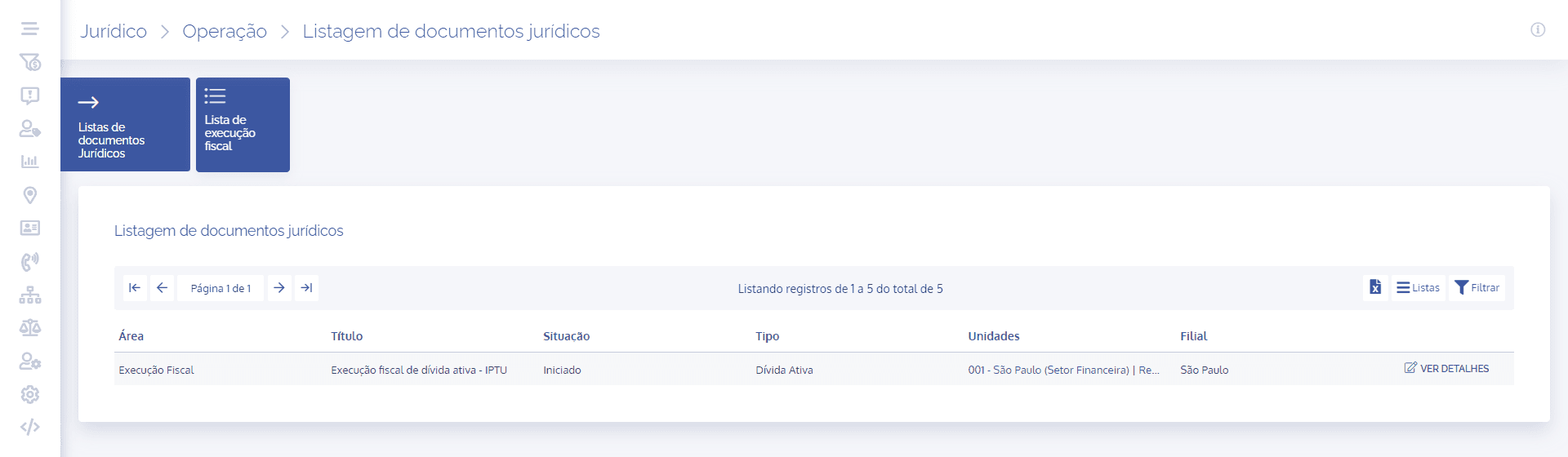
In the legal documents listing, it is possible to save a new list. To perform this operation, click the Lists icon and immediately afterward new icons will appear below, including the Save new list icon:

When clicking the Save new list icon, a floating window will be displayed:
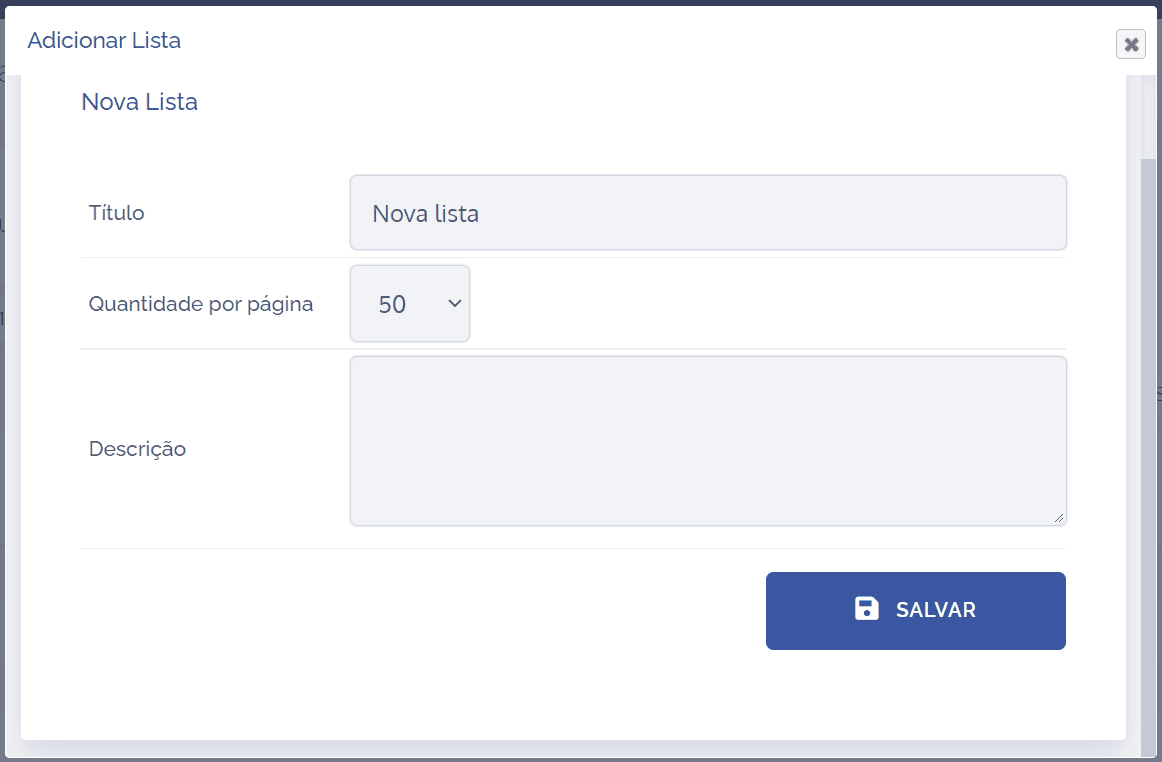
To proceed with creating the new list, the following items must be filled in:
Title: When selecting this field, it is possible to define a brief title for the list.
Quantity per page: When selecting this option, it is possible to define the number of items to be displayed per page.
Description: When selecting this field, it is possible to provide a brief description regarding the purpose of the list.
After filling in the fields, click the Save button . Then, a card will be created in the legal documents listing with the defined list title: