
Creating units in the app
This topic introduces the functional and operational part of the units module in mobile, starting with the creation of units.
The content below covers the creation of units manually, that is, through the unit creation form.
Unit creation form
The unit creation form contains fixed fields and dynamic fields configured according to the unit type. The fixed fields are filled in first, and the dynamic fields are presented immediately afterward, and may be divided into categories.
Important: for a better understanding of fixed and dynamic fields, see the topic Editing activities in the app
Creating a unit
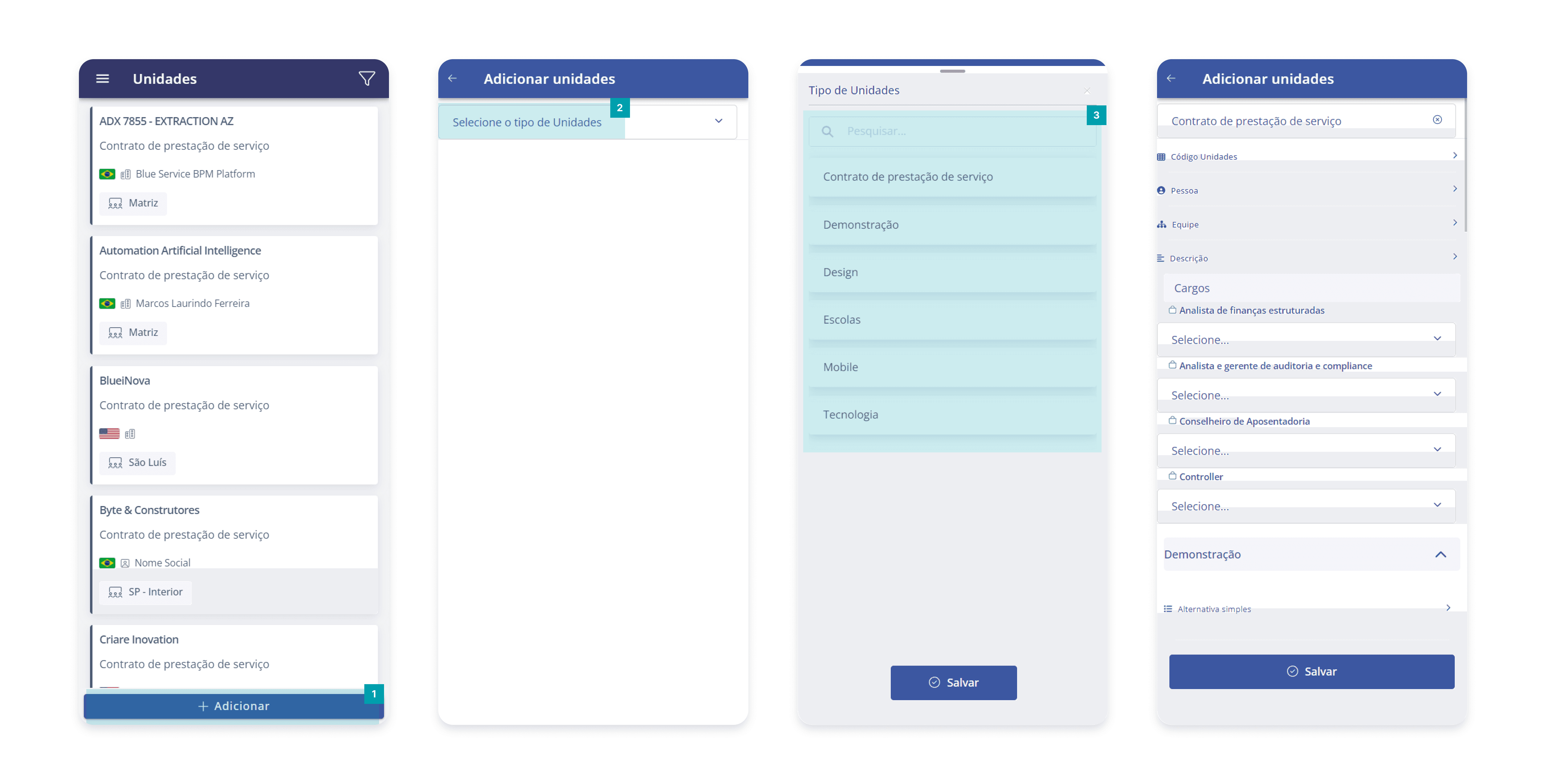
In the unit list, click the Add button.
Click Select the Unit type.
Next, the available unit types will be displayed. You can locate a specific type using the search box, or by browsing the list.
After selecting the desired type and filling out the form for creation, click the Save button to register the information.
Attention: only unit types compatible with the user's access profile will be displayed.