
Contracting Party
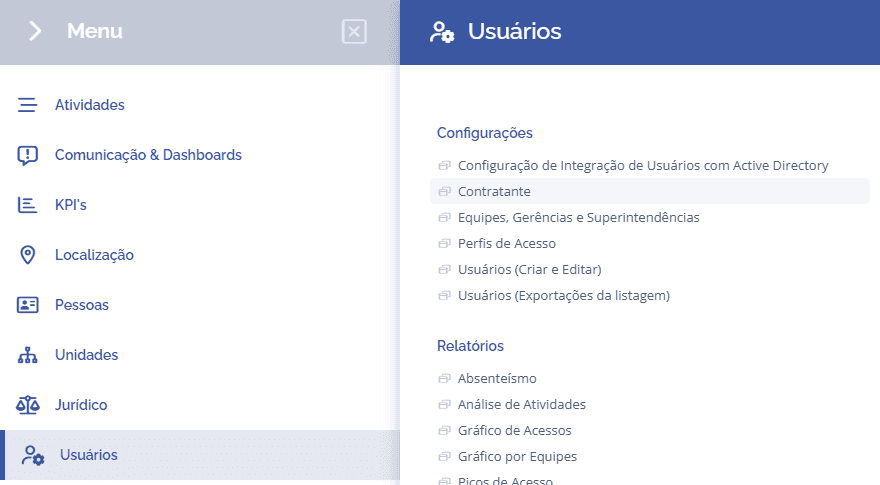
To add contractors in the system, open the main menu, select the module Users, Settings and click the Contractor option
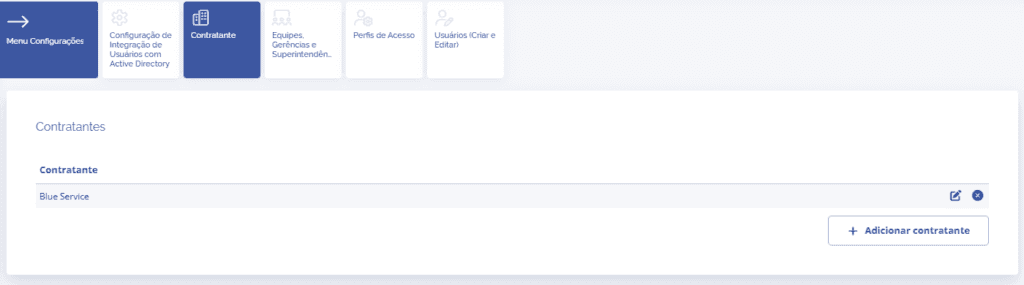
In the Contractors block, it is possible to view the list of contractors registered in the system to associate them with system users.
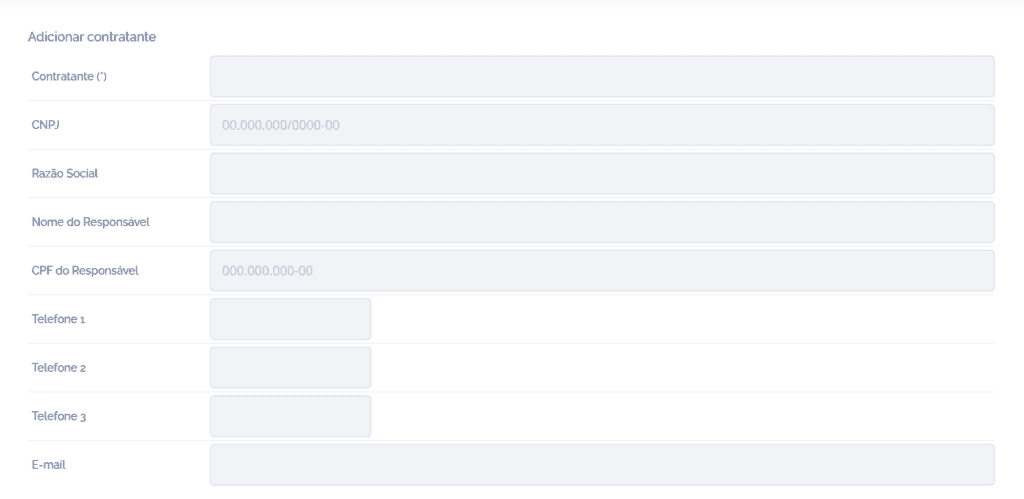
By clicking the Add contractor button, a new registration block will be displayed, requesting all the contractor's data, the articles of incorporation address and the billing address. After completing the registration, click Save to add the new contractor to the system.
If necessary, it is possible to edit the contractor's data later or remove it by clicking the respective Edit (pencil) and Remove (X) icons.