
Naming configuration (alias)
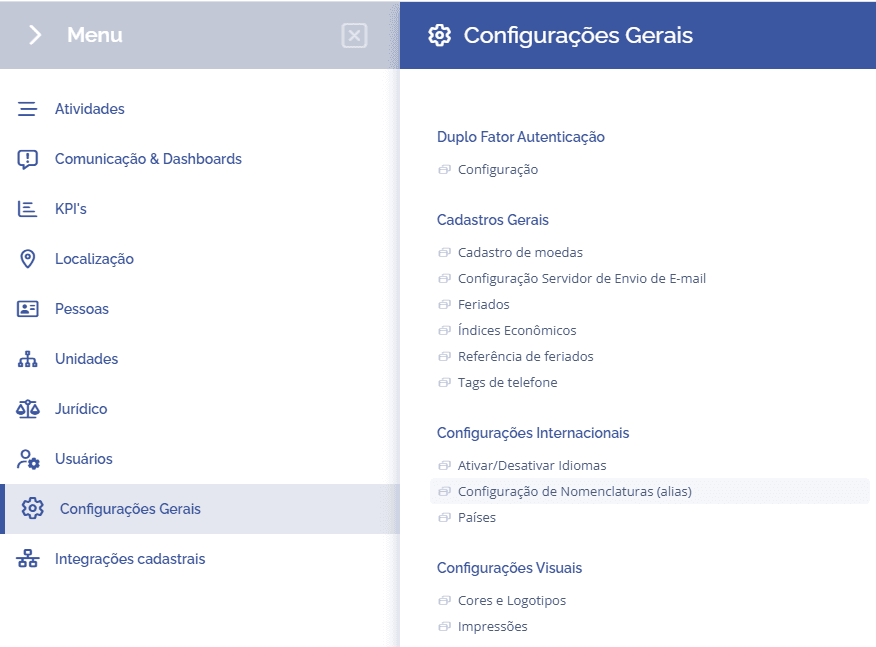
To configure the naming conventions, open the main menu, select the module General Settings, International Settings and click the option Naming Configuration (alias):
This section displays the configuration of alternative naming conventions for some fields (aliases):
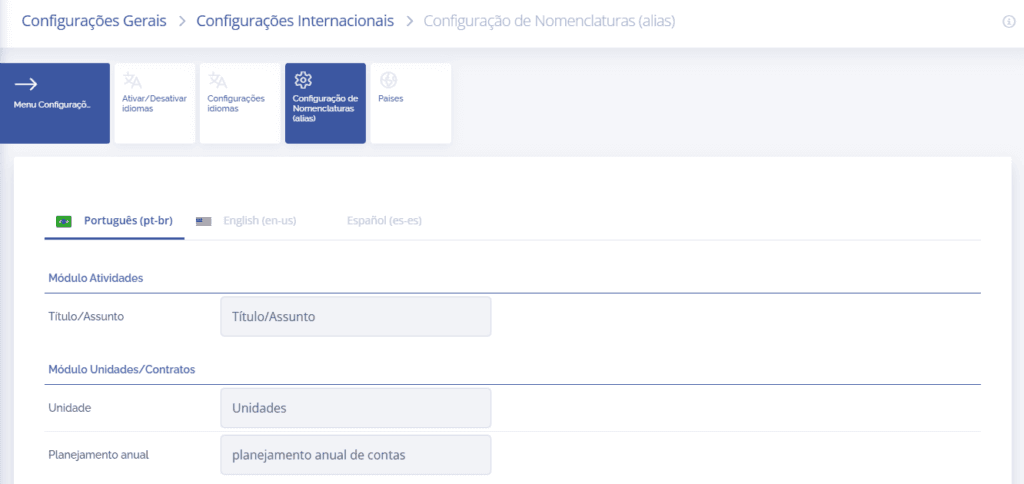
Sections to be configured:
When selecting this section, it is possible to configure the following modules:
Activities
Units/Contracts
Users
People
Filter Standardization
Communication
Defining the naming conventions (aliases) for the Portuguese, English, and Spanish languages configured in the card “Enable/Disable Languages”.