
Blocks
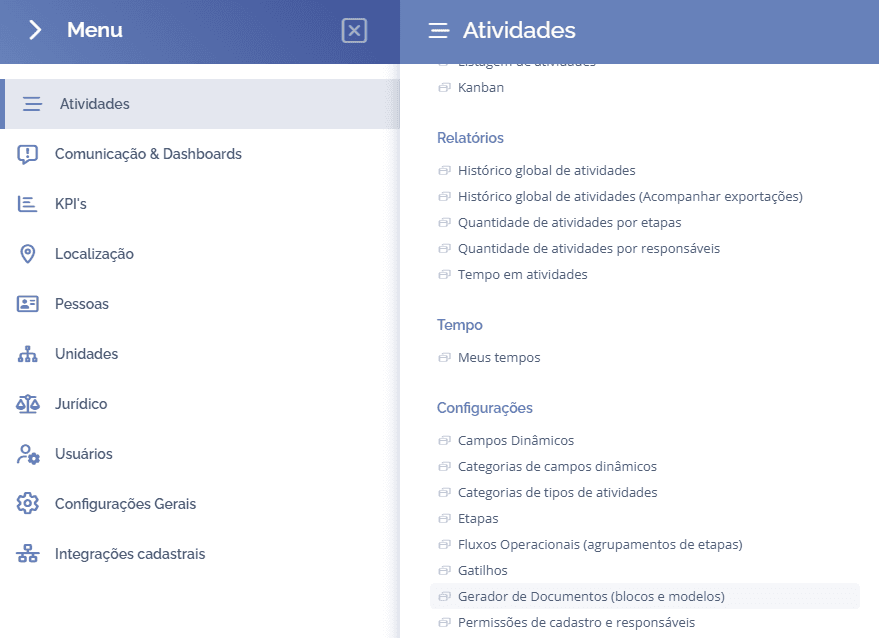
To create blocks, open the main menu, select the Activities module, Settings and click on the option Document Generator (blocks and templates).
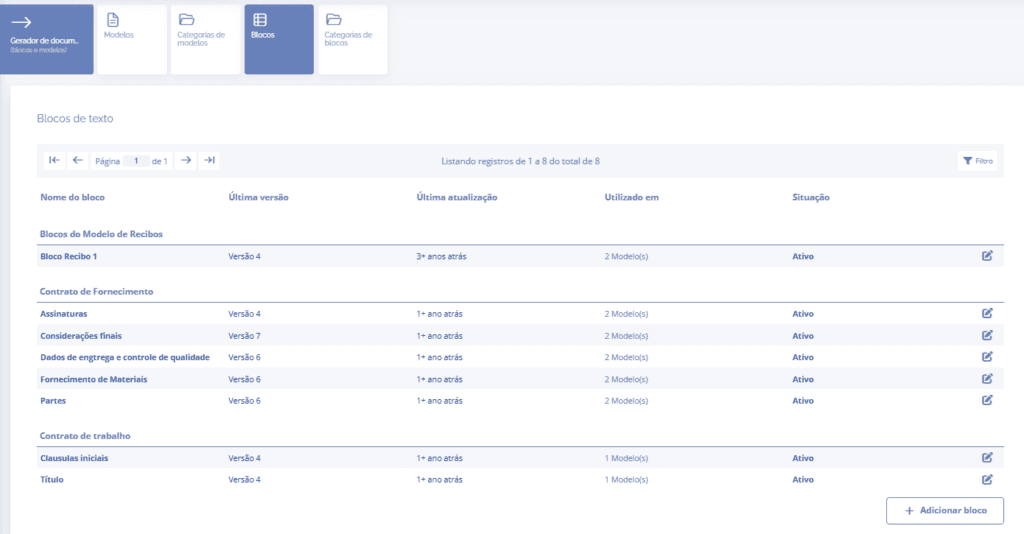
Next, select the Blocks card and click the Add block button:
The block will be displayed (Add text block):
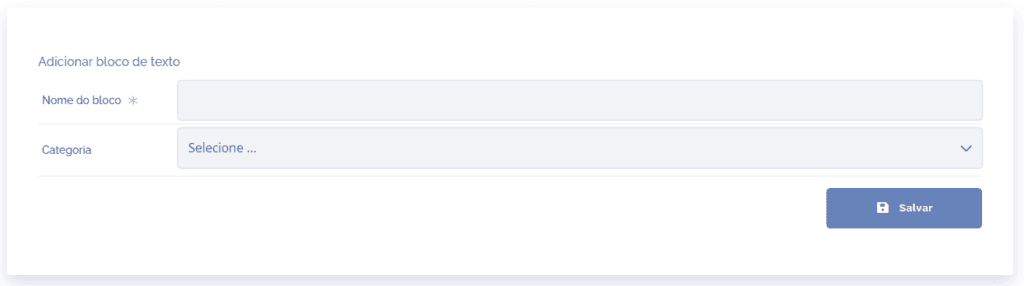
Filling in the fields:
Block name: when clicking this field, you need to define a title (name) for the block to be registered.
Category: when clicking this field, it will be necessary to choose, among the registered categories, the one that corresponds to the block in question.
After filling in the fields, click the Save button.
Filter
In the text blocks listing, it is possible to configure the search filter. To perform this configuration, click the Filter icon located on the right side of the page:

Next, the (Filter blocks) block will be displayed:
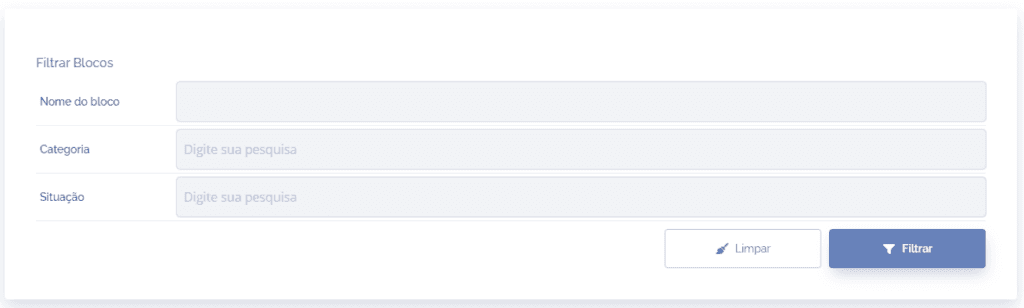
Filling in the filter:
Block name: when clicking this field, it is possible to search by block name.
Category: when clicking this field, it is possible to search by selecting, among the registered categories, the one(s) you want to search for.
Status: when clicking this field, it is possible to search by selecting the statuses you want to search for (active, inactive and in editing).
After filling in the fields, click the Filter or Clear button, if you want to clear the list for a new search.