
Progress of the legal document
In the details of a document, click the Updates card:

The updates will be displayed in this block:

When you click the Add update button, a block will open below:
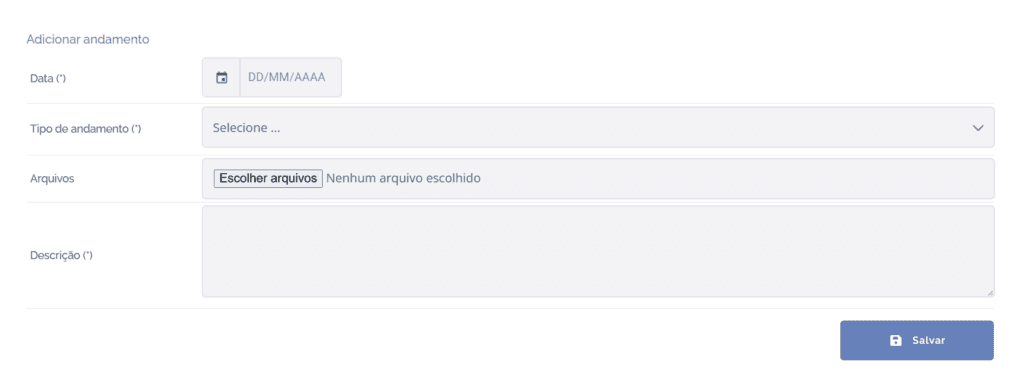
Date: Select a date.
Update type: Select an update type.
Files: Add files to the update.
Description: Briefly describe the update.
After filling in the fields, click the Save button to record the information in the system.