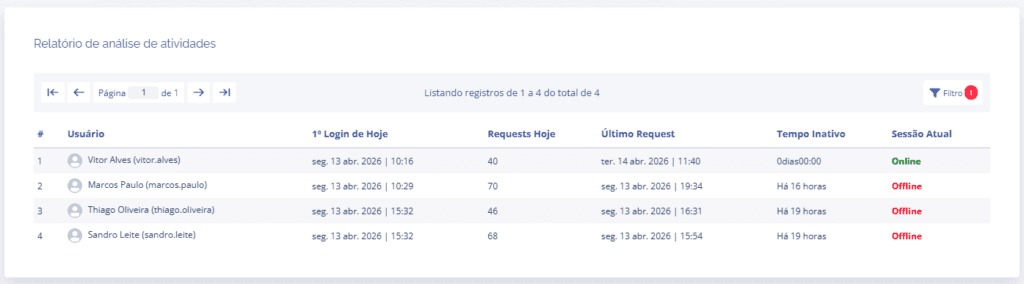
Activity analysis
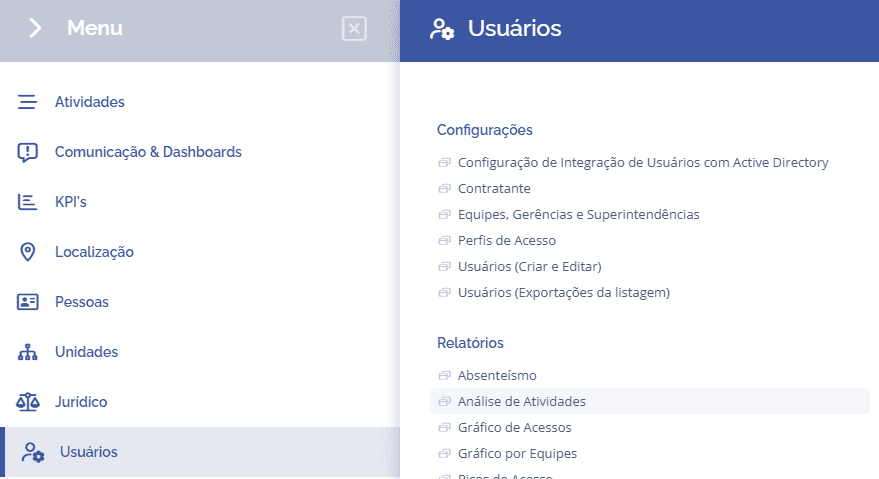
To view the absenteeism report, it is necessary to access Users > Reports > Activity Analysis:
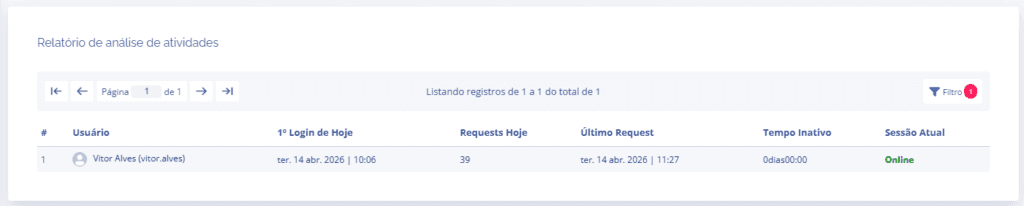
In this section, it is possible to view the users' daily report in the system.
When clicking the Filter button, the system allows you to add other parameters, including a view by team, profile, user status (active/blocked), date, and the type of list sorting.
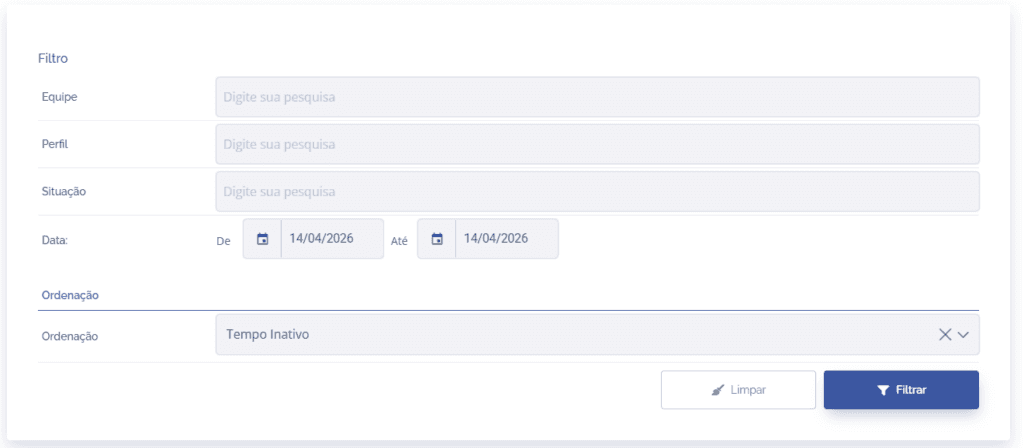
When filtering by an old date, the columns that use the Today parameter will always use the filter's initial date as a reference.