
Grouping of units
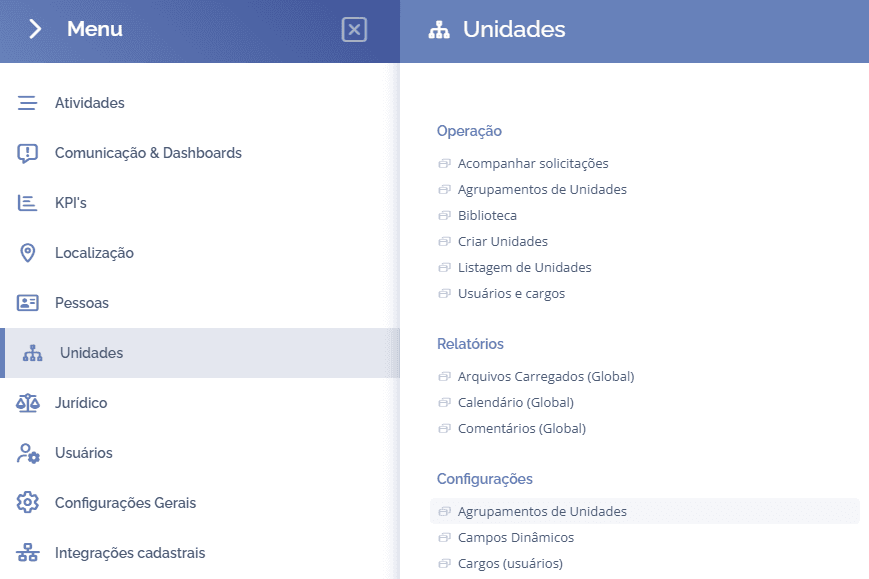
To create unit groupings, open the main menu, select the Units module, Settings and click the Unit groupings option.
Next, the (Unit groupings) block will be displayed:
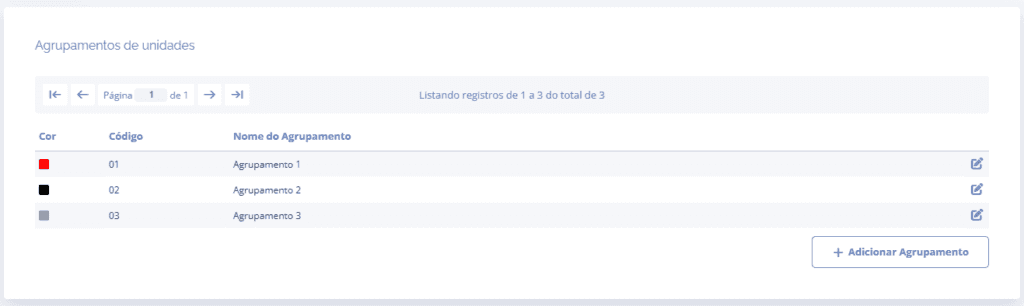
When you click the Add grouping button, the (Add grouping) block will be displayed:
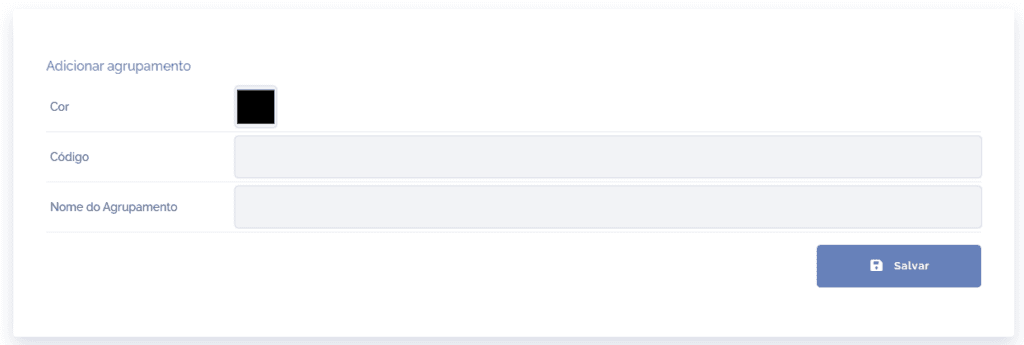
Filling in the fields
Color: when clicking this field, define the color of the grouping to be registered.
Code: when clicking this field, you must define the code of the grouping to be registered.
Grouping Name: when clicking this field, you must define the title (name) of the grouping to be registered.
After filling in the fields, click the Save button.
Edit grouping
When clicking the Edit icon, the (Edit grouping) block will be displayed:
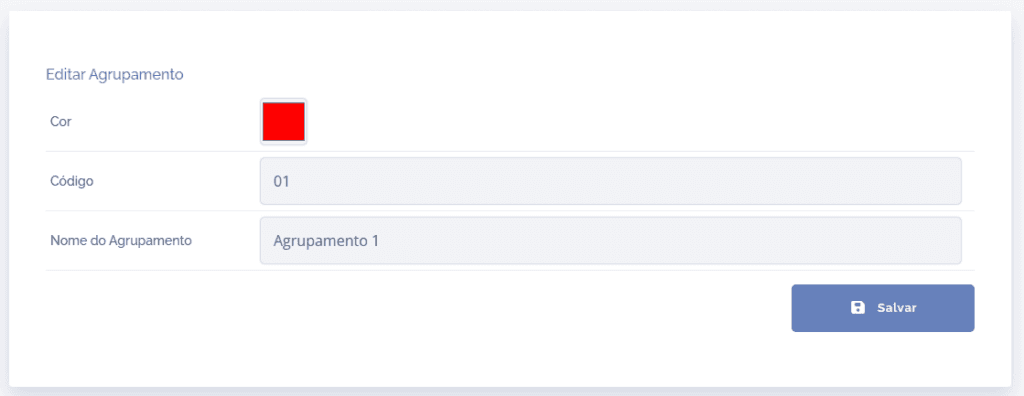
After editing the fields, click the Save button.