
Reports exported to Excel
The reports exported to Excel allow you to track all the legal reports that were requested.
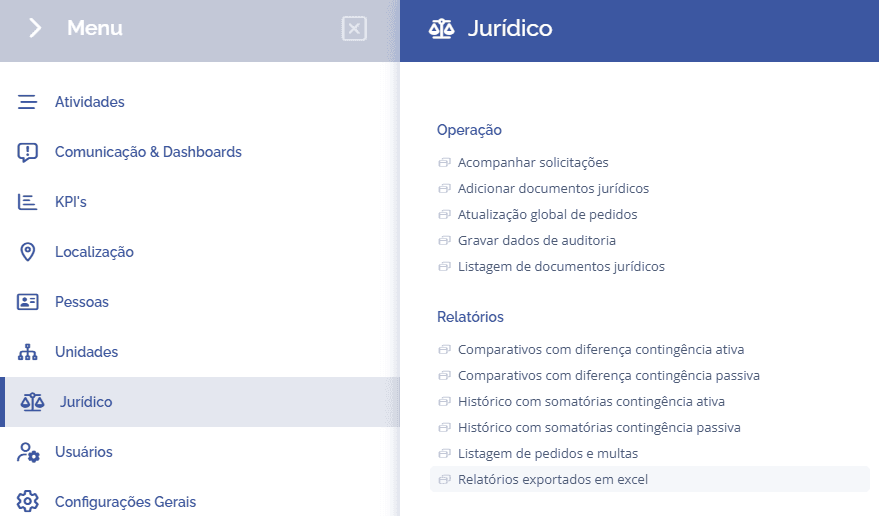
To access the reports exported to Excel, open the main menu, select the Legal, Reports, module, and click the Reports exported to Excel option.
Next, the block (Reports exported to Excel) will be displayed:
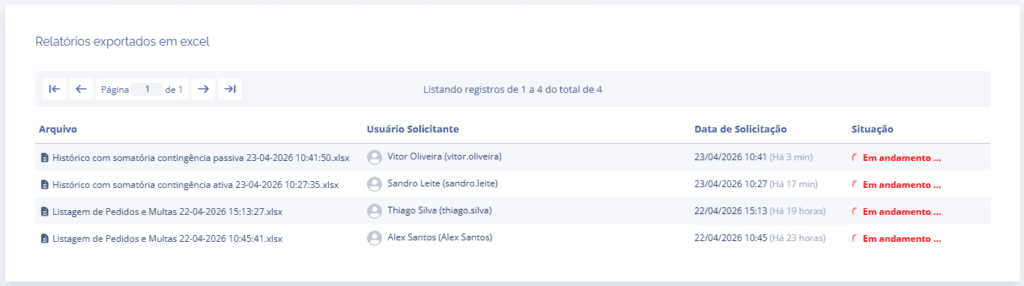
Once the system finishes the request, the status changes from In progress… to Completed, allowing you to download the Excel file (.xlsx).